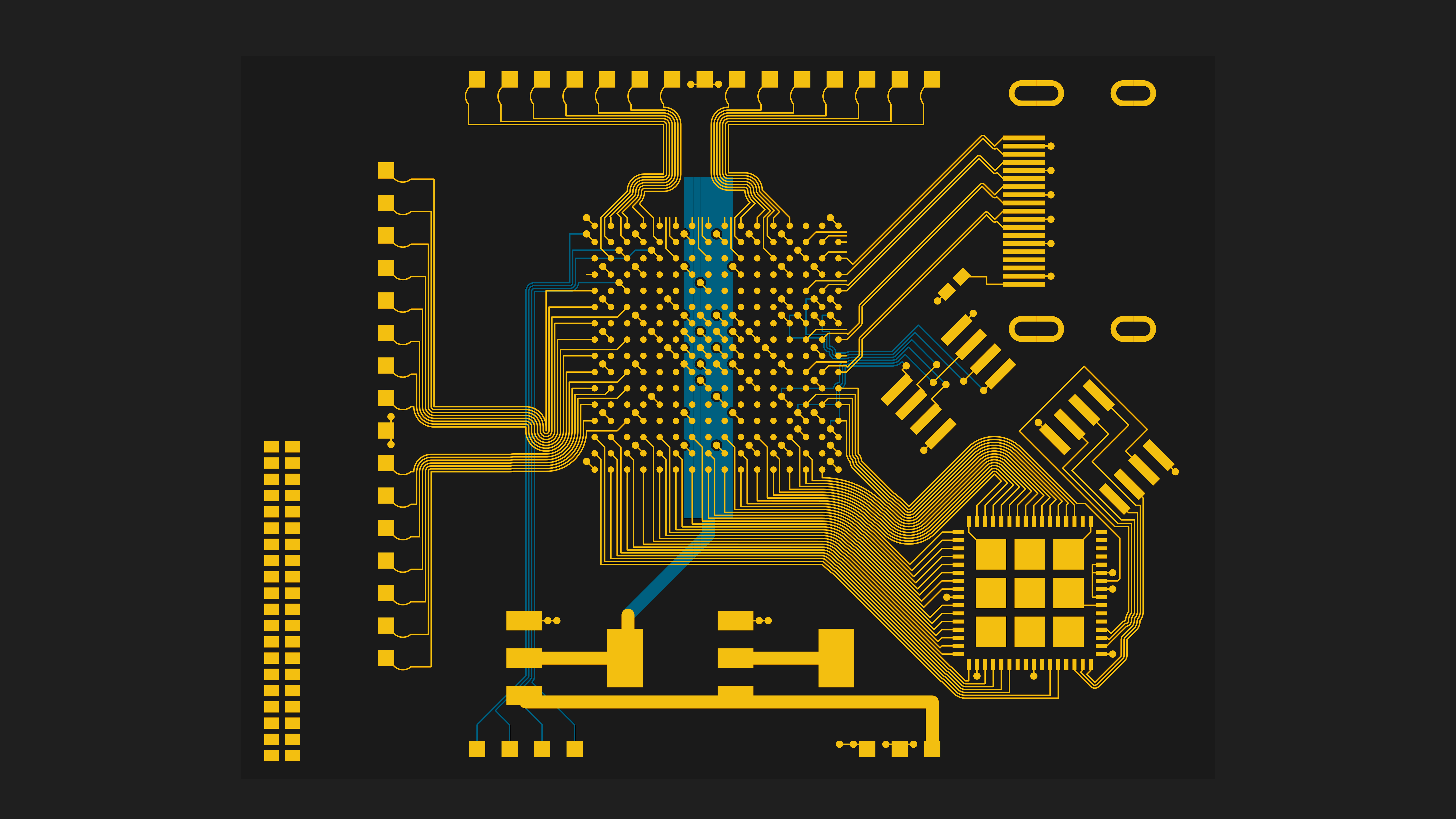
PCB routing used to feel like the part of electronics where you stopped thinking in elegant abstractions and started dragging copper around like you were untangling holiday lights. Then Python walked into the lab with a smug little grin and said, “What if the board could be described, checked, and even partially routed with code?” Suddenly, wires and words were no longer enemies. They were coworkers.
That shift is bigger than hobbyist novelty. Modern PCB design still lives and dies by placement, return paths, stackups, clearances, impedance, and manufacturing limits. But Python brings something old-school layout tools never fully mastered: repeatability. With code, engineers can define circuits as data, generate netlists, automate geometry, enforce board rules, script repetitive tasks, and connect layout work to a larger engineering workflow. The result is not magic copper spaghetti that routes itself perfectly while you go get tacos. The result is a smarter process.
This is where the title Wires Vs Words becomes the real joke. In PCB routing, words are not replacing wires. They are describing intent, constraints, and patterns so the wires land where they should in the first place. Python does not eliminate board layout craft. It exposes it, formalizes it, and, when used well, makes it a little less dependent on caffeine and luck.
What PCB Routing Means Once Python Gets Involved
At its core, PCB routing is the job of creating copper connections between pads while respecting electrical, mechanical, and manufacturing constraints. That sounds simple until you add high-speed clocks, noisy power sections, tight board outlines, differential pairs, return-current paths, via costs, EMI concerns, and a connector that absolutely must live in the one spot that makes everything harder.
Traditional PCB tools handle this with graphical editors, interactive routing, design-rule checks, and in some cases autorouters. Python changes the game by letting you express parts of the problem as code. Instead of manually repeating the same footprint placement pattern six times, you can generate it. Instead of hoping everyone on the team remembers trace-width conventions, you can script them. Instead of treating the layout as a static drawing, you can treat it as a programmable artifact.
That does not mean Python should blindly “autoroute the whole board” and declare victory. In real designs, routing quality depends on context. A USB pair, a switching regulator loop, and a low-speed LED net do not deserve the same treatment. Python shines when it helps encode that difference.
Why Python Fits PCB Work So Well
Because hardware is full of patterns
Engineers love pretending every board is a unique snowflake. In reality, many boards are built from repeated structures: resistor arrays, connector breakouts, LED matrices, sensor channels, keyboard rows and columns, replicated power islands, or repeated analog front ends. Python is excellent at describing those patterns without forcing you to redraw them like a medieval manuscript monk.
That is why code-driven electronics tools have gained such a following. If a design includes repeating nets, repeated placements, mirrored sections, standardized connector pinouts, or geometric rules, Python can turn hours of click-work into a few readable functions.
Because constraints are easier to document in code than in memory
Every PCB designer eventually develops a mental checklist: route critical nets first, keep return paths tight, avoid routing high-speed lines across plane splits, keep power traces stout, reduce unnecessary vias, watch crosstalk, and set design rules before the board becomes a tiny copper crime scene. The problem is that mental checklists live in human brains, and human brains are famous for bugs.
Code makes those constraints visible. A scripted workflow can define classes of nets, preferred widths, keepouts, pair relationships, geometry templates, or automated checks. That does not replace engineering judgment. It gives judgment a place to live outside your skull.
The Python Toolchain Behind PCB Routing
SKiDL: circuitry written as code
One of the best-known examples in the Python PCB ecosystem is SKiDL. Instead of drawing a schematic in a traditional editor first, you describe the circuit in Python. Components, nets, buses, and connections become programmable objects. That alone is useful, but the bigger win is that the script can perform electrical rule checking and generate a netlist for downstream layout tools.
In plain English, SKiDL lets you write your circuit the way software engineers write infrastructure: declaratively, repeatably, and with less mouse mileage. It is especially attractive when a design has families of similar channels or a lot of parameterized structure.
KiCad and Python APIs
KiCad has long supported Python-driven extension, and the current direction is even more interesting. Modern KiCad development is moving toward an official IPC API with Python bindings, which gives Python a more stable path for plugin development and external control. That matters because it shifts Python from being a clever side door into something closer to a supported automation lane.
For designers, that means Python can increasingly interact with a live KiCad session in a structured way: inspecting board data, creating tools, automating repetitive tasks, and building plugins that feel less like hacks glued together at 2 a.m. and more like real tooling.
pcbflow and code-generated layout
Then you get to projects like pcbflow, where layout itself becomes more programmatic. This approach pushes beyond “script around the PCB editor” and toward “generate the board geometry in Python.” That is a big philosophical jump. You are no longer merely automating layout steps. You are treating the board as code-defined geometry.
For repeated structures, compact devices, keyboard-like layouts, or boards where regularity matters, that can be brilliant. For messy one-off mixed-signal boards with conflicting priorities? It can still help, but you will probably want a human hand on the wheel.
Autorouters and external flows
No discussion of PCB routing in Python is complete without mentioning external routing engines. A common pattern is to export design data, pass it through an autorouter, and re-import the result. Tools like FreeRouting are part of that story. This can be helpful for low-risk nets, dense breakout regions, or initial pathfinding. It is not a substitute for reviewing the result like a suspicious adult.
Think of autorouting as a talented intern: fast, occasionally brilliant, and in need of supervision before anything gets sent to manufacturing.
What a Python-Driven PCB Routing Workflow Looks Like
A practical workflow usually looks less like “Python does everything” and more like “Python handles the boring, fragile, and repeatable parts.” A small but realistic flow might go like this:
- Describe repeated circuitry or connectivity in Python.
- Generate or verify the netlist.
- Push the design into KiCad or another layout environment.
- Use Python scripts or plugins to place repeated elements, assign classes, name nets, or create rule-friendly geometry.
- Route the critical signals manually or with guided automation.
- Use an autorouter selectively for simple or secondary nets.
- Run DRC, inspect return paths, verify spacing, and prepare fabrication outputs.
The smartest teams use Python where it increases consistency and reduces toil. They do not hand mission-critical signal integrity decisions to a script and then walk away whistling.
A tiny illustrative snippet
The code above is intentionally simple, but the idea is powerful: turn routing priorities into explicit logic. Once those rules are visible, they are easier to audit, reuse, and improve.
Routing Rules That Matter Whether You Script or Click
1. Placement still decides routing quality
There is an old saying in PCB layout that placement is most of the job, and routing is the proof you got placement right. Python can help place repeated structures or enforce spacing patterns, but it cannot rescue a terrible floorplan without leaving a trail of vias and regrets.
Put related components together. Keep sensitive analog paths away from noisy digital switching. Keep connectors where mechanics demand, then arrange the board so the routing problem becomes solvable rather than theatrical.
2. Return paths are not optional decoration
A signal trace is only half the story. Current returns need a continuous, low-impedance path, which is why solid reference planes matter so much. If a trace crosses a split or forces its return current to detour, the layout can invite noise, EMI, and timing headaches. Python can classify critical nets, but only good stackup and routing discipline keep the physics happy.
3. Power traces, via choices, and spacing deserve intent
Not every net should be routed with the same width and same casual attitude. Power nets usually need wider traces. Dense fan-outs might force micro-level compromises. Too many vias add impedance, manufacturing complexity, and sometimes signal-quality pain. Design rules exist so that “looked fine on screen” does not become “why is the board heating up?”
4. Route the important stuff first
Clocks, differential pairs, RF paths, regulator loops, and other sensitive routes should not be left for the end after every easy net has already occupied the best real estate. Python can reserve space, pre-classify nets, and generate constraints, but someone still needs to decide what is electrically important.
5. DRC is your friend, not your parole officer
Design rule checking should not be the final panic button pressed right before generating fabrication files. It should be part of the process from the start. One of the strengths of code-driven workflows is that rules can be defined early and applied consistently. That means fewer last-minute discoveries, fewer “mystery shorts,” and fewer dramatic conversations with the board house.
A Realistic Example: Routing a Small Sensor Board in Python
Imagine a compact environmental sensor board with a microcontroller, USB connector, voltage regulator, I2C sensor header, status LEDs, and a debug port. A traditional workflow would draw the schematic, place footprints, and route everything by hand. A Python-enhanced workflow could do more:
- Use Python to generate repeated decoupling structures and consistent naming.
- Assign the USB differential pair and clock nets to stricter classes.
- Place LEDs and resistors with uniform spacing using a script.
- Create keepouts around antenna or connector zones.
- Set wider default widths for power nets and narrower ones for low-current signals.
- Route the regulator loop and USB pair carefully, then let automation help with the simple GPIO lines.
Now the board is not merely “drawn.” It is described. If the connector changes, the LED count increases, or the debug header moves, the script can absorb much of the pain. That is the real promise of PCB routing in Python: not perfection, but graceful change.
Wires Vs Words: The Real Trade-Offs
Python-based PCB design is not automatically better than graphical design. It is better when the board benefits from parameterization, repetition, automation, or integration with software workflows. If you are making a weird one-off board with lots of physical nuance, pure code generation can feel like writing a novel just to move a capacitor two millimeters.
There is also a learning curve. You need enough PCB knowledge to know what should be automated, enough Python skill to express it cleanly, and enough humility to review the outcome like a cranky manufacturing engineer. The danger is not that Python makes boards bad. The danger is that Python makes bad ideas scale beautifully.
Still, the upside is enormous. Version control becomes more meaningful. Repeated structures become easier to maintain. Board families become easier to evolve. Layout conventions become shareable. And the distance between “what we intended” and “what we built” gets smaller.
The Human Still Wins the Finals
The best way to think about PCB routing in Python is this: code is excellent at expressing rules, structure, repetition, and transformation. Humans are still better at interpreting messy trade-offs. A router can find a path. An engineer decides whether that path is electrically elegant, mechanically reasonable, manufacturable, and worth trusting.
That means the future is not wires versus words. It is words shaping wires. The smartest PCB workflows combine both: Python for consistency and leverage, human review for judgment and taste. Because yes, PCB layout has taste. Any designer who has ever stared at a beautiful, quiet, compact board knows it.
Experiences From the Bench: What This Topic Feels Like in Practice
The most interesting thing about working with PCB routing in Python is that it changes how you think long before it changes how you route. The first time you describe a circuit or placement pattern in code, you stop asking, “Where do I click next?” and start asking, “What is the structure of this design?” That sounds philosophical, but it becomes practical very quickly. A row of LEDs is no longer twenty tiny tasks. It is a loop. A bank of pull-up resistors is not a drawing chore. It is a pattern. A connector pinout is not just copper waiting to happen. It is data.
That shift can be addictive. Suddenly you want everything to be parameterized. You start naming net classes more carefully. You begin thinking about whether a board family should be generated from one source of truth. You realize that a good Python script can save future-you from repeating the same fiddly layout work after every revision. And future-you, unlike present-you, is usually tired and a little resentful.
But experience also teaches restraint. Not every board wants to become a software project. Some layouts are too dependent on physical judgment, hand-tuned geometry, or one-off mechanical constraints to benefit from deep code generation. In those cases, Python still helps, just in smaller ways. Maybe it generates labels, places repeated mounting features, validates names, or sets routing classes. The trick is matching the automation level to the board instead of automating things just because you can.
Another lesson is that routing quality improves when Python is used before the board gets messy. Scripts are most powerful early, when they can help define rules, structure, and placement conventions. If you wait until the end and ask code to clean up a chaotic layout, you are basically requesting that a spreadsheet solve your bad life choices. It might help a little, but it will remember what you did.
There is also a confidence benefit that is easy to underestimate. When your workflow is scriptable, revisions stop feeling so fragile. Changing a connector footprint or duplicating a channel does not automatically trigger despair. You know that at least some part of the design can be regenerated consistently. That matters in real engineering, where requirements move, parts go obsolete, and “one last small change” is never actually one last small change.
My favorite practical insight from this whole space is that Python does not make PCB routing less physical. It makes the physical constraints more explicit. Trace widths, keepouts, differential pair handling, power priorities, geometric repetition, and manufacturing rules all become easier to discuss when they are expressed clearly in code or script-assisted workflows. The copper still has to obey physics. The board still has to be fabricated. The EMI still does not care how elegant your variable names are. But the path from idea to layout becomes clearer.
So if you are curious about PCB routing in Python, the best expectation is not “the computer will do my layout for me.” The better expectation is “I will build a workflow that makes good layout decisions easier to repeat.” That is where the real payoff lives. Less mouse gymnastics. More design intent. Fewer mysterious board revisions. And, with luck, a little more time left over to enjoy the rare engineering miracle of a prototype that works on the first spin.
Conclusion
PCB routing in Python is not a rebellion against traditional layout. It is an upgrade in how design intent is captured. Tools like SKiDL, KiCad’s Python ecosystem, scripted plugins, and programmatic layout frameworks prove that electronics design can be more reproducible, more inspectable, and less repetitive. The physics of PCB routing have not changed, but the workflow around them absolutely has.
In the end, the best boards still come from respecting the fundamentals: smart placement, clean return paths, meaningful rules, careful handling of critical nets, and relentless review. Python simply gives those fundamentals a better memory. In a field where one misplaced via can ruin your afternoon, that is a pretty beautiful thing.