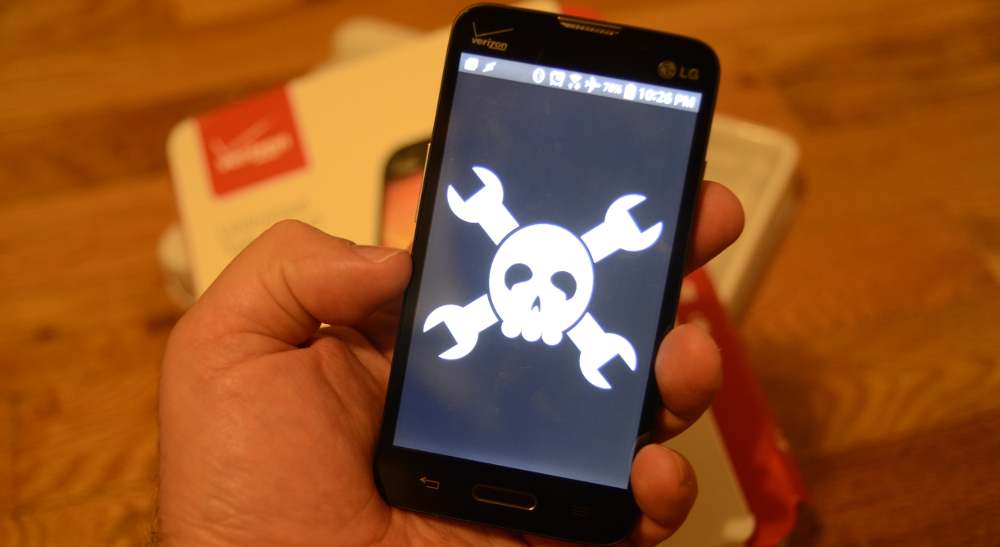
Looking for a low-cost ARM platform? Before you order another tiny board, hunt for a power supply, buy a microSD card, and start muttering at shipping fees like a wizard with poor Wi-Fi, consider the humble prepaid Android phone. Yes, that little plastic slab hanging in a retail blister pack near the checkout aisle may be one of the most underrated ARM development platforms around.
A prepaid Android phone is not just a phone. It is a battery-backed ARM computer with a touchscreen, Wi-Fi, Bluetooth, cameras, microphones, speakers, GPS, storage, sensors, USB connectivity, and a mature operating system already installed. In other words, it is what many single-board computer projects become after you spend extra money bolting parts onto them.
This does not mean every prepaid Android phone is a perfect substitute for a Raspberry Pi, Orange Pi, or other single-board computer. It is not. You will not get friendly GPIO pins, easy kernel swapping, or the same hardware-hacking openness. But if your project needs a cheap ARM device for scripting, dashboards, lightweight servers, robotics control panels, field data collection, Android app testing, remote monitoring, or learning Linux-style command-line tools, a prepaid Android phone deserves a serious look.
Why a Prepaid Android Phone Makes Sense as an ARM Platform
The magic is not that prepaid phones are exotic. The magic is that they are ordinary. Mass production has pushed astonishing hardware into low-cost devices. Even budget Android phones often include 64-bit ARM processors, multiple gigabytes of RAM, flash storage, a modern display, radios, cameras, and a rechargeable battery. For many projects, that is already more hardware than you need.
Compare that with a bare development board. A low-cost board might look cheaper at first, but the real price often grows once you add a case, display, power adapter, battery pack, storage card, keyboard, camera module, Wi-Fi dongle, and cables. Suddenly your “cheap” project has turned into a tiny octopus with a receipt.
The Hardware Is Already Integrated
A prepaid Android phone includes a ready-to-use screen, battery management system, charging circuit, speakers, microphone, cameras, vibration motor, GPS, accelerometer, gyroscope on many models, ambient light sensor on some models, and cellular hardware if you activate service. Even when you never insert a SIM card, Wi-Fi and Bluetooth alone can make the device useful for local-network experiments.
That level of integration is valuable. A touchscreen dashboard on a single-board computer usually requires extra parts and configuration. On an Android phone, the touchscreen is simply there, politely waiting for your finger like it has nothing better to do.
ARM Is the Native Habitat
Most Android phones run on ARM-based system-on-chips. That means a prepaid handset is a practical platform for testing ARM behavior, learning mobile architecture, experimenting with native Android development, compiling small utilities, and understanding how software behaves on constrained mobile hardware. You are not emulating ARM on a laptop; you are running on the real thing.
This is especially useful for developers who want to test Android apps, native libraries, media workloads, networking tools, or scripts on actual mobile silicon. Emulators are convenient, but real devices reveal real-world problems: thermal throttling, battery drain, storage limitations, background-process restrictions, weird vendor settings, and the occasional “why did the system kill my process?” surprise party.
What You Can Do With a Cheap Android Phone
A prepaid Android phone is best when you treat it as a compact, self-contained ARM computer rather than as a traditional development board. Think of it as a pocket server, sensor hub, testing device, interface panel, or learning machine.
1. Use It as a Lightweight Linux-Style Workstation
Apps such as Termux can turn Android into a surprisingly capable terminal environment without requiring root access. With the right setup, you can install shells, editors, Git, Python, Node.js, clang, SSH tools, and other command-line utilities. It is not a full Linux distribution in the classic desktop sense, but for learning, scripting, editing files, running small services, and managing remote machines, it can feel delightfully close.
Pair the phone with a Bluetooth keyboard, or connect a keyboard through USB OTG, and suddenly that bargain handset becomes a portable command-line workstation. Add an inexpensive stand, and you have a tiny ARM terminal that looks like it escaped from a cyberpunk garage sale.
2. Build a Dashboard or Kiosk
Because the screen and battery are built in, a prepaid Android phone is excellent for dashboards. You can use it to show home automation status, server monitoring pages, weather stations, camera feeds, calendar displays, inventory checklists, or shop-floor instructions.
Android’s browser, WebView, and app ecosystem make kiosk-style projects straightforward. Mount the phone on a wall, connect it to power, keep the display awake when needed, and point it at a local web app. For many dashboard projects, this is easier than configuring a display stack on a bare board.
3. Create a Sensor Logger
Android devices can expose useful sensor data through apps and APIs. Depending on the model, you may be able to collect accelerometer readings, orientation changes, location data, light levels, audio samples, images, and network information. That makes a prepaid Android phone useful for basic field data collection.
For example, you could log vibration data near a machine, use the camera for time-lapse monitoring, record GPS-tagged notes during outdoor work, or collect environmental observations through a simple custom app. A single-board computer can do these things too, but it usually needs add-on modules. The phone arrives with many sensors already installed.
4. Test Android Apps on Real Hardware
If you build Android apps, a cheap prepaid phone is a practical test device. It helps you see how your app behaves on slower storage, limited RAM, modest processors, small screens, and carrier-customized software. That is valuable because not every user has a flagship phone with enough power to launch a weather app into orbit.
Testing on budget hardware can reveal performance problems early. Slow startup, janky animations, bloated memory use, and excessive battery drain become obvious. If your app runs well on a low-cost prepaid phone, it will usually feel much better on midrange and premium devices.
5. Use It as a Network Tool
A cheap Android phone can become a portable Wi-Fi analyzer, SSH client, network monitor, remote camera, hotspot controller, or field troubleshooting device. For technicians, students, and hobbyists, this can be more convenient than carrying a laptop into every cramped corner where routers go to hide.
Some projects can also use the phone as a bridge between wireless networks and a web service. For instance, a phone can sit near equipment, collect information through Bluetooth or Wi-Fi, and upload results when connected. Since the device already has a battery, short power interruptions do not automatically ruin the party.
How It Compares With a Raspberry Pi or Other SBC
A prepaid Android phone and a single-board computer overlap, but they are not the same tool. A Raspberry Pi-style board is usually better for hardware control, GPIO projects, custom Linux distributions, always-on server use, and learning low-level electronics. A prepaid Android phone is better when you want an integrated display, built-in battery, cameras, sensors, and a polished mobile operating system.
Where the Phone Wins
The phone wins on integration. You get a screen, touch input, enclosure, battery, charging, Wi-Fi, Bluetooth, audio, cameras, and sensors in one package. It is portable, rugged enough for daily use, and widely available. You also avoid the little compatibility chores that come with some development boards, such as finding the right power supply, flashing images, choosing storage media, and debugging display output.
The phone can also be safer for beginners. There are no exposed pins to short accidentally, no loose boards sliding around on a desk, and no mystery power connector waiting to be plugged into the wrong adapter. It is not indestructible, but it is designed for humans, pockets, and the occasional dramatic drop onto a kitchen floor.
Where the SBC Still Wins
A single-board computer wins when you need direct hardware access. GPIO pins, I2C, SPI, UART, PWM, camera connectors, display connectors, and custom operating system images are core strengths of many SBCs. If you are building a robot controller, industrial interface, retro console, NAS, cluster, or embedded Linux product, a prepaid phone may feel boxed in.
Android also has stronger app sandboxing than a typical Linux board. That is good for security, but it limits what you can do without root access. Background tasks may be restricted. Some phones have locked bootloaders. Kernel modules are usually not something you casually install between lunch and coffee. Storage may be limited, and long-running CPU-heavy jobs can be killed or throttled.
What to Look For When Buying a Prepaid Android Phone
Not every cheap phone is equally useful. Some are bargains; others are sadness rectangles. Before buying, check the basics.
Choose Enough RAM and Storage
For light testing and simple dashboards, 2GB of RAM may work, but 3GB or 4GB is much more comfortable. For storage, 32GB is usable, while 64GB or more gives you room for apps, scripts, logs, media files, and development tools. A microSD slot is a bonus, especially for data logging.
Prefer USB-C and USB OTG Support
USB-C is easier to live with than older micro-USB ports, and USB OTG support lets the phone act as a USB host for peripherals such as keyboards, flash drives, serial adapters, and some input devices. This can turn the phone into a more flexible development platform.
Check Android Version and Update Status
A newer Android version is generally better for security and app compatibility. However, very new Android releases can also introduce stricter background-process management that affects terminal environments and long-running scripts. The sweet spot depends on your project. For app testing, newer is useful. For tinkering, stability matters more than chasing the latest dessert-themed memory of Android history.
Look for Unlocking and Developer Options
At minimum, you want access to Developer Options and USB debugging. Bootloader unlocking is nice but not guaranteed, especially on carrier-branded prepaid devices. If rooting or custom ROMs are important to your plan, research the exact model before buying. Do not assume that two phones with similar names behave the same way. Android model naming is a swamp, and the swamp has cousins.
Setting Up Your Prepaid Android ARM Lab
Once you have the phone, the setup can be simple. Connect it to Wi-Fi, update the system, remove unnecessary carrier apps when possible, enable Developer Options, and install your preferred tools. If you are doing app development, connect it to a computer with ADB. If you are doing terminal work, install a trusted terminal environment and start with basic packages such as Git, Python, an editor, and SSH.
For a more desktop-like experience, add a Bluetooth keyboard and mouse. If the phone supports video output over USB-C, you may be able to use an external monitor, though many budget phones do not support display output. Even without that, a phone screen is enough for monitoring logs, editing short files, or running a web dashboard.
For always-on use, be thoughtful about power. Use a reliable charger, avoid heat buildup, and do not bury the phone under blankets, books, or the emotional weight of unfinished projects. Batteries dislike heat. If the phone will run continuously, place it where air can circulate and check it occasionally for swelling or unusual warmth.
Project Ideas That Fit the Platform
Need a starting point? Try building a tiny status panel for your home network. Host a simple web page on another machine and use the phone as a wall-mounted display. Or use the phone as an SSH control panel for a server, a Bluetooth keyboard companion for remote systems, a time-lapse camera, a portable code editor, or a field note device with GPS tagging.
You can also use it for education. Students can learn command-line basics, programming, Android app development, networking, sensors, and automation without buying a laptop-grade machine. A low-cost phone is not ideal for compiling huge codebases, but it is excellent for learning fundamentals. Sometimes the best computer is the one cheap enough that you are not afraid to experiment.
Limitations You Should Respect
The biggest mistake is expecting a prepaid Android phone to behave like an open Linux board. It will not. Android is designed for security, battery life, app isolation, and consumer reliability. Those design goals can conflict with hacker expectations.
Background tasks may stop. Apps may lose permissions after updates. Vendor firmware may be quirky. Storage can wear out under heavy write loads. Thermal throttling can reduce performance during long workloads. Some devices are loaded with carrier software. Some receive few updates. And if you need reliable GPIO, you should probably buy an SBC or microcontroller instead of trying to persuade a headphone jack to become a robot brain.
Still, these limits are manageable when you choose the right job. Use a prepaid Android phone where its strengths matter: integrated screen, battery, wireless networking, sensors, cameras, and real ARM hardware. Use a traditional board where pins, open bootloaders, and low-level control matter.
Real-World Experience: Living With a Prepaid Android Phone as a Tiny ARM Computer
The first pleasant surprise is how fast the setup feels compared with a bare board. With an SBC, the ritual often starts with downloading an image, flashing a microSD card, finding a power adapter, connecting HDMI, locating a keyboard, discovering the keyboard is in a different room, and then questioning your life choices. With a prepaid Android phone, you press the power button, connect to Wi-Fi, and you already have a screen, input, battery, and network.
That convenience changes how you experiment. You are more likely to test a quick idea because the device is already self-contained. Want to monitor a web service from the garage? Put the phone on a shelf. Want to collect notes while walking around a building? Use the phone in your hand. Want to SSH into a server from the couch? Pair a keyboard and become the most relaxed system administrator in the room.
The second surprise is how useful the battery is. On a normal development board, portable power is an extra design problem. On a phone, it is solved well enough for casual projects. If the power cable gets bumped, the project does not instantly die. For field logging, temporary dashboards, or quick demos, that built-in battery feels luxurious. It is like discovering your budget ARM board came with a tiny UPS and a display for free.
The third lesson is that performance expectations need to be realistic. A low-cost phone can run scripts, serve lightweight pages, handle terminal sessions, test apps, and process modest data. It should not be asked to compile the universe or train a large AI model while sitting in a warm car. Mobile processors are efficient, but phones are thermally constrained. When pushed hard, they heat up and slow down. This is not failure; it is physics wearing a tiny Android mascot costume.
The fourth lesson is that accessories matter. A cheap stand, a short USB-C cable, an OTG adapter, and a compact Bluetooth keyboard can dramatically improve the experience. Without them, typing commands on glass is possible but not joyful. It is fine for emergency fixes. It is less fine for editing configuration files while your thumbs file a complaint with management.
The fifth lesson is that Android’s restrictions are both annoying and helpful. They can interrupt long-running background work, but they also prevent many beginner mistakes from becoming disasters. You are working inside a safer environment than a fully exposed Linux system. For learning and lightweight projects, that safety can be welcome. For deep system hacking, it can feel like trying to build a treehouse inside a locked shopping mall.
The best experience comes from matching the project to the platform. A prepaid Android phone is excellent as a display, control panel, network client, portable terminal, sensor logger, camera node, or app test device. It is less satisfying as a replacement for a GPIO-heavy robotics controller or a fully open Linux server. When used wisely, it becomes a clever low-cost ARM platform hiding in plain sight.
Conclusion
If you want a low-cost ARM platform, do not overlook prepaid Android phones. They are affordable, compact, battery-powered, sensor-rich, and already packaged like finished products. They are not perfect replacements for single-board computers, but they are fantastic for many practical experiments. For developers, students, makers, and budget-minded tinkerers, a prepaid Android phone can be the fastest path from “I wonder if this would work” to “Hey, this actually works.”
The real trick is to stop thinking of the device as a cheap phone and start seeing it as a complete ARM computer with a touchscreen and a battery. Once that idea clicks, the possibilities get interesting very quickly. Sometimes the best development platform is not the shiny board in a specialty catalog. Sometimes it is the prepaid Android phone quietly waiting on a retail hook, pretending it is not a tiny computer lab in a plastic shell.
Note: This article is based on current public technical information about Android development tools, ARM-based mobile hardware, USB host behavior, terminal environments such as Termux, and common single-board computer trade-offs. Prices, carrier locks, model specifications, update policies, and bootloader options vary by retailer, region, and exact device model.