Some internet tips age like fine wine. Others age like a banana on a dashboard. The idea that you can view YouTube videos with YouTube’s IP address belongs mostly in the second category. Years ago, typing a website’s numerical IP address into a browser sometimes felt like a clever back door into the internet’s machinery. Today, YouTube is not one lonely server sitting in a basement with a sticky note that says, “Please visit me at this number.” It is a massive Google-owned video platform powered by DNS, HTTPS, content delivery networks, app APIs, regional routing, account settings, advertising systems, and network policies.
So, can you watch YouTube by entering a YouTube IP address directly? In most modern situations, nonot reliably, not cleanly, and usually not in a way that works like typing youtube.com. A raw IP address may connect to a Google server, but that does not mean the server knows you want YouTube, the right video, the right certificate, the right region, or the right page. The internet is polite, but it is not psychic.
This guide explains what YouTube IP addresses are, why the old trick rarely works anymore, what happens when you try it, and what safer troubleshooting steps to use when YouTube will not load. We will also cover real-world experiences from people testing YouTube access by IP address, including the awkward little moments when a browser says, “Nope,” and walks away.
What Does “YouTube’s IP Address” Actually Mean?
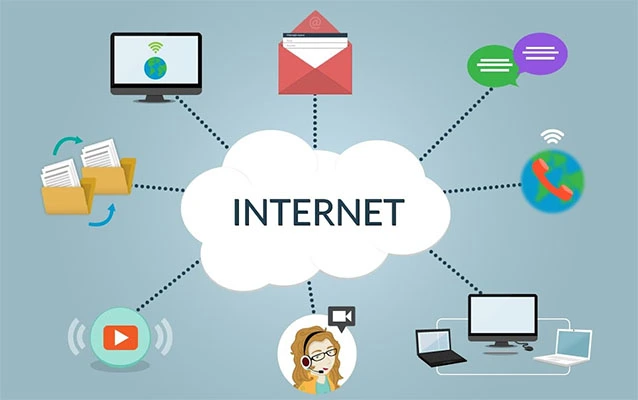
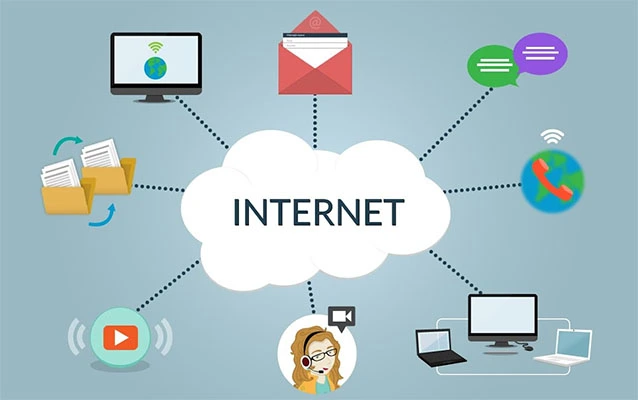
An IP address is a numerical label used by devices to communicate across a network. Domain names such as youtube.com are the human-friendly version. DNS, or the Domain Name System, translates that name into an IP address your device can use. Think of DNS as the internet’s contact list. You remember “YouTube”; your computer dials the technical number.
However, YouTube does not have just one permanent IP address. Depending on your location, internet provider, device, DNS resolver, and network conditions, youtube.com may resolve to different Google-owned addresses. Those addresses can change. Some may serve search, ads, video thumbnails, API calls, or streaming media. Others may be part of Google’s broader infrastructure. Asking for “the YouTube IP address” is a little like asking for “the airport gate for America.” Which city? Which airline? Which flight? Which Tuesday?
Why Typing a YouTube IP Address Usually Does Not Work
1. Modern Websites Depend on Hostnames
When you type https://www.youtube.com, your browser does more than connect to a number. It sends the hostname, requests the right certificate, negotiates encryption, and tells the server which website it wants. Many websites can share the same IP address. The hostname helps the server decide what content to return.
If you type only an IP address, the server may not receive the correct host information. Instead of YouTube, you might see a Google error, a certificate warning, a blank page, or a browser message that sounds like it was written during a very stressful lunch break.
2. HTTPS Certificates Expect Domain Names
YouTube uses HTTPS. That is good news for privacy and security, but it complicates direct IP access. HTTPS certificates are normally issued for domain names, not random numbers you found through a DNS lookup. If the certificate does not match what you typed into the address bar, your browser may warn you that the connection is not private.
This is not your browser being dramatic. It is doing its job. A mismatch can mean the site is not who it claims to be, or simply that the IP address method is not how that service is designed to be reached.
3. YouTube Uses a Large Content Delivery System
YouTube videos are heavy. A single popular video can be watched by millions of people across the world. To make playback fast, YouTube relies on distributed systems and content delivery networks that bring video data closer to users. The IP address your device receives may point to a nearby Google edge location, not some universal YouTube headquarters server.
That routing can change constantly. One viewer in California, another in Texas, and another in New York may all receive different addresses. Even the same viewer may get a different address later. That is normal. It is also why bookmarking a YouTube IP address is about as useful as saving a parking spot from last Thursday.
4. The Video Player Needs More Than the Main Page
Loading YouTube is not one request. The homepage, video player, thumbnails, captions, recommendations, comments, ads, account data, and actual video chunks may come from several related Google and YouTube domains. These can include YouTube domains, Google API domains, and video-serving domains. Even if one IP address opens something, the video may still fail because the player depends on additional services.
That is why direct IP access, even when it partially loads, often breaks quickly. The page may open but the video spins forever. The thumbnail appears but playback fails. The player loads but comments disappear. It is the digital equivalent of assembling a sandwich and forgetting bread.
Is Using YouTube’s IP Address a Way to Bypass Blocks?
This is where we need to be clear. Some people search for YouTube IP addresses because a school, workplace, library, or public network has restricted YouTube. Trying to bypass those restrictions may violate network rules, school policies, workplace agreements, or local regulations. It can also create security risks if users start clicking questionable proxy sites or changing settings they do not understand.
In many managed environments, YouTube restrictions are not based only on the domain name. Administrators can use DNS rules, firewall rules, proxy settings, HTTP headers, account controls, and restricted mode policies. YouTube even provides tools that organizations can use to apply moderate or strict content restrictions. In other words, entering an IP address is unlikely to be the magic trapdoor people imagine.
If YouTube is blocked on a network you do not own, the best option is to ask the network administrator for access. Yes, that sounds less thrilling than a secret hacker trick, but it is also less likely to end with an awkward email from IT.
How to Find the IP Address YouTube Resolves To
If you are troubleshooting your own network, you may still want to see which IP address your device receives for YouTube. This can help diagnose DNS problems. On Windows, you can open Command Prompt and run:
On macOS or Linux, you can use:
or:
The result may show one or more IP addresses. These are not guaranteed to be permanent. They also do not mean you can paste them into a browser and watch videos. They simply show what DNS currently returns from your location and resolver.
What Happens If You Paste a YouTube IP Address Into a Browser?
Several things may happen. You might see a browser security warning. You might land on a generic Google page. You might receive an error. You might get redirected. You might briefly feel victorious and then watch the video player fail like a magician whose rabbit called in sick.
The reason is simple: YouTube expects a full hostname-based request. The IP address is only one piece of the connection. Without the proper hostname, HTTPS negotiation, cookies, scripts, API calls, and video delivery paths, the viewing experience usually breaks.
Common Reasons YouTube Will Not Load
Before blaming IP addresses, it helps to check ordinary causes. Most YouTube problems are not mysterious. They are usually caused by browser issues, network instability, device problems, extensions, DNS glitches, or account restrictions.
Browser Cache and Cookies
Corrupted cache files can cause YouTube pages or videos to behave strangely. Clearing cache and cookies often fixes loading problems, sign-in loops, and playback errors. It is not glamorous, but neither is unclogging a sink, and both can save the day.
Browser Extensions
Ad blockers, privacy extensions, script blockers, and security add-ons may interfere with YouTube’s player. Testing in a private or incognito window with extensions disabled can help identify the culprit.
Outdated Browser or App
YouTube changes often. Older browsers or outdated app versions may fail to support current playback features. Updating Chrome, Firefox, Safari, Edge, or the YouTube app can solve problems that look like network issues.
DNS Problems
If DNS is not resolving YouTube correctly, the site may fail to load. Restarting your router, flushing your DNS cache, or switching to a reputable DNS provider can help on personal networks. However, changing DNS will not override properly managed organization restrictions.
Network Restrictions
Schools, libraries, workplaces, and family routers may enforce Restricted Mode or block certain YouTube features. YouTube also has a content restrictions check page that can show whether DNS or HTTP header restrictions are active on a network.
Safe Troubleshooting Steps for Personal Networks
If YouTube is not working at home or on a network you control, try these steps before chasing IP addresses around the internet like a detective in a bad hoodie.
Restart the Basics
Close and reopen your browser. Restart the YouTube app. Reboot your computer, phone, smart TV, or streaming device. Then restart your modem and router. This clears temporary connection issues and refreshes network routes.
Check Another Website or Streaming Service
If every website is slow, YouTube is probably not the problem. If only YouTube fails, the issue may involve browser settings, app data, DNS, extensions, or restrictions.
Test Another Device
If YouTube works on your phone but not your laptop, the laptop is suspicious. If it fails on every device using the same Wi-Fi, the router, DNS, or internet provider may be involved.
Clear Cache and Disable Extensions
Clear browser cache and cookies, then test YouTube again. If the problem continues, disable extensions temporarily. Pay special attention to extensions that block ads, scripts, trackers, pop-ups, or media autoplay.
Try a Different DNS Resolver
On a home network, switching to a reputable public DNS service may help if your internet provider’s DNS is slow or misconfigured. Popular options include Google Public DNS, Cloudflare DNS, and Quad9. Use this only on networks you manage or are allowed to configure.
Check Restricted Mode
YouTube Restricted Mode can be enabled by a user, a browser, a device, or a network administrator. If you cannot turn it off, your account may be supervised or the network may be enforcing it.
Why Network Administrators Should Avoid IP-Only YouTube Rules
For administrators, blocking or allowing YouTube by IP address alone is unreliable. Google services share infrastructure, IP ranges change, and different domains can resolve unpredictably depending on location and network conditions. IP-only rules may block too much, allow too much, or turn troubleshooting into a caffeine-powered scavenger hunt.
A better approach is to use supported policy tools, DNS-based controls, proxy rules, firewall documentation, and content restriction settings. Organizations that need YouTube for education or training can allow specific services while applying Restricted Mode. Organizations that must block it can do so through managed filtering rather than trying to maintain a fragile list of IP addresses.
Practical Examples
Example 1: The Student on a School Network
A student tries to enter a YouTube IP address because videos are blocked during class. The page does not load correctly, or the video fails. That is expected. The school may be enforcing restrictions through DNS, filtering, account policies, or network headers. The proper solution is to request access for a legitimate educational video through the teacher or administrator.
Example 2: The Home User With a DNS Issue
A home user can open most websites, but YouTube keeps showing playback errors. Running a DNS lookup shows inconsistent results. Restarting the router and switching to a reliable DNS resolver fixes the issue. In this case, the IP address was useful for diagnosis, not for direct video viewing.
Example 3: The Office IT Team
An office wants to allow YouTube tutorials but block mature content. Instead of chasing IP addresses, the IT team uses supported YouTube restriction controls and documented network settings. Employees can access approved videos, and the administrator avoids playing whack-a-mole with Google’s changing infrastructure.
So, Should You Use a YouTube IP Address?
For everyday viewing, no. Use youtube.com, the YouTube app, or embedded players from trusted websites. A YouTube IP address may help with technical troubleshooting, but it is not a reliable viewing method. It can also create confusing browser errors and false assumptions about what is actually broken.
The more useful lesson is understanding how the modern web works. Domain names, DNS, HTTPS, CDNs, and host headers all cooperate to deliver the video you clicked. Remove the domain name, and the system loses important context. It is like calling a giant company and saying only, “Hello, I need the department.” The receptionist may admire your confidence, but you are not getting very far.
Experience Notes: What It Is Actually Like Trying to View YouTube by IP Address
People who test this idea usually begin with optimism. They run a quick lookup, copy an IP address, paste it into the browser, and expect YouTube to appear like a secret level in a video game. Instead, the first result is often a security warning. The browser complains that the certificate does not match the address. This is the first clue that YouTube is not designed to be reached this way.
In another common experience, the IP address connects to something Google-related but not the YouTube page the user expected. Sometimes there is an error page. Sometimes the browser redirects. Sometimes nothing useful happens at all. The user may try another IP address from a different DNS response, only to get a different flavor of disappointment. It is educational, but not exactly popcorn-worthy.
On home networks, the experiment can still teach useful lessons. For example, if DNS lookups for YouTube fail entirely, the problem may be DNS configuration. If YouTube resolves normally but videos will not play, the issue may be browser cache, extensions, app problems, or network speed. If YouTube works on mobile data but not on Wi-Fi, the router or local network settings deserve attention. In those cases, the IP address is less of a viewing tool and more of a diagnostic clue.
In schools and workplaces, the experience is different. Users often discover that direct IP access does not bypass restrictions because the filtering system is smarter than a single domain block. Managed networks may inspect DNS, apply policy to Google accounts, enforce Restricted Mode, or filter traffic based on hostnames and headers. The result is usually the same: the IP trick fails, and the network policy remains in place, standing there with a clipboard and sensible shoes.
Another real-world frustration involves embedded YouTube videos. A training page or blog may load, but the embedded video fails. Someone may assume the YouTube domain is blocked and try IP addresses. More often, the fix involves allowing the correct YouTube and Google video-related domains, disabling overly aggressive SSL inspection, updating the browser, or adjusting firewall rules. Again, the IP address is not the hero. It is a side character who wandered into the wrong scene.
The biggest takeaway from these experiences is that modern video platforms are ecosystems, not single doors. YouTube needs identity, location, encryption, scripts, streaming chunks, and policy signals to work smoothly. A numerical address alone does not carry enough information. For curious users, testing IP resolution can be a fun way to understand networking. For actual viewing, it is better to use the official website or app. For blocked or broken access, troubleshoot the real cause instead of trying to outsmart a global infrastructure system that has seen every trick in the book and probably wrote several of them.
Conclusion
Viewing YouTube videos with YouTube’s IP address sounds clever, but it is rarely practical today. YouTube depends on DNS, HTTPS, hostnames, content delivery networks, video APIs, and policy systems that make direct IP viewing unreliable. A YouTube IP address can be useful for network troubleshooting, but it should not be treated as a stable shortcut or a bypass method.
If YouTube will not load, focus on realistic fixes: update your browser or app, clear cache, test another device, check extensions, restart your router, review DNS settings, and look for Restricted Mode or network controls. If you are on a managed school, workplace, or public network, ask the administrator for access rather than trying to sneak around restrictions. The internet has enough drama already; your browser does not need a disguise and a fake mustache.
Note: This article is written for educational and troubleshooting purposes. It does not encourage bypassing school, workplace, public-network, copyright, regional, parental, or administrator restrictions.