Want to type faster without turning your keyboard into a tiny plastic thunderstorm? Good news: increasing your typing speed is not about smashing keys harder, buying a glowing keyboard, or whispering motivational quotes to your spacebar. It is about building clean habits, training your fingers, improving accuracy, and practicing in a way your brain can actually remember.
Whether you are writing essays, coding, answering emails, gaming, taking notes, or trying to finish homework before dinner mysteriously appears, your words per minute matter. But speed alone is not the whole prize. Fast typing with sloppy accuracy is like sprinting through a grocery store while dropping eggs behind you. Impressive? Maybe. Useful? Not really.
This guide breaks down 11 practical ways to boost WPM and accuracy using touch typing principles, smart drills, ergonomic setup, and real-world practice. No fluff, no keyboard wizard robe required.
What Is a Good Typing Speed?
Typing speed is usually measured in WPM, or words per minute. Many casual typists fall somewhere around 35 to 45 WPM, while comfortable office typing often lands around 50 to 70 WPM. Fast typists may reach 80 WPM or more, but the real goal depends on your needs. A student writing papers, a customer support agent, a programmer, and a novelist all use typing differently.
Accuracy is just as important. A clean 55 WPM with 97% accuracy is often more productive than 75 WPM with errors sprinkled everywhere like keyboard confetti. When you correct mistakes constantly, your actual productivity drops. The best typing improvement plan trains speed and accuracy together.
11 Ways to Increase Your Typing Speed and Accuracy
1. Master the Home Row First
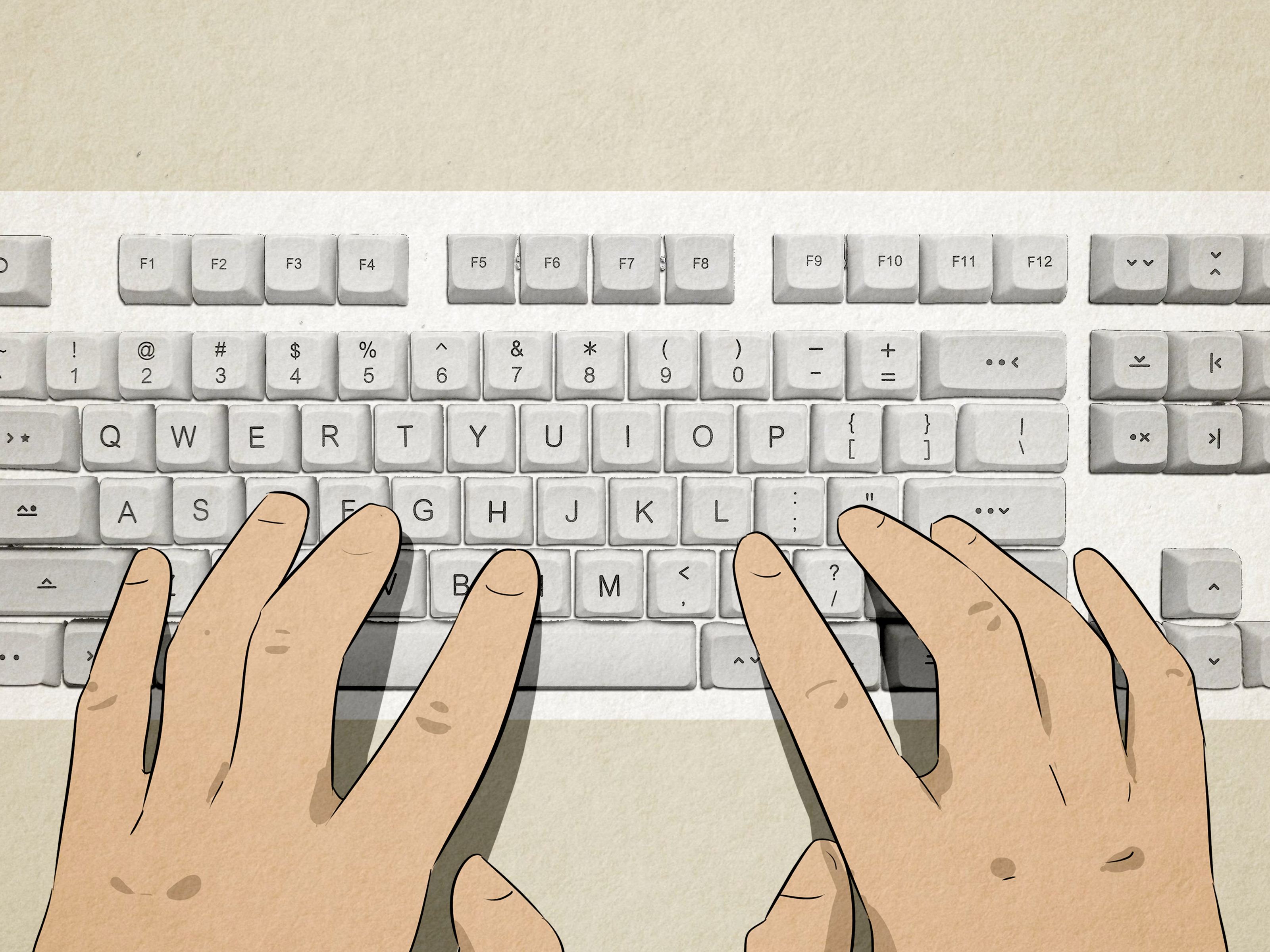
The home row is the launchpad for touch typing. Your left fingers rest on A, S, D, and F. Your right fingers rest on J, K, L, and semicolon. Your thumbs hover over the spacebar like they own the place, because honestly, they do a lot of work.
Most keyboards have small bumps on the F and J keys. These are not decorative keyboard freckles. They help your index fingers find the home row without looking down. The more consistently your fingers return to home row, the less your eyes need to babysit the keyboard.
Start slowly. Practice short drills using common home-row patterns before jumping into full paragraphs. Speed built on poor finger placement usually collapses under pressure. Speed built on home-row muscle memory gets stronger every week.
2. Stop Looking at the Keyboard
Looking at the keyboard feels helpful at first, but it creates a ceiling. Every glance down interrupts your flow, breaks concentration, and makes your brain rely on sight instead of memory. Touch typing works because your fingers learn locations automatically.
Try covering your hands with a light cloth, using a blank-key keyboard cover, or simply challenging yourself to type one sentence at a time without looking. You will make mistakes at first. That is normal. Your fingers are basically learning a new map, and maps take practice.
If you catch yourself looking down, pause, reset your fingers on F and J, and continue. Do not panic-type. Panic typing is how “important meeting notes” become “impotent meating goats.”
3. Prioritize Accuracy Before Speed
Typing faster by making more errors is not real progress. It just moves the cleanup work to later. A strong typing routine starts with accuracy because accurate movement becomes efficient movement.
During practice, aim for at least 95% accuracy before pushing speed. If your accuracy drops below that, slow down. Think of accuracy as the road and WPM as the car. No road, no smooth ride.
One helpful method is the “slow perfect rep.” Type a paragraph at a comfortable pace with zero rushing. Focus on hitting every key with the correct finger. Then repeat the same paragraph slightly faster. This teaches your brain that speed comes from control, not chaos.
4. Use All Your Fingers, Not Just Your Favorites
Many people type with two to six fingers and still get by. The problem is that their strongest fingers do too much work while the others sit around like unpaid interns. Touch typing distributes the job across all fingers, making movement shorter and more efficient.
Each finger has a territory. For example, the left pinky handles A, Q, Z, and often Shift. The right pinky handles semicolon, P, slash, and Enter. Pinkies may seem small and dramatic, but they are essential for speed.
If a certain finger feels clumsy, isolate it. Practice words that use that area of the keyboard. For example, if your right ring finger struggles, practice words with O and L. Weak zones improve faster when you stop avoiding them.
5. Practice in Short, Consistent Sessions
You do not need three-hour typing marathons. In fact, long sessions can train fatigue instead of skill. A better plan is 10 to 20 minutes of focused practice most days of the week.
Short sessions work because typing is a motor skill. Your brain and fingers need repetition, rest, and review. Five focused sessions across a week usually beat one heroic session where your wrists beg for a lawyer.
A simple weekly routine might look like this: five minutes of warm-up drills, ten minutes of accuracy practice, and five minutes of a timed typing test. Track your results, but do not obsess over daily fluctuations. Progress often looks like a staircase, not an elevator.
6. Take Timed Typing Tests the Smart Way
Typing tests are useful, but they can also trick you into chasing numbers. A one-minute typing test is great for checking speed, while three- and five-minute tests show endurance and consistency. Real work rarely happens in perfect one-minute bursts.
Use timed tests to measure progress, not define your worth as a human. If your WPM drops one day, it may be due to fatigue, unfamiliar words, poor sleep, or your keyboard plotting against you. Look at weekly averages instead of single results.
After each test, review your errors. Did you miss capital letters? Punctuation? Left-hand keys? Right-hand keys? Repeated mistakes tell you exactly what to practice next.
7. Train Common Words and Letter Combinations
English has patterns. Words like “the,” “and,” “that,” “with,” “you,” “for,” and “have” appear constantly. When these common words become automatic, your typing speed improves quickly.
Practice common letter combinations such as “th,” “ing,” “tion,” “er,” “re,” and “ou.” These patterns appear everywhere, and mastering them reduces hesitation. Your fingers begin to type chunks instead of individual letters.
For example, instead of thinking t-h-e one letter at a time, your hand learns “the” as one smooth motion. That is how skilled typists gain speed: not by thinking faster about every key, but by thinking less about keys altogether.
8. Fix Your Posture and Keyboard Position
Typing speed is not only about fingers. Your shoulders, wrists, elbows, chair, desk, and monitor all join the party. If your setup is awkward, your body wastes energy fighting the workstation.
Keep your shoulders relaxed, elbows close to your body, and wrists straight. Your keyboard should be in front of you, not off to the side like it is hiding from responsibility. Your hands should be at or slightly below elbow level, and your mouse should be close enough that you do not have to reach.
A wrist rest can be useful during pauses, but your hands should move freely while typing. Avoid planting your wrists down while hammering away. That position can limit movement and add strain. Good ergonomics will not magically turn you into a 120 WPM typist overnight, but it helps you practice longer, cleaner, and more comfortably.
9. Use a Light Touch
Many people press keys too hard. The keyboard does not need a wrestling match. Modern keyboards register light taps, so extra force only slows you down and tires your hands.
Try typing as quietly as possible for five minutes. This forces you to reduce tension and move more efficiently. Your fingers should glide, not stomp. Imagine your keyboard is asleep and you are trying not to wake it. Weird? Yes. Effective? Also yes.
A lighter touch improves rhythm. Rhythm matters because fast typing is a steady flow of controlled movements. When every keypress is a tiny punch, your hands tense up and your accuracy suffers.
10. Practice Real Text, Not Just Random Drills
Random drills are excellent for targeting weak keys, but real typing includes sentences, punctuation, capitalization, numbers, names, and awkward words that look like they were assembled during a thunderstorm.
Mix your practice. Use structured lessons for technique, typing tests for measurement, and real writing for practical skill. Copy a paragraph from a book, type your own journal entry, rewrite notes from class, or draft an email. Real text teaches pacing and punctuation in a natural way.
If you code, practice typing code. If you write essays, practice academic-style sentences. If you answer customer messages, practice polite but fast responses. Your typing practice should match your real typing life.
11. Track Progress and Celebrate Small Wins
Typing improvement is easier when you can see it. Record your WPM, accuracy, test length, and notes about what felt difficult. You do not need a fancy spreadsheet, although if spreadsheets make you happy, live your truth.
Track weekly averages. Maybe your speed rises from 42 to 48 WPM. Maybe your accuracy improves from 91% to 96%. Maybe you finally stop confusing B and N, which deserves a small parade.
Small wins keep motivation alive. Typing is not mastered in one dramatic afternoon. It improves through hundreds of tiny corrections that eventually become automatic.
A Simple 30-Day Typing Improvement Plan
If you want structure, try this practical plan for one month. It is simple enough to follow and flexible enough that you will not need to cancel your social life, homework, job, or snack schedule.
Week 1: Build Control
Practice 10 minutes per day. Focus on home row, correct finger placement, and typing without looking down. Do not chase speed yet. Your goal is to make the keyboard feel familiar.
Week 2: Strengthen Weak Keys
Use error reports from typing tools or your own notes. If you keep missing punctuation, practice punctuation. If your pinkies are acting like they signed up for vacation, give them targeted drills.
Week 3: Add Speed Carefully
Start using one-minute and three-minute typing tests. Push slightly beyond comfort, but keep accuracy above 95% whenever possible. If mistakes explode, slow down and rebuild control.
Week 4: Practice Real Work
Type real paragraphs, emails, notes, essays, or code. Your goal is to transfer practice speed into everyday typing. At the end of the week, compare your first test and your latest average. The improvement may surprise you.
Common Typing Mistakes That Slow You Down
One major mistake is practicing only speed tests. Tests measure skill; they do not replace training. If all you do is test, you may repeat the same errors at a faster pace. That is not progress. That is a typo delivery service.
Another mistake is ignoring posture. If your wrists are bent, shoulders tense, or keyboard too far away, your hands work harder than necessary. Comfort supports consistency, and consistency supports speed.
A third mistake is switching tools constantly. One day you use a typing game, the next day a different test, then another app, then a keyboard layout video, then a forum thread titled “How I reached 200 WPM while eating soup.” Pick a few reliable tools and stay consistent.
Finally, many learners quit too early. The first stage feels slow because your old habits are fighting the new ones. Keep practicing. The awkward phase is not failure; it is your brain installing a better keyboard driver.
Experience-Based Tips: What Actually Helps When You Practice Typing
Here is the honest experience most people have when they try to increase typing speed: the first few days can feel strangely annoying. You know where the keys are, but your fingers do not always cooperate. You may type slower than before because you are trying to use the correct fingers instead of your old freestyle method. This is normal. In fact, it is usually a sign that you are replacing shortcuts with stronger habits.
One of the best experiences is the moment you stop thinking about individual letters. At first, you type “because” as b-e-c-a-u-s-e. Later, your hands type the whole word like one movement. That shift feels small, but it is the beginning of real speed. The same thing happens with “people,” “important,” “through,” “computer,” and other common words. Your fingers start recognizing patterns before your conscious brain finishes giving instructions.
Another useful lesson is that accuracy practice can feel boring, but it pays off faster than expected. Many learners want to chase higher WPM immediately. They push hard, make mistakes, backspace constantly, and finish frustrated. When they slow down and focus on clean typing for a week, their speed often improves naturally. It feels backward, but it works. Clean movement removes hesitation.
Real-world typing also teaches lessons that tests cannot. For example, writing an essay requires capitalization, commas, quotes, numbers, and editing. Coding requires brackets, underscores, symbols, and exact spelling. Chatting with friends requires speed, but also enough accuracy that “I’ll be there soon” does not become “I’ll be there spoon.” Practice should include the kind of typing you actually do every day.
Comfort matters more than people expect. A chair that is too low, a laptop keyboard squeezed against the edge of a desk, or wrists bent upward can make practice feel harder. Once your keyboard is centered, your shoulders relax, and your wrists stay neutral, typing often feels smoother. You may not gain 20 WPM instantly, but you remove physical friction that was quietly slowing you down.
One practical habit is ending every session with a tiny review. Ask: What key did I miss most? Did I rush? Did I look down? Was my posture weird? This takes less than a minute, but it turns random practice into deliberate practice. Improvement comes from noticing patterns, correcting them, and repeating the better version.
The most encouraging experience is that progress becomes visible. Maybe your first goal is 40 WPM with 95% accuracy. Then 50. Then 60. At some point, typing stops feeling like a skill you are practicing and starts feeling like a tool you simply use. That is the real victory. Faster typing saves time, but smoother typing also makes writing, studying, working, and creating feel less interrupted.
Conclusion: Faster Typing Is Built, Not Born
Increasing your typing speed is not about magic fingers. It is about better habits repeated consistently. Master the home row, stop looking at the keyboard, protect your accuracy, use all your fingers, practice in short sessions, and keep your setup comfortable. Add smart tests, real-world writing, and progress tracking, and your WPM will start moving in the right direction.
The best typists are not just fast. They are calm, accurate, efficient, and comfortable. They do not attack the keyboard; they cooperate with it. Practice a little every day, laugh at the occasional ridiculous typo, and keep going. Your future self will thank you every time a long document no longer feels like a mountain made of letters.
Note: For best results, practice typing in a comfortable position and stop if you feel pain, numbness, or unusual discomfort. Speed is useful, but healthy hands are the real high score.