If your Crewmate is still wearing the same hat from three years ago, it may be time for a tiny wardrobe emergency meeting. In Among Us, Stars are the premium cosmetic currency used to buy special items, bundles, and certain Cosmicubes. They do not make you faster, smarter, sneakier, or less suspicious when you stand next to a body saying, “Where?” But they do help your bean-shaped astronaut look dramatically more fashionable while getting voted into space.
This guide explains how to get Stars in Among Us, what they are used for, how they differ from Beans and Pods, and how to spend them wisely. Whether you play on mobile, PC, Xbox, or another supported platform, understanding the currency system will help you avoid wasting money, missing limited-time cosmetics, or chasing fake “free Star generator” nonsense from the dusty corners of the internet.
What Are Stars in Among Us?
Stars are the premium currency in Among Us. In simple terms, they are the paid cosmetic money used inside the in-game shop. Players can use Stars to purchase special cosmetics, premium bundles, and selected Cosmicubes. Unlike Beans, which are earned by playing normal online matches, Stars are not a regular gameplay reward.
That distinction matters. You can play match after match, complete tasks like a model employee, catch three Impostors with detective-level genius, and still not earn Stars from the match itself. Your reward for normal play is usually Beans, XP, and sometimes Pods if you have a Cosmicube activated. Stars live in a different lane: the premium cosmetics lane.
Do Stars Give You Gameplay Advantages?
No. Stars are cosmetic only. Buying Stars will not improve your chance of becoming Impostor, reduce your kill cooldown, make tasks easier, or protect you from being accused because you “moved weird.” Among Us cosmetics are about personality, not power. A fancy visor may make you look like the CEO of The Skeld, but it will not save you if someone saw you vent.
How to Get Stars in Among Us
There are two legitimate ways to get Stars in Among Us: buying them through the official in-game shop or earning limited free Stars through optional mobile ad rewards where available. Anything outside those official methods should be treated with suspicion. And yes, that includes websites promising 999,999 Stars if you “verify your account” by completing three surveys and sacrificing your common sense.
1. Buy Stars From the In-Game Shop
The main way to get Stars is to purchase them directly in Among Us. Open the game, go to the shop, select the Star package you want, and complete the purchase through your platform’s payment system. Depending on where you play, this may go through Google Play, the Apple App Store, Steam, Epic Games Store, Xbox, Nintendo eShop, or another supported storefront.
Star packages may vary by region, device, currency, and platform. Some stores sell small bundles for players who only want one premium item, while larger bundles are better for players who plan to buy multiple Cosmicubes or cosmetic packs over time. Before purchasing, always check the exact price shown in your game or platform store because pricing can change.
2. Get Free Stars Through Mobile Ad Rewards
Among Us also supports optional ad rewards on mobile. On Android and iOS, eligible players may see a small ad reward icon in the game. Tapping that icon allows you to watch a short ad. After the ad finishes, your account receives one free Star.
There are a few important rules. Ad rewards are mobile-only, meaning you need to use the Android or iOS version of the game to see them. You also need to be logged into an eligible account. Guest accounts are not eligible. Child accounts may need parent or guardian verification and the correct permissions before ad rewards appear. Ad availability may also depend on your country, platform rules, and future game updates.
At the time of writing, the official help information describes the reward limit as one ad per day per account. The maximum number of ad rewards can change, so treat the in-game prompt as the final authority. If the Star icon does not appear, it may mean your account is not eligible, ads are not supported in your region, or the daily timer has not reset yet.
What Can You Buy With Stars?
Stars are used for premium cosmetic content. That usually includes special shop items, cosmetic bundles, and some Cosmicubes. The exact selection changes over time, so the best way to see what Stars can buy is to open the in-game shop and browse the current offers.
Cosmetics
Cosmetics are the heart of the Among Us style system. They may include hats, skins, nameplates, visors, pets, and other appearance items. Some cosmetics are simple and silly. Others are more detailed or themed around events, seasons, collaborations, or special updates. Stars often unlock the flashier side of the closet.
Bundles
Bundles are grouped cosmetic packs. Instead of buying one item at a time, you may get several related items together. If you like a full theme, bundles can be a better value than grabbing random individual pieces. For example, if you want your Crewmate to look like they have a full character concept instead of getting dressed in the dark during a reactor meltdown, bundles are worth checking.
Premium Cosmicubes
Some Cosmicubes are purchased with Stars. Cosmicubes are themed cosmetic trees with branching paths. After buying or claiming a Cosmicube, you unlock the items inside by earning Pods through gameplay while that Cosmicube is active. Buying the cube is only step one. You still need to play matches to collect the correct Pods and unlock the cosmetics inside.
Stars vs. Beans vs. Pods: What Is the Difference?
The Among Us currency system can look confusing at first because the game uses several currencies for different jobs. Once you separate them, it becomes much easier.
Stars
Stars are premium currency. They are mainly obtained through real-money purchases, with limited free options through mobile ad rewards where available. They are used to buy premium cosmetics, bundles, and some Cosmicubes.
Beans
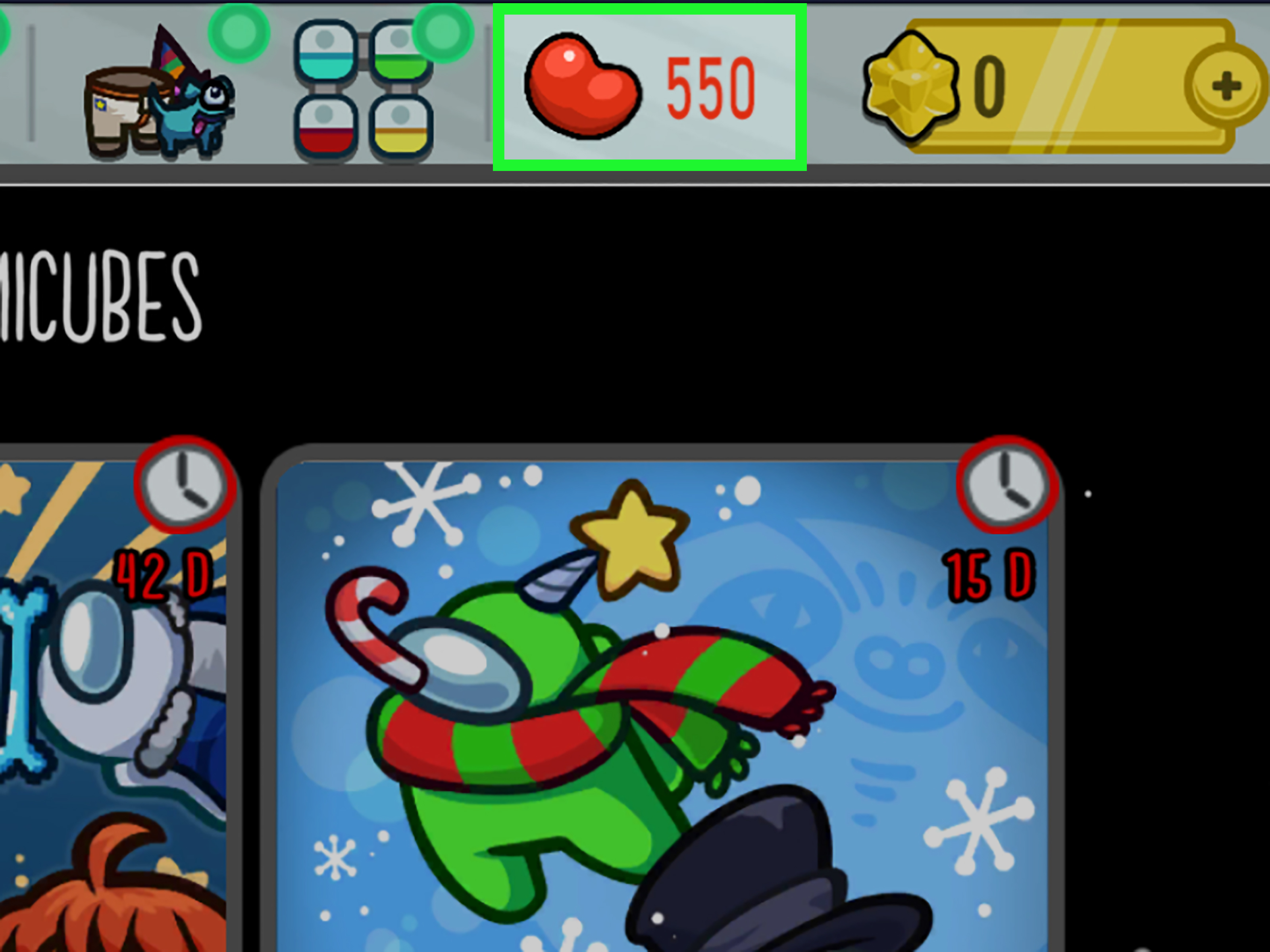
Beans are earned through normal online gameplay. Keep playing matches and you collect Beans. You can spend Beans on various cosmetics and some Cosmicubes in the shop. Beans are the “play the game and slowly build your wardrobe” currency.
Pods
Pods are connected to Cosmicubes. You only earn Pods when you have a Cosmicube activated, and each Cosmicube has its own Pod type. Pods from one Cosmicube cannot be transferred to another. That means if you are working on a specific cube, make sure that cube is active before you start grinding matches.
XP
XP is experience earned from playtime. It contributes to your player level. Leveling can provide bonuses that help increase certain rewards, such as Beans and Pods. XP does not directly buy premium items, but it supports your long-term cosmetic progression.
How to Use Stars for Cosmicubes
If you are spending Stars on a Cosmicube, do not think of it as buying every item instantly. You are buying access to the cube. After that, the cosmetics inside must be unlocked by playing and earning Pods.
Step-by-Step Cosmicube Process
- Open Among Us and go to the shop.
- Select the Cosmicube section.
- Choose a Cosmicube that can be purchased with Stars.
- Buy the Cosmicube if you have enough Stars.
- Go to your inventory.
- Open the Cosmicube section and activate the cube you want to progress.
- Play online matches to earn that cube’s Pods.
- Return to the Cosmicube and spend Pods along the branching paths to unlock cosmetics.
The most common mistake is buying a Cosmicube and forgetting to activate it. If the cube is not active, you will not earn its Pods. That is the Among Us equivalent of bringing an empty lunchbox to work and wondering why there are no sandwiches inside.
Are Limited-Time Cosmicubes Worth Stars?
Limited-time Cosmicubes can be worth buying if you genuinely like the theme. Some Cosmicubes only appear in the shop for a certain period. Once you own one, you can usually unlock its contents at your own pace, but you need to purchase or claim it while it is available.
The smart move is to inspect the cube before spending. Look at the cosmetics inside, compare them with other shop items, and ask yourself whether you will actually wear them. If only one item catches your eye, buying the entire cube may not be the best use of your Stars. If you like most of the set, the cube can be a fun long-term goal.
Can You Transfer Stars Between Platforms?
Account linking can help players keep cosmetics, Stars, Beans, and XP together across supported platforms. For example, players who use compatible accounts may be able to connect progress from mobile and PC so their items stay in one place. However, not every platform supports the same linking options, and some storefront purchases may have restrictions.
Before buying a large Star bundle, make sure you understand where you play most often and whether your account is properly linked. Platform rules can be strict, especially around PlayStation and Nintendo Switch. If you move between devices, check your account setup first so your shiny new currency does not end up trapped somewhere you rarely play.
Can You Get Stars From Regular Matches?
No, regular matches do not directly reward Stars. Playing online is still useful because you can earn Beans, XP, and Pods for an active Cosmicube. But if your goal is specifically to increase your Star balance, you need to either purchase Stars or use eligible mobile ad rewards.
This is why many players use a mixed strategy. They save Beans for free cosmetics and Bean-based Cosmicubes, watch mobile ads for occasional free Stars if available, and only buy Stars when a premium item truly feels worth it. That approach keeps the game fun without turning your Crewmate’s closet into a financial planning crisis.
How to Spend Stars Wisely
Stars are premium currency, so spend them like you would spend real moneybecause in most cases, that is exactly what they represent. A good cosmetic purchase should feel fun after the excitement fades. If you buy something only because it is new, you may regret it when the next update drops something better.
Check the Whole Shop Before Buying
Do not buy the first shiny item you see. Browse the full shop, compare bundles and Cosmicubes, and look for items that match your favorite color, roleplay style, or running joke with friends.
Prioritize Cosmicubes With Multiple Items You Like
A Cosmicube is usually more satisfying when you enjoy the overall theme. If you only like one cosmetic buried deep in the path, remember that you will need to grind Pods to reach it.
Save Stars for Limited-Time Favorites
If a premium item is always available, there is less urgency. Limited-time cosmetics may deserve higher priority if they fit your style and you do not want to miss them.
Avoid Fake Star Generators
There is no safe third-party “free Stars generator.” These sites often exist to steal accounts, collect personal data, push malware, or waste your time with surveys. If it is not inside the official game, a supported platform store, or an official ad reward feature, do not trust it.
Troubleshooting: Why You Might Not See Free Star Ads
If you play on mobile and do not see the ad reward icon, there are several possible explanations. First, you may be using a guest account. Log in with a full account if possible. Second, child accounts may require parent or guardian verification and full permissions. Third, ads may not be supported in your country. Fourth, you may have already claimed your daily ad reward, and the timer has not reset.
If you watched an ad but did not receive a Star, wait a little while because rewards can sometimes be delayed. If the Star still does not appear after a long period, contact official support with your account information, platform, and a clear explanation of what happened. Screenshots can help, especially if you received an error message.
Best Strategy for Free-to-Play Players
If you do not want to spend money, focus on Beans, free shop items, and mobile ad rewards where available. Play online matches regularly to collect Beans. Activate a Cosmicube before playing so you earn Pods instead of wasting progress. Watch the optional daily mobile ad if you are eligible and comfortable doing so. Over time, even one free Star at a time can help you save toward premium cosmetics.
The key is patience. Among Us cosmetics are fun, but they are not required to enjoy the game. A plain Crewmate can still solve the mystery, complete tasks, or betray everyone with Oscar-worthy confidence. Style is seasoning, not the whole meal.
Best Strategy for Players Who Buy Stars
If you are willing to buy Stars, set a budget first. Decide whether you want one specific cosmetic, one premium Cosmicube, or a collection of items over several months. Buying the biggest bundle is not automatically the best choice unless you already know you will use it.
Also consider timing. New updates, seasonal events, and special Cosmicubes can bring fresh cosmetics. If you spend all your Stars immediately, you may find yourself staring sadly at a new item next week like a Crewmate locked outside Electrical. Saving a small Star balance gives you flexibility.
Experience Notes: What Players Learn After Chasing Stars
After spending time with the Among Us cosmetic system, most players learn that Stars are best treated as a style shortcut, not a requirement. The game is still about reading behavior, finishing tasks, calling meetings, and trying not to sound guilty when someone asks why you were standing near MedBay for 45 seconds. Cosmetics make those moments funnier, but they do not replace good gameplay.
One practical experience is that Cosmicubes feel more rewarding when you activate them immediately after purchase. Many players buy a cube, jump into matches, and later realize they forgot to activate it. The result is simple: no Pods for that cube. Before starting a play session, open your inventory and confirm the red active marker is on the Cosmicube you want to progress. It takes a few seconds and can save hours of wasted grinding.
Another useful habit is checking the entire Cosmicube path before committing. Some cubes have fantastic items near the beginning, while others place the best cosmetics deeper in the branches. If the item you want is far away, be ready to play enough matches to earn the Pods. This is not a problem if you enjoy the game, but it can be disappointing if you expected an instant unlock.
For mobile players, ad rewards are a slow but friendly bonus. One Star per day will not turn you into the Jeff Bezos of The Skeld overnight, but it can add up over time. The best routine is simple: open the game on mobile, check whether the ad icon is available, watch the ad if you want, then continue playing normally. Since the reward is tied to account eligibility and region support, not every player will see it. If you do, consider it a small daily cosmetic coupon.
Players who use multiple platforms should also be careful with account linking before spending money. It is frustrating to buy Stars on one platform and later discover that your main progress is somewhere else or that a platform has limitations. Before purchasing, confirm your account ID, check your linked accounts, and make sure you are buying on the platform where you actually plan to use the currency.
The final lesson is emotional: do not buy cosmetics just because everyone else has them. The funniest Among Us outfits are often the ones that match your personality. Maybe you want a serious detective look. Maybe you want to dress like a chaotic space banana. Maybe your entire brand is “tiny bean with a suspicious hat.” Spend Stars on items you will enjoy repeatedly, not items that only look exciting for five minutes.
Note: Star availability, prices, ad reward limits, platform linking, and shop items can change with future Among Us updates. Always check the in-game shop and your official platform store before making a purchase.
Conclusion
Stars in Among Us are premium cosmetic currency used for special items, bundles, and certain Cosmicubes. The most direct way to get Stars is to buy them through the official in-game shop. Eligible mobile players may also earn limited free Stars by watching optional ad rewards on Android or iOS. Regular gameplay does not directly reward Stars, but it does help you earn Beans, XP, and Pods for active Cosmicubes.
The smartest approach is to understand the difference between Stars, Beans, and Pods before spending. Buy Stars only through official channels, avoid fake generators, activate your Cosmicubes before playing, and save premium currency for cosmetics you truly like. Looking stylish is fun, but looking stylish while catching the Impostor? That is peak space-bean excellence.