College life comes with two universal truths: your backpack is heavier than it should be, and your budget has the emotional stability of a group project. That is exactly why the Spotify student discount is such a popular deal. It gives eligible students access to Spotify Premium at a lower monthly price, and in the United States, the current student offer also includes Hulu with ads at no extra cost, subject to eligibility and availability.
If you listen to music while studying, walking across campus, commuting, working out, cooking instant noodles with the seriousness of a Michelin chef, or pretending you are in a movie while staring out a bus window, Spotify Premium Student can be a very practical upgrade. The plan removes music ad interruptions, allows offline downloads, supports on-demand playback, and gives you the same core listening experience as regular Spotify Premium for less money.
This guide explains how to get a student discount on Spotify, who qualifies, what documents you may need, how SheerID verification works, how to activate Hulu, what to do if verification fails, and how to keep the discount from quietly turning back into full-price Premium when you are not looking.
What Is the Spotify Student Discount?
The Spotify student discount is a reduced-price version of Spotify Premium for eligible college and university students. In the United States, Spotify currently lists Premium Student at $6.99 per month after a one-month trial for eligible new Premium users. The plan includes one verified Spotify Premium account and, at the time of writing, access to Hulu’s ad-supported plan at no extra cost.
The biggest reason students like this plan is simple: it combines everyday entertainment with real savings. A regular Spotify Premium Individual plan costs more than the student version, and Hulu with ads is normally a separate subscription. Bundling both into one student plan makes the deal especially attractive for anyone who uses music and streaming TV regularly.
However, this is not a random coupon code you can grab from a shady forum that looks like it was designed during the dial-up era. Spotify uses SheerID, a third-party verification service, to confirm that applicants are actually eligible students. That means your enrollment status matters more than your ability to type “student discount please” into a search bar.
Who Qualifies for Spotify Premium Student?
To qualify in the United States, you generally need to be enrolled at an eligible U.S. Title IV accredited college or university and be above the age requirement listed by Spotify. Title IV schools are institutions that participate in federal student aid programs. In everyday language, this usually means recognized colleges, universities, and certain post-secondary institutions.
Spotify’s student page and support materials make one thing clear: your school must appear in the verification system. If your institution is not listed in the SheerID form, you may not be eligible for the offer at that time. This can be frustrating, especially if you are genuinely enrolled, but the verification system is the gatekeeper.
Common eligibility basics
- You must be a current student at an eligible higher education institution.
- Your student status must be verified through SheerID.
- You need a valid payment method accepted by Spotify.
- You can use the discount for up to four years, but you must reverify every 12 months.
- You can only use the student discount on one Spotify account.
It is also worth noting that you do not necessarily need to use a school email address as your main Spotify account email. Spotify says the account email and student email do not have to match. What matters is whether SheerID can verify your enrollment.
What You Get With Spotify Premium Student
Spotify Premium Student includes the major benefits people expect from Premium. You can listen without music ad interruptions, download songs and playlists for offline listening, play tracks on demand, skip freely, and enjoy a more flexible listening experience across supported devices.
For students, offline listening may be the underrated hero. Campus Wi-Fi can be excellent in one building and mysteriously vanish in another, like it saw your assignment deadline and ran away. Downloaded playlists help you keep music available on the bus, in the library basement, during flights, or anywhere your internet connection gives up on life.
The current U.S. offer also includes Hulu with ads. That means you can use Spotify for music and podcasts, then use Hulu separately for shows and movies. Hulu does not appear inside the Spotify app; you still watch Hulu through Hulu’s own app or website. Think of it as one bill, two entertainment doors.
How to Get a Student Discount on Spotify: Step-by-Step
Step 1: Go to Spotify’s Student Plan Page
Start on Spotify’s official Premium Student page. Avoid unofficial “discount” pages that ask for strange information, promise impossible prices, or look like they were built by a raccoon with a keyboard. The official page will show the current offer, price, trial details, and eligibility terms for your country.
Click the button to get started. Spotify may ask you to log in or create an account. If you already use Spotify Free, log in with the account you want to upgrade. If you already pay for regular Premium, use the account you want to switch to student pricing.
Step 2: Choose the Right Spotify Account
This step sounds basic, but it prevents headaches. Many people have more than one Spotify account: one connected to an old email, one created through Facebook, one created during a late-night “I forgot my password” crisis, and maybe one mysterious account from freshman orientation. Before verifying, make sure you are logged into the correct account.
If you verify the wrong account, fixing it can be annoying. Your playlists and saved songs are tied to your account, so do not rush. Confirm your email, profile name, and current plan before continuing.
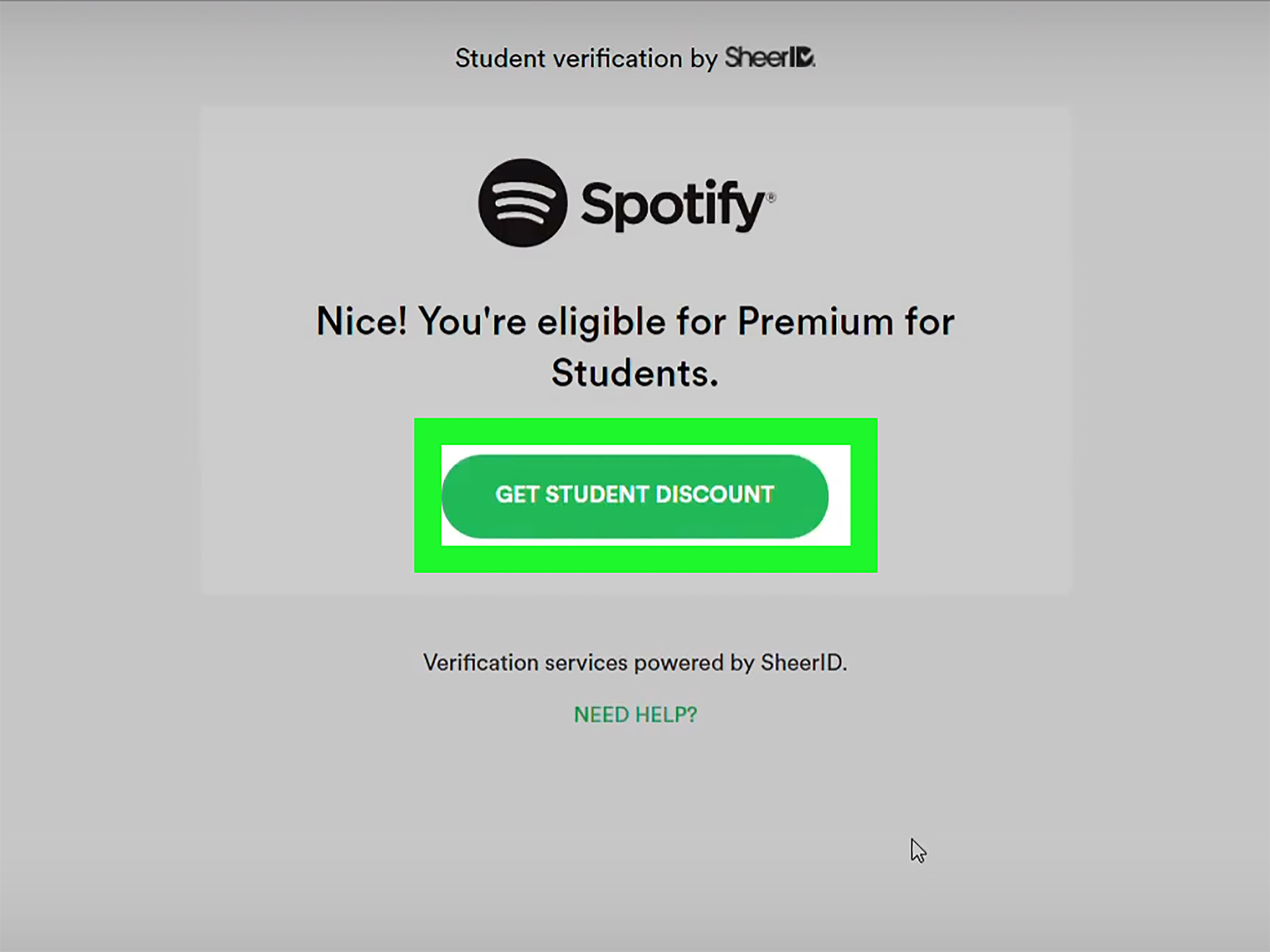
Step 3: Complete SheerID Verification
Spotify uses SheerID to confirm that you are an eligible student. During verification, you may be asked to select your school and enter basic personal details such as your name, date of birth, school, and email. In some cases, SheerID may verify you quickly. In other cases, it may ask you to log into your school portal or upload proof of enrollment.
Do not panic if you are asked for documents. That does not automatically mean you did anything wrong. It usually means SheerID needs more proof before approving the discount.
Step 4: Upload Proof of Enrollment if Needed
If SheerID requests documentation, use an official school document that clearly shows your current enrollment. Good examples include a class schedule for the current term, a tuition or registration receipt, an official enrollment letter, or a transcript showing classes currently in progress.
The document should show your first name, last name, school name, and an issue date from the current academic term or within the recent time window accepted by the verification process. A blurry screenshot with half the page cut off is not your friend here. Upload something clean, readable, and official. If your document looks like it was photographed during an earthquake, try again.
Step 5: Wait for Confirmation
After you submit your information, SheerID will review it and email you with the result. Sometimes approval is fast; sometimes it can take several days. Keep an eye on your inbox and spam folder. Student discount emails have a magical ability to hide exactly when you need them.
If you are approved, follow the instructions in the confirmation email to apply the discount to your Spotify account. If you are not approved, read the reason carefully. You may need a different document, a clearer upload, or help from SheerID support.
Step 6: Add a Payment Method and Start the Plan
Once approved, you will finish the subscription process by adding an eligible payment method. Spotify’s terms note that certain payment types, such as Spotify gift cards and prepaid cards, may not be valid for this offer. Also, if you currently pay through a third party such as a mobile provider, you may need to cancel that billing arrangement before signing up for Premium Student directly through Spotify.
After checkout, your student plan begins according to Spotify’s billing rules. If you were already paying for Premium, your discounted month may start after your current paid period ends. If you were a Free user or new user, the student plan typically starts after activation.
How to Activate Hulu With Spotify Premium Student
In the United States, Spotify Premium Student currently includes Hulu with ads, but you usually need to activate Hulu separately. After your Spotify Premium Student plan is active, go to your Spotify account services page and follow the Hulu activation steps.
If you already have a Hulu account, you may be able to use it if it meets the offer requirements. For example, Spotify notes that Hulu accounts with certain add-ons or third-party billing arrangements may not combine with the student bundle. If you are billed through another company, you may need to adjust billing before linking the account.
Remember: Hulu will not magically appear inside Spotify like a secret level in a video game. You listen in Spotify and watch in Hulu. The benefit is connected through your subscription, not through one single app.
How Long Does the Spotify Student Discount Last?
Spotify Premium Student works in 12-month discount periods. Eligible students can keep the discount for up to four years total, but they must renew and reverify every year. Spotify typically sends a reminder before your student status expires, but relying only on email is risky. Set your own calendar reminder about 11 months after you sign up.
If you do not renew, your plan may automatically continue at the full Premium Individual price. This is the kind of surprise nobody wants, especially when your bank account is already emotionally recovering from textbook season.
What to Do If Spotify Student Verification Is Not Working
Verification problems are common, and most are fixable. First, try using an incognito or private browser window. Saved browser information can sometimes fill in old details and cause mismatches. Next, double-check that your name matches your school records. If your school uses a middle initial, hyphenated last name, or preferred name, use the version that appears on official documents.
If your school does not appear in the SheerID list, you may not be eligible at that moment. If your document is rejected, upload a clearer official document showing current enrollment. If the upload link expires, restart the verification process to trigger a new link. If you reach the review attempt limit or the problem continues, contact SheerID support rather than repeatedly submitting the same file and hoping the internet becomes more generous.
Common Mistakes to Avoid
Using the wrong Spotify account
Before applying, confirm that you are logged into the account you actually use. Otherwise, you may verify an account with no playlists, no listening history, and no emotional attachment. Tragic.
Uploading unofficial documents
An acceptance letter usually does not prove current enrollment. Use a current class schedule, registration receipt, enrollment letter, or transcript showing active classes.
Forgetting to activate Hulu
Getting Premium Student does not always mean Hulu is automatically ready. Check your Spotify services page and complete the Hulu activation steps.
Missing the renewal deadline
Reverification is required every 12 months. If you miss it, the discount can disappear and your plan may move to full-price Premium.
Trying to combine incompatible billing
Some third-party billing setups, mobile billing arrangements, Hulu add-ons, or partner-managed accounts may not work with the student offer. When in doubt, review your billing source before subscribing.
Is Spotify Premium Student Worth It?
For many eligible students, yes. The value is strongest if you use both Spotify and Hulu. Even if you only care about music, the lower Premium price can be worthwhile if you listen daily, download playlists, or hate having ads interrupt your focus playlist right when your brain finally decides to cooperate.
The plan is especially useful for students who commute, study with background music, exercise with playlists, or share dorm Wi-Fi that occasionally behaves like a sleepy potato. Offline listening, ad-free playback, and flexible control make Spotify Premium more convenient than the free version.
Still, the student discount is not perfect for everyone. If you rarely use Spotify, already belong to a family plan that costs less per person, or do not qualify through SheerID, another option may make more sense. The best subscription is the one you actually use, not the one that sounds impressive while quietly draining your debit card.
Smart Tips to Get the Most Value From Spotify Student
Once you have the discount, use it well. Download study playlists before long commutes. Create separate playlists for focus, workouts, sleep, and cleaning. Use collaborative playlists with roommates or classmates. Follow podcasts that help with your major, career goals, or personal interests. And if Hulu is included with your plan, activate it early instead of paying separately for the same type of entertainment.
Also, review your subscriptions once a month. Students often collect streaming services the way dorm rooms collect random water bottles. If Spotify Premium Student gives you both music and Hulu, you may be able to cancel another overlapping subscription and save more than the student discount alone.
Experience Section: Real-Life Lessons From Using Spotify Student
The most realistic way to think about Spotify Premium Student is not as a luxury, but as a small tool that makes student life smoother. Imagine a typical weekday. You wake up too early, because an 8 a.m. class seemed like a responsible idea when you registered. You put on a playlist while getting ready. No ads. No awkward interruption from a commercial about something you definitely cannot afford. Just music and a tiny illusion of control.
On the way to class, offline downloads matter more than expected. Campus networks can be crowded, and mobile data is not always unlimited. A downloaded playlist saves you when the connection drops, when you are in a basement lecture hall, or when your bus route passes through the mysterious dead zone where all signals go to retire.
During study sessions, Premium can also help with focus. The free version of Spotify is usable, but ads can break concentration. One minute you are reviewing biology notes, the next minute an ad is shouting about a sale, and suddenly your brain has left the building. With Premium Student, you can keep a steady background sound, whether that is lo-fi beats, classical music, rain sounds, jazz, or the same three songs repeated until finals are over.
The Hulu part is useful in a different way. After a long day, students need low-effort entertainment. Not every night has to be productive. Sometimes the healthiest choice is dinner, a show, and not opening the assignment portal for one peaceful hour. If Hulu is included in the Spotify student bundle, it can reduce the need for a separate TV subscription. That matters when every monthly charge competes with groceries, transportation, school supplies, and the occasional coffee that costs more than a homemade lunch.
One practical lesson: do the setup slowly. Many student discount problems happen because people rush. They verify the wrong account, use an old email, upload a bad screenshot, forget which Hulu account they linked, or miss the annual reverification email. Spend five extra minutes checking everything before submitting. Future you will be grateful, and future you is already dealing with enough.
Another lesson is to set reminders. Put a renewal reminder in your calendar for 11 months after activation. Label it something obvious, like “Renew Spotify Student before price jumps.” That tiny reminder can prevent a surprise full-price charge. Student budgets do not enjoy plot twists.
Finally, use the plan intentionally. Make playlists for different parts of your life: deep study, quick review, walking to class, gym time, cooking, cleaning, relaxing, and sleeping. Save your favorite albums offline. Explore podcasts related to your field. Use Hulu when you actually want to watch something, but do not let it become another endless scroll machine. The best student discount is not just the one that saves money; it is the one that improves daily routines without creating more clutter.
In short, Spotify Premium Student is worth considering because it meets students where they live: busy schedules, limited budgets, noisy environments, and the constant need for small comforts. It will not write your paper, pass your exam, or explain why your group project partner vanished, but it can make the soundtrack of college life cheaper, smoother, and a lot less annoying.
Conclusion
Getting a student discount on Spotify is straightforward if you are eligible and prepared. Start from Spotify’s official student page, log into the correct account, complete SheerID verification, upload current enrollment proof if requested, add an eligible payment method, and activate Hulu from your Spotify services page if the U.S. bundle is available to you.
The key is to treat verification seriously. Use accurate information, submit clear documents, and renew your discount every 12 months. The plan can last up to four years, but only if you remain eligible and reverify on time. For students who use music daily and want Hulu included, Spotify Premium Student is one of the better entertainment deals around. It is simple, practical, and much cheaper than accidentally paying for five separate subscriptions while wondering where your money went.
Note: Spotify prices, partner offers, Hulu availability, and eligibility rules can change. Readers should confirm the latest details on Spotify’s official student plan page before subscribing or entering payment information.