Instagram Collab posts are basically the internet’s version of “we made this together” except instead of splitting a pizza,
you’re splitting reach, comments, and bragging rights. If you’ve ever wished your post could magically appear on someone
else’s profile (without awkwardly DM’ing “can you repost this plz”), Collabs are your new best friend.
This guide walks you through exactly how to collab post on Instagram, what to do before you hit publish, and how to avoid
the most common “why isn’t this working?” faceplants. We’ll keep it practical, creator-friendly, and just sarcastic enough
to keep you awake.
What Is an Instagram Collab Post?
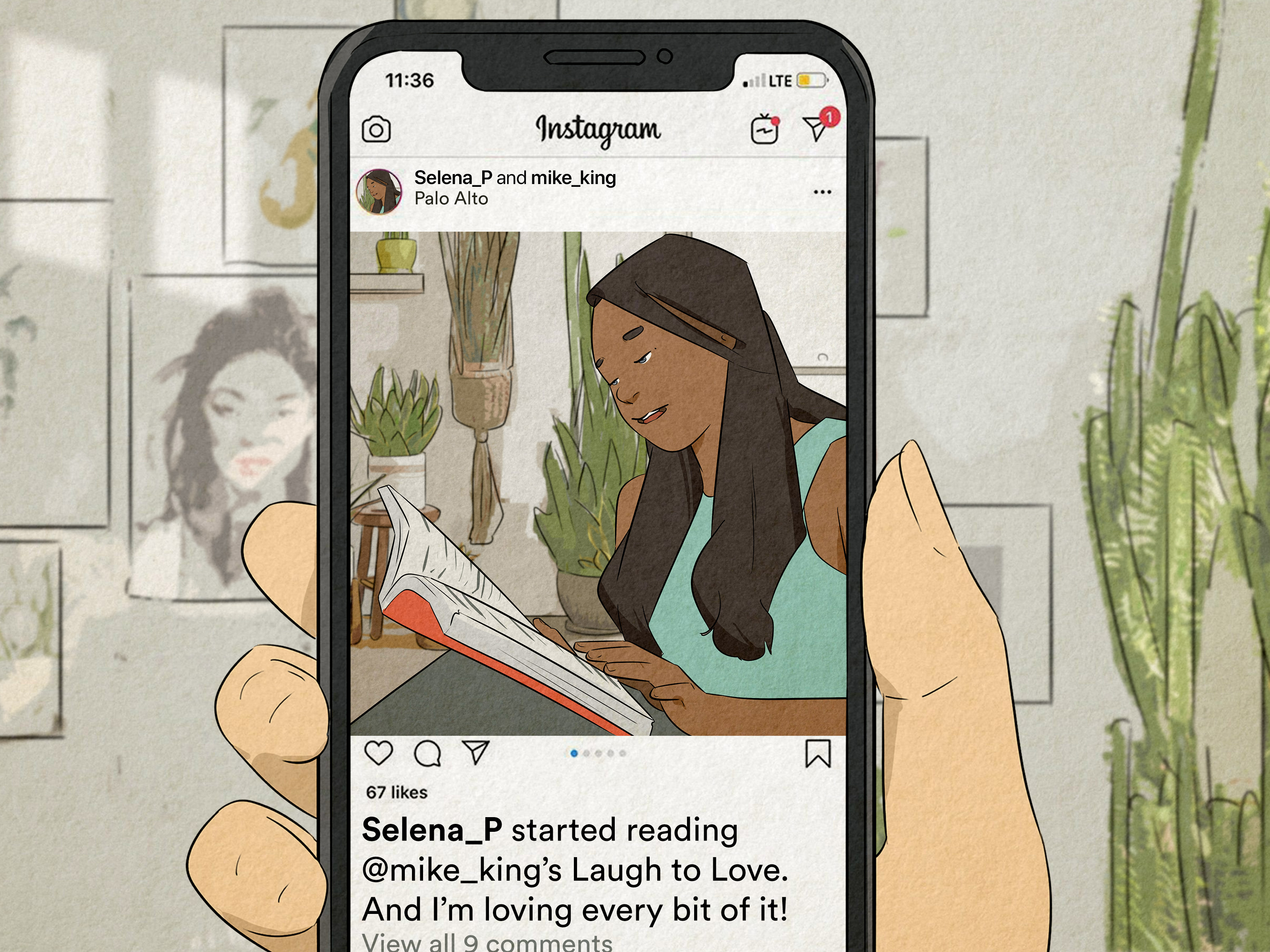
An Instagram Collab post (also called an Instagram collaboration post) is a single post or Reel that’s
co-authored by multiple accounts. The same piece of content shows up on each collaborator’s profile grid and can be served
to each collaborator’s followers while keeping one shared set of likes, comments, saves, and shares.
In other words: you post once, but you’re not the only “owner” listed on it. Your names appear together in the post header, and the engagement
is pooled into one unified post. It’s not duplicate content spam; it’s designed to be one shared post across profiles.
Why Collab Posts Hit Different (A.K.A. Why Creators Love Them)
- Instant cross-pollination: your post can reach audiences who don’t follow you yet.
- Shared social proof: more total engagement signals can help performance.
- Cleaner than reposting: no “credit in caption” scavenger hunt.
- Built for partnerships: creators, brands, photographers, hosts, guest experts, teams all in one post.
The 5-Minute Prep Checklist Before You Invite Collaborators
Collabs are easy to publish, but great Collabs are planned. Before you tap “Invite collaborators,” take five minutes to get aligned so you don’t
end up in a caption negotiation that lasts longer than your relationship.
1) Pick the right partner (not just the biggest one)
Look for audience overlap that makes sense: similar niche, complementary content, shared values, and a vibe that won’t confuse your followers.
Big follower counts are fun, but the best Collabs feel natural not like you duct-taped two unrelated communities together.
2) Agree on the goal (so you can measure it)
- Reach: impressions, non-follower reach, profile visits
- Growth: follower gain, follows per reach
- Engagement: saves, shares, comments quality
- Conversion: clicks, sign-ups, sales (if you’re tracking)
3) Decide who posts first (yes, it matters)
If one account is significantly larger, it can be smart for that account to initiate the Collab for maximum distribution but only if it still
feels authentic. If the smaller creator’s voice is the heart of the content, let them post and co-author the brand. Your audience can smell
“corporate caption energy” from three scrolls away.
4) Lock in the basics
- Format: Reel, photo, or carousel
- Posting time: pick a window you’ll both be active to reply to comments
- Caption + CTA: one clear action (comment, save, share, click, etc.)
- Disclosure: if it’s paid or gifted, plan your “paid partnership” and FTC-style disclosure
How to Collab Post on Instagram (Step-by-Step)
Here’s the simplest way to create an Instagram Collab post using the official “Invite collaborators” flow.
The wording can vary slightly by device or app updates, but the path is usually consistent.
Option A: Create a Collab post in the Instagram mobile app
- Tap the + (Create) button and choose a Post or Reel.
- Edit your content as usual, then tap Next to reach the caption/settings screen.
- Tap Tag people.
- Select Invite collaborators (this is the magic buttondon’t confuse it with regular tagging).
- Search for the account(s) you want and select them (Instagram currently supports inviting multiple collaborators).
- Tap Done, then finish your caption, location, and other settings.
- Tap Share.
Your post will publish immediately on your profile, and collaborators will receive an invite. It won’t appear as a shared post on their profiles
until they accept.
Option B: Create a Collab post on desktop (Instagram web)
- Open Instagram on the web and click Create.
- Upload your media and proceed to the settings/caption screen.
- Look for Add collaborators (or similar wording) and type/select the collaborator account(s).
- Publish the post. Collaborators will still need to accept.
Option C: Add collaborators after posting (if your account has the option)
Instagram has rolled out the ability for some accounts to add collaborators by editing a published post. If you see it, great. If you don’t, you’re
not broken you’re just living on a different version of reality (aka Instagram rollout logic).
- Open the post on your profile and tap the three dots menu.
- Tap Edit.
- Go to Tag people and look for Invite collaborators (or Add collaborators).
- Select your collaborator(s) and save.
If you can’t add collaborators after posting, assume you must invite them before you publish and plan accordingly.
How to Accept a Collab Invite (Without Missing It for 3 Days)
If someone invited you to co-author a post, Instagram will notify you. The exact path can vary, but acceptance typically looks like this:
- Open Instagram and check your notifications/activity.
- Tap the notification about being invited to collaborate.
- Tap Review, then choose Accept (or decline if it’s… not your brand).
Once accepted, the post appears on your profile grid and can be served to your followers as a shared post.
Privacy, Controls, and “Who Owns This Post?”
The primary creator has the power tools
Instagram treats the account that creates the post as the primary author. That means if the primary author deletes the post (or
deactivates their account), it disappears from everyone’s profiles. The primary author can also remove collaborators later.
Collaborators aren’t trapped, though
Collaborators can remove themselves from a Collab post. This is helpful when you realize you accidentally accepted a Collab that features
a product you would never, ever recommend… like glitter toothpaste. (No judgment. Some people like living dangerously.)
Public vs. private accounts: the practical version
Collabs can work across public and private accounts, but visibility depends on who’s public and who follows whom. For example:
- If a private account initiates a Collab, the invited collaborator may need to follow that account to be eligible.
- If a public collaborator accepts, the post can still be visible publicly through the public profile.
- If the original poster switches from public to private after posting, visibility can change (and may shrink).
You can’t Collab on Stories
As of now, Instagram Collabs are for feed posts and Reels not Stories. If you want Story support, you’ll need to tag/mention, use the “Add Yours”
sticker, or share the Collab post to Stories after it publishes.
Best Practices for Collab Posts That Actually Perform
Publishing a Collab is easy. Publishing a Collab that doesn’t flop like a sad pancake? That’s the strategy part.
1) Write a “two-audience” caption
Assume half the viewers don’t know you yet. Introduce yourself naturally in one line, then deliver the value:
“I’m Jamie (food stylist) teaming up with Alex (meal prep wizard) to show you five lunches that won’t taste like cardboard.”
2) Use a clear hook (especially for Reels)
- Problem → payoff: “Stop doing this if your Reels are stuck at 1,000 views…”
- Before/after: “From chaos to clean: our 15-minute studio reset”
- Mini-series: “Part 1 of our creator collab challenge”
3) Keep the CTA simple
Pick one: comment, save, share, or click. A Collab post already has multiple creators in the header; don’t turn the caption into a to-do list.
4) Hashtags and keywords: think “helpful,” not “desperate”
Use a mix of niche hashtags and plain-English keywords in your caption. You want discoverability without looking like you tripped and fell into a
hashtag bucket.
5) Plan your comment strategy
Collabs can generate more comments because two communities collide. Decide who answers what, pin a top comment with context, and reply quickly in the
first hour if possible.
6) Disclose partnerships like an adult (FTC + Instagram rules)
If money, free product, affiliate links, or any “material connection” is involved, disclosures should be clear and easy to notice. Instagram’s
branded content tools (like the paid partnership label) exist for a reason, and the FTC recommends clear, unambiguous disclosures (not vague terms
like “collab” as a substitute for an ad disclosure).
- Use the paid partnership label when content qualifies as branded content.
- Add clear language early in the caption when needed (e.g., “Paid partnership” and/or “#ad”).
- Avoid burying disclosures below “more” or in a hashtag graveyard.
Collab Post Ideas Creators Actually Use (Steal These)
If you’re stuck on what to co-create, here are ideas that work across niches and don’t require a Hollywood budget.
1) The “expert swap” tutorial
You teach your specialty for 15 seconds, your partner teaches theirs for 15 seconds. Bonus points if the skills connect (photographer + makeup artist,
fitness coach + meal prep creator, designer + copywriter).
2) The before/after transformation
Perfect for home, beauty, editing, coaching, organizing, branding, and renovation. One creator shows the process, the other shows the final reveal
and tips.
3) The “we tried each other’s routine” challenge
This is comedy + value. A productivity creator tries a chef’s prep schedule. A photographer tries a dancer’s warm-up. Viewers love
fish-out-of-water moments.
4) The mini giveaway (done responsibly)
If you do giveaways, keep entry rules simple and compliant. Collabs work well here because both audiences see the same post and engagement pools in
one place.
5) The behind-the-scenes collab
Show how the project was made: brainstorming, filming, editing, bloopers, setup. BTS makes collaborations feel real, not transactional.
6) The community feature
Partner with a niche community page or local business and spotlight followers’ work (with permission). The Collab header makes the partnership clear
and gives everyone a reason to care.
7) The event recap
Workshops, pop-ups, shoots, conferences, brand trips Collabs are ideal for a recap Reel where multiple parties want the same post on their grids.
8) The “two opinions” carousel
Create a carousel where slide 1–5 are your take, slide 6–10 are your collaborator’s take. It’s like a friendly debate, but with better lighting.
Measuring Success: What to Watch in Insights
The point of a collaboration isn’t just “we posted together.” It’s whether the Collab moved your goals. Track:
- Reach and impressions: did non-follower reach increase?
- Engagement quality: saves and shares usually mean the content was useful.
- Follower growth: did you gain followers after the Collab (not three weeks later after a random meme)?
- Profile actions: profile visits, website taps, DMs
- Reel retention: average watch time and completion (for Reels)
Pro tip: compare Collab performance to your baseline for the same format. A Reel Collab should be compared to your typical Reels, not your best post
from 2022 when the algorithm was feeling generous.
Troubleshooting: When “Invite Collaborator” Ghosts You
If Collabs aren’t working, it’s usually one of these:
You can’t find the “Invite collaborators” button
- Update Instagram (rollouts are staggered).
- Try creating from mobile if desktop doesn’t show the option (or vice versa).
- Check whether you’re in the right place: it’s typically under Tag people.
Your collaborator doesn’t see the post on their grid
- They must accept the invite before the post appears as a Collab on their profile.
- Have them check notifications/activity and review the invite.
Privacy complications
- Private accounts may require a follow relationship for invites to work smoothly.
- Visibility can change depending on who is public vs. private.
You want to Collab on Stories
- You can’t. Share the Collab post to Stories instead, or tag/mention your partner in a Story.
“Can I add a collaborator after posting?”
Sometimes yes, sometimes no. If your Edit screen shows an option to add collaborators, you’re good. If it doesn’t, treat it as a “before you publish”
feature and plan ahead.
Wrap-Up: Your Collab Post Game Plan
If you remember nothing else, remember this: Collabs work best when they’re useful, aligned, and obvious.
Useful content earns saves and shares. Alignment keeps followers from feeling whiplash. Obvious collaboration makes the partnership feel real.
Start with one solid partner, create one genuinely valuable post, and treat the comments like the afterparty. When done right, a Collab post is one
of the simplest ways to expand reach without doubling your workload and without begging for reposts like it’s 2016.
Creator Experiences: What Actually Happens When You Start Using Collabs (The Extra Real Stuff)
Here’s the part nobody tells you: the “Invite collaborators” button is the easy part. The hard part is humans. After working with (and watching)
creators run Collabs across niches, a few patterns show up again and again.
First: the best Collabs feel like a crossover episode, not an ad break. When two creators jump into a Collab with a shared concept
(“we’re both helping you solve the same problem”), viewers lean in. When it’s just “here’s my product next to their face,” people scroll like their
thumb is on payroll. If you’re a brand, let the creator’s natural style lead the storytelling. If you’re a creator, don’t be afraid to protect your
tone and say, “That caption doesn’t sound like me.”
Second: decide who owns the comment section rhythm. Collabs often pull in two communities with totally different communication
styles. One audience is writing full paragraphs like it’s a book club. The other is dropping “🔥🔥🔥” and vanishing into the mist. Plan for it.
Split responsibilities: one collaborator handles questions about product details, the other answers technique questions, and both show up early so
the post feels alive.
Third: Collabs reveal whether your “ideal audience” is real. I’ve seen creators partner with a bigger account in the same niche and
gain… almost no followers. Not because the Collab failed, but because the content didn’t clearly signal who the creator is and why someone should
stick around. A one-line identity hook (“I teach X for Y people”) in the caption and a sharp pinned comment can fix that fast.
Fourth: small creators often overthink “pitching” and underthink “packaging.” The fastest yes comes from a pitch that includes
a simple idea and the work split. Example: “Want to do a Reel Collab? 20 seconds each: you show your camera setup, I show editing presets. We’ll
post next Tuesday and both reply to comments for the first hour.” That’s a plan, not a vibe.
Fifth: “We’ll just wing it” is how you end up with mismatched expectations. Even a quick shared note (one paragraph!) prevents the
classic Collab chaos: one person thinks it’s educational, the other thinks it’s comedic, and suddenly your brand looks like it joined the wrong
group chat. Clarify: goal, hook, CTA, disclosure, and when it goes live.
Sixth: if you’re doing a Collab that’s sponsored or gifted, don’t treat disclosure like a party hat you put on at the end.
Build it into the caption naturally and early. Viewers don’t hate ads they hate feeling tricked.
Finally: Collabs are a relationship strategy, not a one-off tactic. The creators who win with Collabs aren’t chasing random
one-and-done partnerships. They build a small circle of repeat collaborators: a photographer they trust, a complementary expert, a local business,
a community page, a brand that gets their audience. Over time, those Collabs create a recognizable network and that network becomes its own growth
engine. The algorithm may be moody, but relationships are remarkably consistent.