If you have ever reached Amazon checkout with your iPhone in one hand and optimism in the other, you may have wondered: Can you use Apple Pay on Amazon? The honest answer is: not directly on the main Amazon website or Amazon shopping app in the usual Apple Pay way. Amazon generally does not show an Apple Pay button at checkout the way many retailers do.
That does not mean Apple users are completely out of luck. You may still be able to use cards connected to your Apple Wallet, your Apple Card, Apple Cash virtual card, or Amazon gift cards purchased elsewhere with Apple Pay. The trick is understanding the difference between Apple Pay, Apple Wallet, Apple Card, Apple Cash, and Amazon’s own payment system. Yes, it sounds like a fintech family reunion, but we will make it painless.
In this guide, we will break down whether Amazon accepts Apple Pay, why the answer is more complicated than a simple yes or no, how to use Apple-related payment methods on Amazon, and which workaround is safest and easiest for everyday shoppers.
Does Amazon Accept Apple Pay?
Amazon does not typically accept Apple Pay directly on Amazon.com or in the Amazon shopping app. In practical terms, this means you should not expect to see the familiar black Apple Pay button during checkout when buying regular Amazon products.
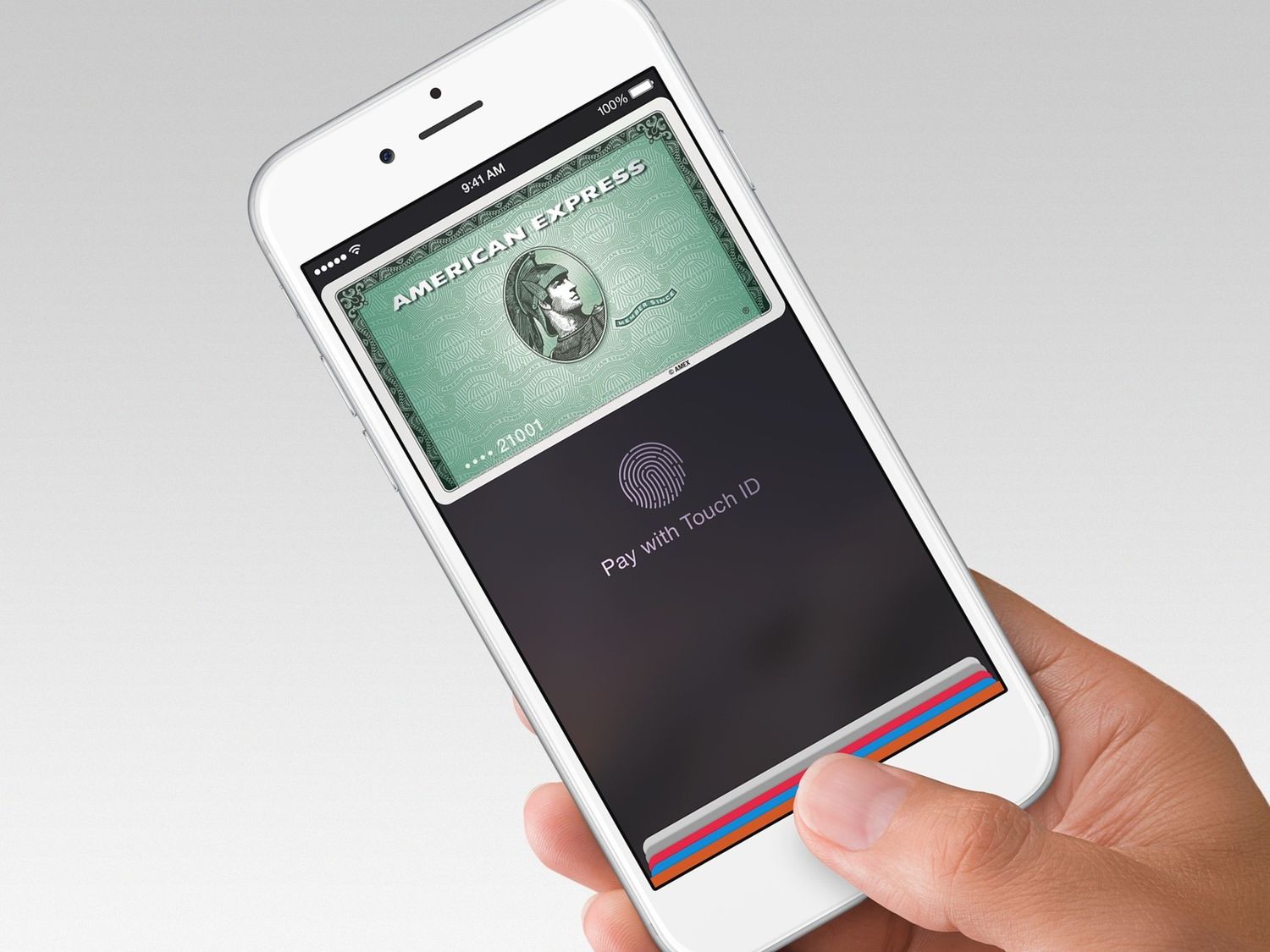
Apple Pay works when a merchant adds Apple Pay as a checkout option. On supported websites, apps, and browsers, shoppers can pay by selecting Apple Pay and confirming the purchase with Face ID, Touch ID, passcode, or a linked Apple device. Amazon’s standard checkout experience, however, is built around saved cards, Amazon gift cards, promotional balances, benefits cards, Amazon Store Card options, and other Amazon-supported payment methods.
So if your plan was to open the Amazon app, tap checkout, and casually pay with Face ID like a modern wizard buying paper towels, you may be disappointed. Amazon usually wants you to enter or select a payment method stored in your Amazon account rather than triggering Apple Pay as a digital wallet.
Why People Think Amazon Takes Apple Pay
The confusion is understandable. Apple Pay is widely accepted online and in stores across the United States. Many major retailers, food delivery apps, travel services, clothing stores, and grocery chains support Apple Pay. Amazon is one of the biggest retailers in the world, so it feels logical that it would support one of the most popular mobile wallets.
But online payment systems are not automatic. A merchant has to decide to offer Apple Pay at checkout. Amazon has its own payment ecosystem, including Amazon Pay, Amazon gift cards, Amazon credit cards, stored payment methods, and account-based checkout tools. In other words, Amazon is not exactly standing around waiting for another wallet to run the party.
Another source of confusion is Amazon Payment Services, a merchant-facing payment platform that can support Apple Pay integrations in some regions and business contexts. That is not the same thing as saying Amazon.com’s main retail checkout accepts Apple Pay for normal consumer purchases. Think of it like hearing that a restaurant company sells commercial ovens and assuming you can use one to reheat fries at your table. Related? Yes. Same experience? Not quite.
What Payment Methods Does Amazon Usually Accept?
Amazon’s accepted payment methods may vary depending on your country, product category, account settings, and the specific order. In the United States, Amazon commonly accepts major credit and debit cards such as Visa, Mastercard, American Express, Discover, Diners Club, and JCB. Amazon also supports Amazon gift cards, Amazon Store Card options, Amazon Secured Card options, and select benefits-related payment cards for eligible purchases, including FSA, HSA, SNAP EBT, and OTC benefits in qualifying situations.
This is why a card inside your Apple Wallet may still be useful on Amazon. Amazon may not accept Apple Pay directly, but it can accept many of the underlying cards that you have stored in Apple Wallet. You just have to add the card to Amazon manually instead of using the Apple Pay button.
Apple Pay vs. Apple Wallet vs. Apple Card: What Is the Difference?
To use the best workaround, you need to separate three things that often get lumped together.
Apple Pay
Apple Pay is the digital payment method that lets you check out with Face ID, Touch ID, or passcode at participating stores, apps, and websites. If Amazon does not show an Apple Pay button, you cannot force Apple Pay to appear by staring intensely at your iPhone. Sadly, technology still has boundaries.
Apple Wallet
Apple Wallet is the app where your cards, passes, tickets, Apple Cash, and Apple Card may live. A card being in Apple Wallet does not automatically mean every online store accepts Apple Pay. It simply means that card can be used through Apple Pay where Apple Pay is supported.
Apple Card
Apple Card is a Mastercard credit card issued for eligible users. You can use Apple Card through Apple Pay where Apple Pay is accepted, but you can also use its virtual card number at merchants that accept Mastercard. That second part is what matters for Amazon.
How to Use Apple Card on Amazon
If you have Apple Card, you may be able to use it on Amazon by adding the Apple Card virtual card number as a regular credit card. This does not mean you are using Apple Pay. It means you are using Apple Card as a Mastercard payment method.
Steps to Add Apple Card to Amazon
- Open the Wallet app on your iPhone.
- Tap your Apple Card.
- Open the card information section and authenticate with Face ID, Touch ID, or your passcode.
- Find the virtual card number, expiration date, and security code.
- Open the Amazon app or go to Amazon.com.
- Go to Your Account, then Your Payments.
- Select Add a payment method.
- Enter the Apple Card details as a credit card.
- Save the card and select it at checkout.
This is usually the cleanest Apple-related workaround for Amazon shoppers who already have Apple Card. You still get the convenience of using your Apple financial account, but you are going through Amazon’s accepted card system instead of Apple Pay.
Can You Use Apple Cash on Amazon?
In some cases, yes, you may be able to use Apple Cash on Amazon by using an Apple Cash virtual card number, if available to your account. Apple Cash is not the same as Apple Pay. Apple Cash is a stored balance that eligible users can send, receive, transfer, and spend. If your Apple Cash account provides a virtual Visa card number, you can try adding that card number to Amazon as a regular card.
There are a few important caveats. Apple Cash availability is limited by region, account eligibility, identity verification, and Apple’s rules. Also, prepaid or virtual cards can occasionally run into verification issues, especially if billing information does not match exactly. If the card is declined, it does not necessarily mean Amazon “hates” Apple Cash. It may simply mean the issuer, card type, address verification, balance, or transaction rules caused a problem.
Can You Use a Debit or Credit Card from Apple Wallet on Amazon?
Yes, but not through Apple Pay. If you have a debit or credit card saved in Apple Wallet, you can usually use that same card on Amazon by entering the card number directly into Amazon’s payment settings. Amazon sees it as a normal card transaction, not an Apple Pay transaction.
For example, suppose your Chase Visa debit card is in Apple Wallet. You cannot simply choose Apple Pay at Amazon checkout. But you can add that Chase Visa debit card to Amazon as a payment method, assuming the card is active, supported, and has correct billing information.
This approach is simple, but it does remove one of Apple Pay’s favorite privacy features: tokenized checkout. With Apple Pay, merchants do not receive your actual card number in the same way they would with a manual card entry. When you type a card number into Amazon, you are using Amazon’s saved-card checkout instead.
Can You Buy an Amazon Gift Card with Apple Pay?
Another workaround is to buy an Amazon gift card from a retailer that accepts Apple Pay, then redeem that gift card in your Amazon account. This can work well if you strongly prefer using Apple Pay and do not want to add a card directly to Amazon.
For example, you might buy an Amazon gift card at a grocery store, pharmacy, or online retailer that supports Apple Pay. After purchase, you redeem the gift card balance on Amazon and use it toward your order. This method is especially useful for budgeting because you can load a fixed amount instead of leaving a card saved in your account.
Be careful, though. Only buy Amazon gift cards from trusted retailers. Avoid strangers, suspicious resale sites, social media “discount” offers, or anyone who tells you to pay a bill, fine, fee, or emergency expense with gift cards. That is not shopping; that is a scam wearing a fake mustache.
Can You Use Apple Pay with Amazon Pay?
Amazon Pay is a separate service that lets shoppers use payment methods stored in their Amazon account on participating third-party websites. It is not the same as Apple Pay. If a third-party merchant offers Amazon Pay, you may be able to check out using your Amazon account, but that does not automatically mean Apple Pay is part of the process.
Amazon Pay generally focuses on cards and account-based payment methods connected to your Amazon profile. Some Amazon payment technology products may support Apple Pay for merchants in certain regions, but that does not change the everyday Amazon.com answer: the main Amazon shopping checkout generally does not provide direct Apple Pay support.
Does the Amazon App Accept Apple Pay?
The Amazon shopping app usually does not offer Apple Pay as a checkout button. Even though you are using an iPhone, the app still relies on Amazon’s own payment settings. You can add a card, select a saved card, redeem a gift card, apply promotional balances, or use other eligible Amazon-supported methods.
This is different from apps that are designed with Apple Pay checkout built in. In those apps, Apple Pay appears as a payment option and lets you confirm with Face ID or Touch ID. Amazon’s app may feel like it should do the same thing, but the checkout system works differently.
Best Workarounds for Apple Pay Users on Amazon
1. Add Your Apple Card as a Mastercard
This is the best option for Apple Card users. Add your Apple Card virtual number to Amazon and use it like a normal credit card. It is simple, reusable, and does not require buying gift cards first.
2. Add the Underlying Card from Apple Wallet
If your Apple Wallet contains a Visa, Mastercard, American Express, or Discover card, enter that card directly into Amazon. It will not be Apple Pay, but it may get the job done.
3. Use Apple Cash Virtual Card Details
If your Apple Cash account provides a virtual card number, you can try adding it to Amazon. Make sure your balance is high enough and your billing details are correct.
4. Transfer Apple Cash to Your Bank
If Apple Cash does not work directly, transfer the balance to your bank account, then use your bank debit card or another accepted Amazon payment method.
5. Buy Amazon Gift Cards with Apple Pay
Buy Amazon gift cards from a legitimate retailer that accepts Apple Pay, redeem the balance, and use it at checkout. This is a little extra work, but it can be useful for people who do not want to store card details on Amazon.
Security Tips Before You Add Any Payment Method
When dealing with payment methods, convenience is great, but safety matters more. Use only the official Amazon app or Amazon website when adding card details. Do not call random support numbers from search results, pop-ups, social media comments, or sketchy pages claiming to help with “Amazon Apple Pay activation.” There is no magic phone number that unlocks Apple Pay on Amazon.
Also, keep your Apple Account secure with two-factor authentication, use a strong Amazon password, and review saved payment methods regularly. If a card is lost, stolen, replaced, or compromised, remove it from Amazon and update your Wallet settings. Digital payments are convenient, but they still need the occasional adult supervision.
So, What Is the Best Way to Pay on Amazon If You Love Apple Pay?
If you are an Apple Pay fan, the best Amazon strategy depends on what you already have. Apple Card users should consider adding the Apple Card virtual card number to Amazon. Apple Cash users can try the Apple Cash virtual card number if eligible. Everyone else can add the underlying debit or credit card from Apple Wallet directly to Amazon, or use Apple Pay to buy Amazon gift cards from trusted retailers.
The important thing is not to confuse “using Apple Pay” with “using a card that also lives in Apple Wallet.” On Amazon, you are usually doing the second one.
Common Questions About Apple Pay and Amazon
Can I select Apple Pay at Amazon checkout?
Usually, no. Amazon’s standard checkout does not typically show Apple Pay as a direct payment button.
Can I use my Apple Card on Amazon?
Yes, in many cases. Add your Apple Card virtual card number to Amazon as a Mastercard payment method.
Can I use Apple Cash on Amazon?
Possibly. If you have an Apple Cash virtual card number, you can try adding it to Amazon like a Visa card. Availability and approval may vary.
Can I use Apple Pay to buy Amazon gift cards?
Yes, if the retailer selling the Amazon gift card accepts Apple Pay. Then you can redeem the gift card on Amazon.
Is Amazon Pay the same as Apple Pay?
No. Amazon Pay is Amazon’s checkout service for participating third-party websites. Apple Pay is Apple’s digital wallet payment system.
Conclusion
So, can you use Apple Pay on Amazon? Not directly in the usual Apple Pay checkout style. Amazon generally does not provide an Apple Pay button on its main website or shopping app. However, you can still use several Apple-related workarounds, including Apple Card virtual card details, Apple Cash virtual card details, the original debit or credit card stored in Apple Wallet, bank transfers, or Amazon gift cards purchased with Apple Pay somewhere else.
The simplest way to think about it is this: Amazon may not accept Apple Pay, but it often accepts the cards connected to your Apple life. It is not as smooth as a Face ID checkout, but it is workable, reliable, and usually only takes a few minutes to set up.
Real-World Experiences: What It Feels Like Trying to Use Apple Pay on Amazon
The first experience many shoppers have with this topic is mild confusion. You are shopping on your iPhone, the Amazon app is fast, your address is saved, your cart is ready, and your thumb is emotionally prepared for a quick Face ID moment. Then checkout appears, and Apple Pay is nowhere to be found. It feels like arriving at a coffee shop with a rewards coupon and discovering the barista has never heard of rewards, coupons, or coffee.
In everyday use, the best workaround is usually adding a card manually. For example, if someone keeps most of their spending cards in Apple Wallet, they may assume Wallet itself is the payment source. After a few minutes of digging, they realize the actual card number still matters. Once the card is entered into Amazon’s payment settings, future purchases become simple again. The downside is that the checkout no longer has that polished Apple Pay feeling. No quick Apple Pay sheet. No elegant confirmation animation. Just Amazon being Amazon: practical, direct, and slightly allergic to outside wallets.
Apple Card users tend to have the smoothest experience because the virtual card number is designed for online purchases where Apple Pay is not available. After adding Apple Card to Amazon, checkout feels like using any other saved credit card. The purchase goes through, the order appears, and the household receives yet another box containing one tiny item surrounded by enough packaging to protect a museum artifact.
Apple Cash users may have a more mixed experience. Some shoppers like the idea of using a stored balance instead of a bank card, especially for budgeting. If the Apple Cash virtual card number works, it can be a convenient way to spend from that balance. If it does not work, the solution is usually to transfer the money to a bank account and pay with a regular debit card. That adds an extra step, but it is still better than abandoning the cart and pretending you never needed replacement batteries, dog treats, or a very specific phone charger.
Gift cards can also be surprisingly useful. Some people buy Amazon gift cards with Apple Pay at trusted stores and redeem them immediately. This method is not glamorous, but it creates a spending limit and avoids storing extra card details. It works especially well for parents, students, holiday shoppers, or anyone who wants to keep Amazon purchases from quietly multiplying like gremlins after midnight.
The biggest lesson from real-world use is simple: do not wait until the final checkout screen to figure out your payment plan. If you prefer Apple-related payments, set up your Amazon payment method before you need it. Add your Apple Card, test your Apple Cash virtual card if eligible, or load a gift card balance ahead of time. Future you will appreciate it, especially when you are trying to order something urgent and do not want to fight payment settings while your phone battery is at 3%.