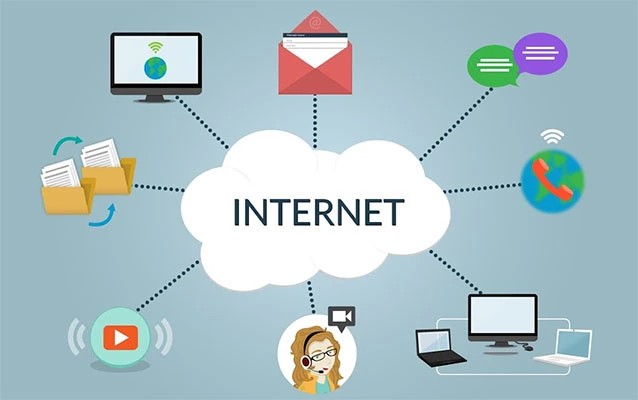
A digital business card is the modern version of the classic paper card, except it does not end up crumpled in a jacket pocket, hiding in a desk drawer, or taking a long vacation in the bottom of someone’s tote bag. Instead, it lives online and can be shared through a QR code, link, text message, email signature, NFC tap, Apple Wallet, Google Wallet, or even a video meeting chat.
At its simplest, a digital business card is a shareable online profile that contains your professional contact information. It usually includes your name, job title, company, phone number, email address, website, social media links, calendar link, location, logo, headshot, portfolio, payment link, and sometimes a short introduction. In other words, it is your networking handshake with Wi-Fi.
The main keyword here is “digital business card,” but you may also hear related terms such as virtual business card, electronic business card, QR code business card, NFC business card, smart business card, online contact card, or mobile business card. The names differ, but the goal is the same: make it easier for people to save your information and remember who you are after the conversation ends.
How Does a Digital Business Card Work?
A digital business card works by storing your professional information on a web page, app profile, vCard file, or contact-sharing platform. When someone scans your QR code, taps your NFC card, clicks your link, or receives your card by text or email, they can view your information and usually save it directly to their phone contacts.
For example, imagine you meet a potential client at a conference. Instead of digging through your bag for a paper card, you show them a QR code on your phone. They scan it with their camera, open your card, tap “save contact,” and boomyour details are in their phone before the coffee line moves three inches. That is the magic of a digital business card: less friction, fewer typos, and fewer “Wait, was your email spelled with one L or two?” moments.
Common Ways to Share a Digital Business Card
Most digital business cards can be shared in several ways. A QR code is one of the most common because nearly every smartphone camera can scan it. NFC cards are also popular; these are physical cards with a chip inside that shares your profile when tapped against a compatible phone. Some people prefer to share a direct URL in an email signature, LinkedIn message, website bio, text message, or video call chat.
Many platforms also allow users to add their card to a mobile wallet, place it on a phone home screen, or create multiple versions for different audiences. A real estate agent might have one card for buyers and another for sellers. A freelancer might use one version for design clients and another for consulting leads. A corporate sales team may use branded cards that sync leads into a CRM system after trade shows.
What Information Should a Digital Business Card Include?
A strong digital business card should include the information people actually need to contact, trust, and remember you. The basics are name, title, company, email, phone number, and website. From there, you can add more personality and context: a professional photo, company logo, LinkedIn profile, Instagram page, YouTube channel, portfolio, booking link, product page, Google Maps location, or downloadable brochure.
The trick is not to turn your card into a digital junk drawer. A good online business card should feel useful, not overwhelming. If you add every platform you have ever joined since the dawn of the internet, visitors may not know where to click. Choose links that support your goals. If you want sales calls, highlight your calendar. If you want clients to see your work, highlight your portfolio. If you want newsletter subscribers, include a signup link.
Digital Business Card vs. Paper Business Card
Paper business cards are not dead. They are simply sharing the stage with a smarter, more flexible cousin. A beautifully designed paper card can still make a strong impression, especially in formal meetings, local services, luxury industries, or cultures where exchanging cards is part of business etiquette. However, paper cards have limits: they cannot update themselves, track engagement, include unlimited links, or automatically sync with a CRM.
A digital business card can be updated anytime. Changed your phone number? Edit it once. Got a promotion? Update your title. Rebranded your company? Swap the logo. With paper cards, one typo means a sad little stack of expensive rectangles becomes recycling. With a digital card, a typo is just a 15-second fix and a quiet sigh of relief.
When Paper Still Makes Sense
Paper cards still work well when you need a physical touchpoint. They can feel personal, polished, and memorable when designed well. Some professionals use a hybrid approach: a premium paper card printed with a QR code that opens a digital profile. This gives people something tangible while still offering the convenience of instant contact saving and updated online information.
When Digital Wins
Digital cards shine at conferences, networking events, sales meetings, recruiting events, coworking spaces, trade shows, and online meetings. They are especially useful when speed matters. If you meet dozens of people in one day, a digital card helps turn brief conversations into organized contacts instead of a mysterious pile of cards that all say “John, marketing guy, maybe from Tuesday.”
Benefits of a Digital Business Card
1. It Is Easy to Share
A digital business card can be shared almost anywhere: in person, online, by email, by text, through social media, or during a Zoom call. You are not limited by how many printed cards you remembered to bring. As long as your phone is nearby, your card is ready.
2. It Can Be Updated Anytime
Traditional cards become outdated the moment your information changes. Digital cards stay current because you can edit them instantly. This is a major advantage for startups, freelancers, sales teams, consultants, recruiters, and anyone whose professional life moves faster than a printer can ship 500 cards.
3. It Supports More Information
A paper business card has limited space. A digital business card can include links, videos, forms, portfolios, payment options, maps, documents, and social profiles. That extra room helps people learn more about you without needing a follow-up email that starts with, “Here are seven links I forgot to mention.”
4. It Reduces Manual Data Entry
When people receive a paper card, they still have to type the information into their phone or CRM. That creates opportunities for mistakes. With a digital card, the recipient can often save the contact with one tap. For business teams, some platforms can capture leads and send them into tools like HubSpot, Salesforce, or other customer relationship management systems.
5. It Can Improve Follow-Up
The real value of networking is not collecting contacts. It is following up with the right people at the right time. Many digital business card tools include analytics, lead forms, notes, tags, or integrations that make follow-up easier. A sales rep can see who scanned a card, where the lead came from, and what action to take next.
6. It Is More Sustainable
Digital business cards reduce the need for repeated printing, shipping, and reprinting. That does not mean every paper card is evilno need to glare at the stack on your deskbut going digital can reduce waste, especially for large teams, events, and companies that frequently update employee information.
Are Digital Business Cards Secure?
Digital business cards are generally safe when created through reputable platforms and shared responsibly. However, like any online tool, they require common sense. A QR code can point to a legitimate contact page, but QR codes can also be abused by scammers. Before scanning a random code from an unexpected email, poster, or message, check whether the source is trustworthy.
For your own card, use a professional platform, secure links, accurate branding, and a clear URL when possible. Avoid asking people to download strange files or enter unnecessary personal information. If your company manages cards for employees, choose a provider that offers admin controls, privacy settings, brand management, and integrations that match your security needs.
Who Should Use a Digital Business Card?
Almost anyone who networks professionally can benefit from a digital business card. Sales representatives use them to capture leads. Entrepreneurs use them to promote businesses. Recruiters use them to connect with candidates. Consultants use them to share booking links and case studies. Real estate agents use them to share listings and contact details. Creators use them to connect followers to portfolios, stores, newsletters, and social platforms.
Digital business cards are also useful for companies that want consistent branding. Instead of every employee designing a different card with a different font, logo size, and “creative interpretation” of the brand color, the company can manage templates centrally. That keeps the brand polished and prevents someone from using neon green Comic Sans unless, for some reason, that is the brand.
How to Create a Digital Business Card
Step 1: Choose a Platform
You can create a digital business card with dedicated platforms, QR code tools, design apps, CRM-connected tools, or contact apps. Choose based on your needs. A freelancer may only need a simple free card with a QR code. A sales team may need lead capture, analytics, admin controls, and CRM integration.
Step 2: Add Your Essential Information
Start with the basics: name, title, company, phone number, email address, website, and location if relevant. Add a professional photo or logo to make the card recognizable. Keep your headline clear. “Helping small businesses grow with local SEO” is more useful than “Marketing wizard, coffee-powered strategist, and occasional spreadsheet whisperer,” although the second one is admittedly fun.
Step 3: Add Strategic Links
Include links that help people take the next step. These might include LinkedIn, a portfolio, a booking calendar, a product page, customer reviews, a case study, a newsletter signup, or a download. Do not overload the card. A focused card converts better than a buffet of buttons.
Step 4: Customize the Design
Your digital card should match your brand. Use consistent colors, a readable layout, and a professional image. If you use a QR code, make sure it has enough contrast and space around it so phones can scan it easily. Fancy design is nice; scannable design is better.
Step 5: Test Before Sharing
Before you proudly share your new card with the world, test it on different devices. Scan the QR code. Tap the NFC card if you have one. Check every link. Save the contact. Send it to yourself by text and email. This small step prevents big embarrassment, such as discovering your “Book a Call” link leads to a vacation photo album from 2018.
Examples of Digital Business Card Use
A sales representative at a trade show can share a QR code with prospects and instantly capture lead details. A fitness coach can include a booking link, Instagram profile, and client transformation gallery. A restaurant owner can add contact details, menu links, catering forms, and Google Maps directions. A job seeker can share a card with a resume, LinkedIn profile, portfolio, and email address. A photographer can use a digital card to show galleries, pricing pages, and contact forms.
These examples show why a digital business card is more than a contact card. It can act as a mini landing page. It does not replace a full website, but it can guide people to the right next step faster.
Common Mistakes to Avoid
The first mistake is adding too much information. Your card should help people act, not make them solve a puzzle. The second mistake is using weak branding. A digital card with blurry photos, broken links, or mismatched colors can feel less professional than no card at all. The third mistake is forgetting follow-up. Sharing the card is only the opening move. The real business happens after you send the email, schedule the meeting, or continue the conversation.
Another mistake is assuming everyone loves digital tools. Some people still prefer paper, especially in more traditional industries. A flexible approach works best. Keep a few paper cards for certain situations, but use your digital card as the main hub for updated information.
Personal Experience: What Using a Digital Business Card Feels Like in Real Life
The first time someone uses a digital business card seriously, the reaction is often a mix of “That was convenient” and “Why did I not do this earlier?” In real networking situations, the biggest benefit is speed. Conversations at events move quickly. People are balancing coffee, tote bags, brochures, and phones. A digital card removes the awkward card shuffle and turns the exchange into a simple scan or tap.
One practical experience is the difference it makes during busy conferences. With paper cards, people often collect dozens of names and then try to remember who was who later. That system works about as well as labeling every container in the fridge “food.” A digital card can help organize leads immediately. Some tools let users add notes, tag contacts by event, or sync information into a CRM. This makes follow-up more accurate because the context is captured while the conversation is still fresh.
Another noticeable advantage is confidence. When your card includes your website, calendar link, portfolio, LinkedIn profile, and company information, you do not have to explain everything verbally. You can say, “Scan this and you’ll find my work samples and booking link.” That is cleaner than sending multiple follow-up messages later. It also makes you look prepared, which is half of professional life and at least 80 percent of surviving networking events.
There is also a branding benefit. A well-designed digital business card feels modern and polished. It gives small businesses and independent professionals a chance to present themselves like larger companies. Instead of handing over a plain card with only a phone number, they can offer a mini brand experience: logo, colors, photo, links, and a clear call to action. For service providers, this can make a strong first impression.
However, real-world use also reveals a few challenges. Some people hesitate to scan QR codes, especially if they are cautious about online security. Others may not know where to tap an NFC card on their phone. Internet access can also be a problem in crowded venues where the Wi-Fi is performing its favorite magic trick: disappearing exactly when needed. That is why it helps to have multiple sharing options, including QR code, link, email, text, and a few paper cards as backup.
Another lesson is that design matters less than clarity. A beautiful card with ten buttons and no obvious next step can confuse people. A simple card with a strong headline, clear contact details, and one primary action often performs better. For example, a consultant may get better results by making “Book a Free Consultation” the main button instead of giving equal attention to every social media account.
The best experience comes when the digital card becomes part of a follow-up system. After meeting someone, send a short message within 24 to 48 hours. Mention where you met, what you discussed, and the next useful step. The card opens the door, but the follow-up walks through it. Without follow-up, even the fanciest digital business card is just a shiny doorbell nobody rings.
Conclusion: Is a Digital Business Card Worth It?
A digital business card is worth it for most modern professionals because it is easy to share, simple to update, flexible, measurable, and practical. It helps people save your information quickly and gives you more room to present your brand. Whether you are a freelancer, sales professional, recruiter, founder, real estate agent, consultant, or small business owner, a virtual business card can make networking smoother and more effective.
The best strategy is not always paper or digital. It is using the right tool for the moment. A paper card can still feel personal, but a digital business card gives people instant access to your complete professional world. In a business environment where attention spans are short and follow-up matters, that convenience is not just niceit is useful.
So, what is a digital business card? It is your contact information, brand story, and next-step invitation packed into one shareable online profile. It is a smarter way to say, “Here’s how to reach me,” without hoping someone can read tiny print under dim conference lighting. And honestly, your future contacts’ thumbs will thank you.