Note: This article is source-informed by reputable U.S. healthcare organizations and medical publications, including AMA, CDC/NCHS, CMS, ACP, AHRQ, NEJM Catalyst, JAMA Network Open, and peer-reviewed health informatics research. It is intended for general informational and editorial use, not medical, legal, or compliance advice.
Introduction: When Doctors Spend More Time Feeding the EHR Than Seeing Patients
Modern medicine has a strange villain. It does not wear a cape, carry a clipboard, or laugh dramatically in a hospital hallway. It blinks from a screen, asks for another required field, hides the right button behind three menus, and politely reminds clinicians that the note is “almost complete.” Welcome to the age of the electronic health record, where many medical professionals feel less like doctors and more like highly educated data-entry athletes.
Electronic health records, or EHRs, were introduced with noble intentions: better access to patient information, fewer paper charts, improved coordination, and cleaner billing. In many ways, they succeeded. A clinician can now review allergies, medications, lab results, imaging, consult notes, and past diagnoses faster than anyone in the paper-chart era could dream. The problem is that the digital chart grew from a clinical tool into a documentation jungle. Every visit can require coding details, compliance language, medication reconciliation, patient portal responses, quality measures, and enough clicks to make a video game controller file a workers’ compensation claim.
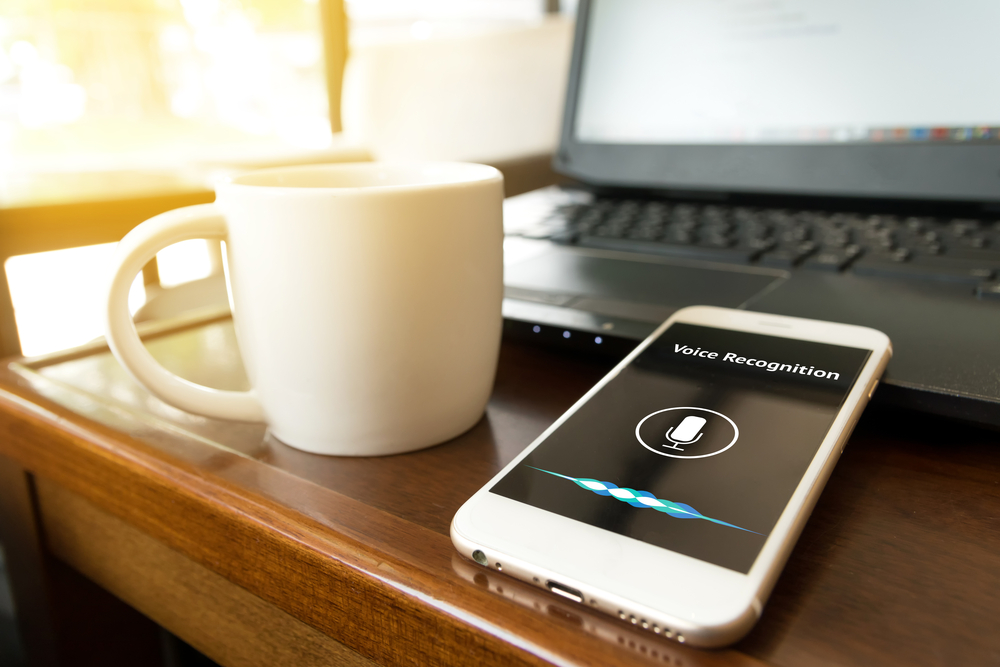
That is why voice to text solutions for healthcare are gaining serious attention. Medical speech recognition, ambient AI scribes, and clinical dictation software promise to reduce the documentation burden by letting clinicians speak naturally instead of typing endlessly. The idea is simple but powerful: capture the conversation, structure the note, integrate it into the EHR, and give clinicians back the thing they entered medicine for in the first placetime with patients.
The EHR Burden: A Workflow Problem Wearing a Technology Costume
The EHR is not “bad” by default. In fact, it is essential to modern healthcare. The burden comes from how documentation, billing, regulation, messaging, and workflow expectations have piled up inside the same system. A physician may begin a visit with a patient’s concern, then bounce between medication lists, preventive care reminders, prior notes, inbox alerts, billing codes, order sets, and insurance requirements. The clinical encounter becomes a split-screen performance: one eye on the patient, one eye on the chart, and a third imaginary eye searching for the checkbox that unlocks the next screen.
National research has repeatedly connected EHR-related work with clinician burnout. In 2019, federal survey data showed that a large majority of office-based physicians spent time outside normal office hours documenting clinical care. This after-hours charting is often called “pajama time,” which sounds cozy until you realize it means physicians are finishing work at home instead of resting, seeing family, or remembering what hobbies are.
Documentation burden also affects nurses, physician assistants, nurse practitioners, therapists, and other health professionals. Nurses may document assessments, care plans, medication administration, safety checks, discharge education, and quality measures across multiple screens. Specialists may deal with long notes, referral documentation, imaging summaries, and complex coding. Primary care clinicians often face the perfect storm: short visits, complicated patients, overflowing inboxes, preventive care prompts, and documentation requirements that do not magically shrink just because the schedule is full.
Why “More Documentation” Does Not Always Mean “Better Care”
A complete medical record matters. But a bloated note is not the same as a useful note. When charts become stuffed with copied text, auto-populated fields, and repetitive template language, the truly important details can get buried. A patient’s story may be somewhere in the note, but finding it can feel like searching for a stethoscope in a laundry basket.
Good documentation should support clinical reasoning, communication, continuity, patient safety, and appropriate billing. It should not turn every encounter into a typing marathon. That distinction is important because healthcare voice recognition software is not valuable simply because it creates more words faster. It is valuable when it helps create clearer, more accurate, more usable notes with less friction.
How Voice to Text Solutions Work in Healthcare
Voice to text technology in medicine is not one single tool. It includes several related solutions, each designed for a slightly different workflow.
1. Traditional Medical Dictation
Traditional dictation allows clinicians to speak into a microphone or mobile device and convert speech into text. This can be used for visit notes, operative reports, discharge summaries, referral letters, and radiology or pathology reports. Older systems often required users to dictate punctuation and formatting commands. Newer tools are more flexible, faster, and better trained on medical terminology.
2. Medical Speech Recognition
Medical speech recognition software is trained to understand clinical vocabulary, drug names, anatomy, diagnoses, procedures, and specialty-specific language. That matters because general speech recognition may hear “ileum” and produce “William,” which is not ideal unless William is somehow involved in the small intestine. Strong medical speech recognition can reduce editing time and improve note accuracy.
3. Ambient Clinical Documentation
Ambient documentation tools go a step further. Rather than requiring the clinician to dictate a note after the visit, these systems listen during the patient encounter, identify medically relevant details, and draft a structured clinical note. The clinician then reviews, edits, approves, and signs the note. In the best version of this workflow, the doctor can maintain eye contact, ask better follow-up questions, and avoid the classic “sorry, I’m just typing this in” interruption.
4. AI Medical Scribes
AI scribes combine speech recognition, natural language processing, and generative AI to create draft notes from real conversations. Some tools can organize information into SOAP notes, history of present illness, assessment and plan, patient instructions, orders, or coding support. The clinician remains responsible for reviewing the output because even impressive AI can misunderstand context, omit nuance, or confidently write something that needs correction.
Why Voice to Text Could Help Clinicians Feel Like Doctors Again
The phrase “turn medical professionals into doctors again” is not meant to suggest clinicians stopped caring. They never did. The point is that administrative overload can push the human side of medicine into the corner. Voice to text solutions may help restore the center of the visit: listening, thinking, explaining, reassuring, diagnosing, and planning.
More Eye Contact, Less Screen Staring
Patients notice when clinicians are glued to screens. Even when the clinician is doing necessary work, the interaction can feel less personal. Ambient voice technology can allow providers to look at patients while the conversation unfolds. That change may sound small, but in healthcare, attention is therapeutic. A patient discussing chest pain, depression, a new cancer diagnosis, or a confusing medication regimen wants to feel heard, not processed like an online form.
Reduced After-Hours Charting
One of the strongest selling points of voice to text for EHR documentation is the possibility of reducing pajama time. If the note is drafted during or immediately after the encounter, clinicians may spend less time completing charts at night. Recent studies on ambient AI scribes suggest modest but meaningful reductions in EHR and documentation time for some clinicians, especially when tools are used consistently and integrated well into workflow.
Better Visit Flow
Typing changes the rhythm of a conversation. A clinician may pause to click a template, search for a diagnosis, or capture details before they vanish into the busy-clinic fog. Voice-enabled documentation can make visits feel more natural. The patient talks. The clinician responds. The note forms in the background. Nobody has to pretend that watching someone type is a bonding activity.
Less Cognitive Switching
Task switching is exhausting. During a single visit, clinicians may alternate between listening, typing, reviewing labs, ordering tests, answering alerts, checking medication interactions, and planning follow-up. Voice to text tools can reduce some of that switching by capturing narrative information more fluidly. Fewer interruptions can mean more mental energy for clinical reasoning.
Real-World Examples: Where Voice to Text Makes the Biggest Difference
Primary Care
Primary care is documentation-heavy because visits often cover multiple problems at once. A patient may arrive for diabetes follow-up and also mention knee pain, insomnia, a refill request, a rash, and the fact that their blood pressure cuff has been “acting weird.” A voice to text or ambient AI tool can help capture the full story without forcing the physician to type a novel between appointments.
Emergency Medicine
Emergency departments move fast. Clinicians must document histories, exams, medical decision-making, reassessments, procedures, discharge instructions, and handoffs under pressure. Voice documentation can help when typing is impractical, though emergency settings also require careful attention to noise, consent, privacy, and accuracy.
Specialty Care
Cardiology, orthopedics, gastroenterology, dermatology, oncology, and other specialties often rely on detailed documentation. A specialist may need to summarize test results, physical findings, treatment options, risks, and follow-up plans. Specialty-aware speech recognition can save time by understanding the language of the field instead of turning “metatarsalgia” into something that sounds like a fantasy kingdom.
Nursing Documentation
Nurses carry enormous documentation responsibilities. Voice input can help with narrative notes, shift summaries, wound descriptions, patient education, and care coordination. However, nursing workflows often require structured fields, timestamps, safety checks, and standardized assessments. Voice tools must fit those realities rather than simply offering a blank dictation box and wishing everyone good luck.
Behavioral Health
Behavioral health documentation requires sensitivity, context, and careful wording. Voice to text solutions may reduce typing time, but clinicians must be especially careful about patient consent, note tone, and the difference between what was said and what should be documented. A useful tool supports the therapeutic relationship instead of intruding on it.
The Benefits for Patients: The Chart Should Help the Visit, Not Hijack It
Voice to text solutions are often marketed as clinician productivity tools, but patients may benefit too. When clinicians are less distracted, visits can feel more focused. When notes are completed sooner, referrals, prescriptions, follow-up instructions, and care plans may move faster. When documentation is clearer, other members of the care team can understand what happened without decoding a note that looks like it was assembled by a committee of tired robots.
Patients also benefit when clinicians are less burned out. Burnout is associated with emotional exhaustion, lower professional satisfaction, and workforce instability. A burned-out healthcare system is not just unpleasant for clinicians; it can affect access, continuity, and the quality of communication. Reducing documentation burden is not a luxury perk. It is part of building a safer, more sustainable care environment.
The Risks: Voice to Text Is Helpful, Not Magical
Voice technology can reduce burden, but it is not a fairy godmother with a HIPAA-compliant wand. Healthcare organizations need thoughtful implementation, governance, training, and oversight.
Accuracy Still Matters
Medical documentation must be accurate. A transcription error can change meaning. “No chest pain” and “chest pain” are not friendly neighbors. Clinicians must review AI-generated or voice-generated notes before signing. Organizations should monitor error patterns, specialty-specific limitations, and the quality of documentation over time.
Privacy and Consent Are Essential
Ambient tools may record or process clinical conversations. Patients should understand when such tools are used, what data is captured, how it is protected, and whether they can decline. Healthcare organizations must evaluate vendors carefully for privacy, security, data handling, and compliance with applicable laws and institutional policies.
Bias and Context Can Be Tricky
Speech recognition systems may perform differently across accents, speech patterns, background noise, languages, and clinical settings. AI tools can also misinterpret context. A responsible rollout should test performance across diverse clinicians and patient populations rather than assuming the demo video represents every real clinic on a Monday morning.
Bad Workflow Plus New Technology Equals Faster Bad Workflow
If a clinic has inefficient documentation rules, confusing templates, and unclear team responsibilities, voice to text may only speed up the mess. The best results come when organizations redesign workflows, reduce unnecessary documentation, clarify what belongs in the note, and use technology to support a better process.
Best Practices for Implementing Voice to Text in Medical Settings
Start With the Pain Points
Before buying a tool, healthcare leaders should ask where documentation hurts most. Is it after-hours charting? Long specialty notes? Inbox messages? Nursing handoffs? Discharge summaries? Prior authorization letters? Different problems may require different solutions.
Choose Tools That Integrate With the EHR
A voice tool that creates a beautiful note outside the EHR may still create extra work if clinicians must copy, paste, reformat, and hunt for the right encounter. Integration matters. The closer the tool fits into existing clinical workflow, the more likely it is to be used consistently.
Train Clinicians Without Treating Them Like Software Interns
Clinicians do not need another complicated system dropped into their day with a cheerful email and a 47-page PDF. Training should be practical, specialty-specific, and short enough to respect reality. Show users how to start, stop, edit, approve, and troubleshoot. Then gather feedback quickly.
Measure What Matters
Success should not be judged only by adoption rates. Organizations should measure documentation time, after-hours EHR work, note quality, clinician satisfaction, patient experience, turnaround time, and safety events. A tool that saves five minutes but creates messy notes may not be a win. A tool that saves modest time while improving attention and morale may be very valuable.
Keep Humans in Charge
The clinician should remain the final authority. Voice to text solutions can draft, organize, and suggest. They should not replace clinical judgment. The goal is not to make doctors passive editors of machine-generated notes. The goal is to remove clerical friction so medical professionals can focus on care.
The Future: From Documentation Tool to Clinical Assistant
The future of voice technology in healthcare will likely move beyond simple transcription. We are already seeing tools that summarize visits, generate patient instructions, suggest follow-up tasks, draft referral letters, and help organize assessment and plan sections. Over time, voice-enabled systems may become more like clinical assistants that support documentation, ordering, coding, and care coordination.
However, the best future is not one where AI writes longer notes faster. The best future is one where documentation becomes lighter, smarter, and more clinically meaningful. Healthcare does not need a bigger digital haystack. It needs sharper needles.
Regulators, health systems, vendors, clinicians, and patients will all play a role. CMS and other organizations continue to emphasize burden reduction and interoperability. Professional groups have called for reducing low-value EHR alerts, inbox noise, and unnecessary documentation. Technology can help, but policy and workflow reform must travel with it. Otherwise, voice to text tools will be like putting a sports engine in a traffic jam.
Experience-Based Reflections: What It Feels Like When Documentation Finally Gets Out of the Way
Imagine a primary care doctor beginning the day with twenty-two scheduled patients, four urgent add-ons, a full inbox, and a lunch break that exists mostly as a rumor. The first patient is there for hypertension, but the conversation quickly expands to medication side effects, sleep problems, and worry about a parent’s recent stroke. In a traditional EHR-heavy workflow, the physician has to listen, type, click, order, counsel, and plan all at once. Even the most skilled clinician can feel pulled in half. The patient is sharing something personal, and the doctor is trying not to lose the thread while the EHR demands a problem list update.
Now imagine the same visit with a well-implemented ambient voice to text solution. The physician starts by telling the patient that a secure documentation assistant can help draft the note, and the patient agrees. The doctor turns away from the keyboard and asks, “Tell me what has been going on.” The conversation becomes more natural. The patient explains the dizziness that started after a medication change. The doctor asks follow-up questions, checks the blood pressure log, discusses options, and explains the plan. The note is not finished by magic, but a useful draft appears: history, medication concern, assessment, plan, follow-up, and patient instructions. The physician reviews it, corrects details, and signs it before the next visit or shortly afterward. That is not science fiction. That is the kind of workflow many clinicians are hoping for.
The emotional difference can be surprisingly large. Documentation burden is not only about minutes. It is about attention. When clinicians spend the visit typing, they may feel rude even when they are being responsible. When they chart late at night, they may feel like the workday never truly ends. When they fall behind, every unfinished note becomes a tiny cloud following them through the clinic. Voice to text solutions can remove some of those clouds. Not all of them, of course. Medicine will always involve responsibility, complexity, and paperwork. But fewer clouds still means more sunlight.
For nurses and advanced practice clinicians, the benefit can show up in different ways. A nurse documenting wound care may be able to speak a clear description instead of typing awkwardly at a workstation. A nurse practitioner in urgent care may complete a patient summary while the details are fresh instead of reconstructing the visit later. A specialist may dictate a nuanced explanation of risks and benefits without turning the note into a copy-paste monument. These small workflow improvements can compound across dozens of encounters.
There is also a learning curve. Some clinicians initially feel awkward speaking notes aloud. Others worry that AI-generated drafts may sound too generic. Some patients may decline ambient recording, and that choice should be respected without drama. Clinics may discover that background noise, room layout, device placement, or specialty vocabulary affects performance. The first week may include funny errors, because speech recognition has a way of humbling everyone. A medication name becomes a grocery item. A diagnosis becomes a phrase nobody would say in polite company. The fix is not panic; it is training, editing, feedback, and choosing tools that improve over time.
The most successful experiences tend to share a few traits. Clinicians are not forced into one rigid workflow. Staff members know when and how the tool should be used. Patients receive a simple explanation. The organization measures whether the technology is actually helping. Leaders listen when clinicians say, “This part works, this part does not, and this button appears to have been designed by a raccoon.” That feedback loop matters.
At its best, voice to text does not make healthcare feel futuristic. It makes it feel older in the best possible way: like a conversation between a patient and a clinician. The computer is still there, but it is no longer the loudest person in the room. The doctor can think. The nurse can observe. The patient can speak without competing against a keyboard. That is the real promisenot replacing medical professionals, but giving them enough room to practice medicine with their full attention again.
Conclusion: Let Doctors Doctor
Voice to text solutions will not solve every problem in American healthcare. They will not fix staffing shortages, insurance complexity, prior authorization headaches, or the mysterious ability of EHR alerts to appear at the worst possible moment. But they can address one of the most painful daily frustrations in clinical practice: the documentation burden that pulls medical professionals away from patients.
When medical speech recognition, AI scribes, and ambient documentation tools are accurate, secure, well-integrated, and responsibly governed, they can help clinicians spend less time typing and more time caring. The technology should not be judged by hype. It should be judged by whether it improves attention, reduces after-hours work, protects privacy, supports clear documentation, and helps patients feel heard.
The future of healthcare should not ask doctors to become professional typists with prescription pads. It should let doctors be doctors, nurses be nurses, and patients be people instead of data packets waiting to be filed. If voice to text solutions can help move healthcare in that direction, they deserve more than buzzword status. They deserve careful implementation, honest measurement, and maybe a small standing ovation from every clinician who has ever finished a note at 11:37 p.m.