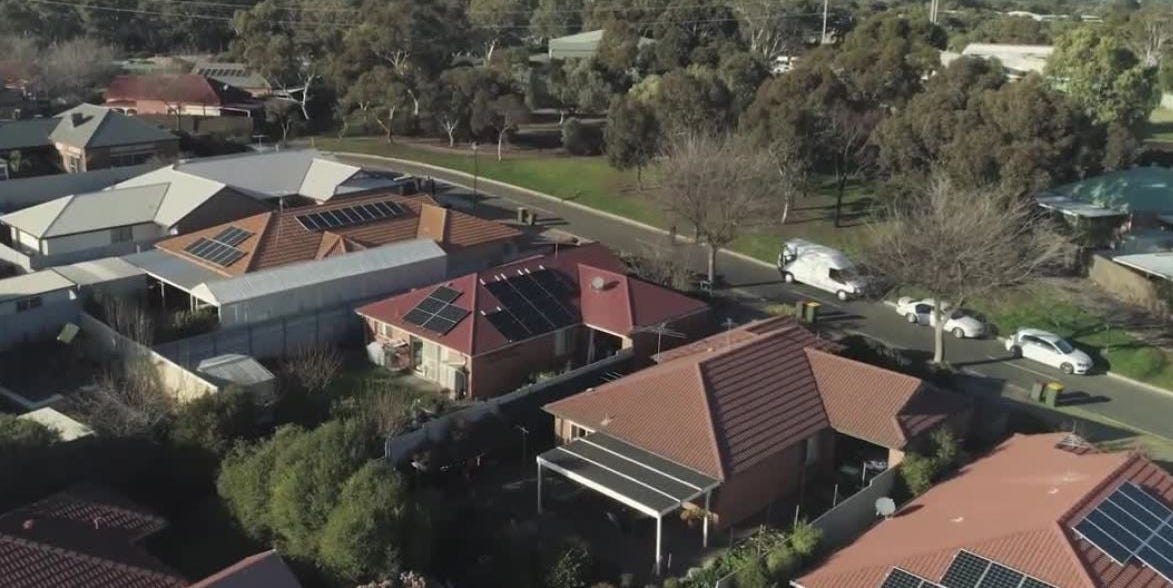
Tesla Powerwall is one of the most recognizable home battery systems in America, promising backup electricity, smarter solar use, and less dependence on the utility grid. It is sleek, powerful, and considerably more interesting than the beige electrical boxes already living in your garage.
The current Powerwall 3 combines a 13.5-kilowatt-hour battery with a built-in solar inverter and enough output to support many demanding household loads. It can store excess rooftop solar, charge from the grid where permitted, provide electricity during an outage, and shift energy use away from expensive peak-rate hours.
That sounds delightfully futuristic, but a Powerwall is not a magic white rectangle that makes electric bills disappear. Its value depends on your utility rates, outage risk, solar production, household loads, installation complexity, and available local incentives. This guide explains how Tesla Powerwall works, what it costs, how long it can run a home, and when buying one makes financial sense.
What Is a Tesla Powerwall?
Tesla Powerwall is a rechargeable home energy storage system. Think of it as a large, permanently installed battery that sits between your home, solar panels, and utility connection.
When your solar panels produce more electricity than your home is using, Powerwall can store the surplus instead of immediately sending it to the grid. Later, it can discharge that energy after sunset, during expensive electricity periods, or when the utility goes down.
Powerwall can also be installed without solar. In that arrangement, it may charge from the grid during lower-cost hours and discharge during peak pricing or an outage, subject to local utility rules. Solar makes the system more self-sufficient because panels may recharge the battery during a prolonged daytime outage.
Powerwall 3 at a Glance
| Specification | Tesla Powerwall 3 |
|---|---|
| Battery capacity | 13.5 kWh per unit |
| Continuous AC output | Configurable up to 11.5 kW |
| Maximum supported solar input | Up to 20 kW DC |
| Integrated solar inverter | Yes |
| Solar-to-battery-to-home/grid efficiency | 89% under Tesla’s specified test conditions |
| Operating temperature | -4°F to 122°F |
| Installation | Indoor or outdoor; wall or floor mounted |
| Installed dimensions | Approximately 43.5 by 24 by 7.6 inches |
| Installed weight | Approximately 291 pounds |
| Standard warranty | 10 years, subject to warranty conditions |
The significant improvement in Powerwall 3 is its output. Earlier generations could store the same general amount of energy but delivered less power at once. Powerwall 3 is better equipped to start and run larger 240-volt equipment, although the final backup design still depends on load calculations, electrical service, breaker sizing, and local code.
How Tesla Powerwall Works
During a Normal Sunny Day
Solar panels first supply electricity to the home. Any unused production can charge Powerwall. Once the battery is full, additional solar may be exported to the utility grid when the interconnection agreement permits it.
After solar production falls, Powerwall begins supplying stored energy. The home imports electricity from the grid only after the battery reaches its selected reserve or can no longer meet demand.
During a Power Outage
A Backup Switch, Gateway 3, or another compatible Tesla islanding device detects the outage and disconnects the home from the utility. This isolation prevents electricity from flowing back onto power lines, where it could endanger utility workers.
Powerwall then supplies the backed-up circuits. The transition is designed to be quick enough that homeowners may notice little more than a flicker. Your clocks might survive without blinking “12:00,” which is arguably one of modern battery technology’s greatest achievements.
During Expensive Rate Periods
In Tesla’s Savings mode, Powerwall can use information from your utility rate plan to charge when electricity is inexpensive and discharge when rates are high. This process is called load shifting or energy arbitrage.
The strategy works best when the difference between off-peak and peak prices is substantial. When a utility charges nearly the same price all day, there is less financial hay for the battery to make while the sun shines.
How Long Can One Powerwall Run a House?
There is no universal backup-duration number because homes do not consume electricity at a constant rate. Battery capacity is measured in kilowatt-hours, while appliances draw power in kilowatts. Divide available battery energy by the average load to estimate runtime.
For example, a fully charged 13.5-kWh Powerwall theoretically supports a steady 1-kW load for about 13.5 hours. Real runtime will be shorter after accounting for the backup reserve, conversion losses, temperature, battery condition, and changes in household demand.
Example Backup Scenarios
Essential-load scenario: Suppose refrigerators, lights, internet equipment, a television, and a few outlets average 0.8 kW. One Powerwall could theoretically cover that load for roughly 16 hours before real-world adjustments. Careful energy use may stretch coverage through the night.
Moderate whole-home scenario: At an average demand of 2 kW, the same battery contains less than seven hours of theoretical energy. Solar production the next morning can extend the outage dramatically if the weather cooperates.
Heavy-load scenario: Running central air conditioning, electric water heating, cooking equipment, a clothes dryer, and EV charging together can consume stored energy surprisingly quickly. A Powerwall may have enough output to start major equipment, but high output is not the same as long duration.
The smartest outage plan is usually selective restraint. Keep food cold, communications running, medical equipment powered, and temperatures safe. Postpone the dryer, pool heater, and midnight pottery-kiln session until the grid returns.
Whole-Home Backup Versus Partial-Home Backup
Whole-home backup connects most or all household circuits to the battery system. It offers convenience because homeowners do not need to choose a small group of protected circuits. However, the system must still be sized for both total energy consumption and peak power demand.
Partial-home backup uses a protected-loads panel containing selected circuits. Common choices include refrigeration, lighting, internet, garage-door equipment, selected outlets, a furnace blower, and a well pump.
Partial backup can reduce installation cost and prevent heavy appliances from draining the battery. Whole-home backup is more seamless, but it may require multiple batteries or disciplined load management in an outage.
Tesla Powerwall Cost in 2026
A typical single-Powerwall 3 project in the United States costs approximately $13,000 to $16,500 before state, local, or utility incentives. National marketplace estimates place the average near the lower-middle portion of that range, but actual quotes vary widely.
The battery itself is only one line on the invoice. A complete quote may include:
- Powerwall 3 hardware
- Backup Switch, Gateway, meters, or related controls
- Electrical design and engineering
- Permits and utility applications
- Labor and commissioning
- Concrete pads or structural mounting work
- Electrical-panel or service upgrades
- Protected-load panel installation
A straightforward installation beside a modern electrical panel may cost considerably less than a project involving an older service, long conduit runs, complicated utility requirements, or equipment relocation.
Federal Tax Credit Status
The federal Residential Clean Energy Credit that previously covered qualifying residential battery-storage expenses ended for expenditures made after December 31, 2025. Homeowners purchasing a Powerwall in 2026 should not automatically subtract 30% from the price.
State rebates, utility incentives, virtual power plant payments, and local programs may still be available. These can change quickly, so homeowners should verify eligibility before signing a contractnot after the installer has arrived with a 291-pound battery and a very determined hand truck.
Can Powerwall Lower Your Electric Bill?
Powerwall can produce meaningful savings, but the financial outcome depends heavily on the rate structure.
Consider a hypothetical utility with electricity priced at $0.12 per kWh overnight and $0.37 per kWh during the evening peak. Shifting 10 kWh from the cheap period to the expensive period creates a maximum gross difference of $2.50 per day before battery losses, fixed charges, seasonal changes, and operating limits.
If that happened on 250 high-value days, the theoretical gross benefit would be $625 per year. At that pace, bill savings alone would not rapidly recover a $14,000 installation. Solar self-consumption, outage protection, grid-program payments, and avoided generator costs may improve the overall value proposition.
In areas with flat electricity prices and generous solar net metering, storing solar may be less profitable than exporting it. In areas with high peak rates, weak export compensation, frequent outages, or strong battery incentives, the economics can look much better.
Tesla App and Smart Energy Features
Tesla’s software is one of Powerwall’s strongest advantages. The app displays live power flows between solar panels, the battery, the grid, and the home. It also provides historical information that can reveal which appliances are quietly devouring electricity like unattended teenagers near a refrigerator.
Self-Powered Mode
This mode stores unused solar production and uses it when the home needs more power than the panels are producing. The goal is to increase solar self-consumption and reduce grid imports.
Savings Mode
Savings mode schedules charging and discharging around time-of-use rates. Powerwall may preserve stored electricity for expensive periods rather than using it immediately.
Backup Reserve
The owner chooses how much battery capacity to save for outages. A high reserve provides greater emergency protection but leaves less energy available for everyday savings.
Storm Watch
Storm Watch can respond to qualifying severe-weather alerts by charging Powerwall toward maximum capacity. It is useful, although homeowners should still raise the backup reserve manually when they expect trouble that does not trigger an automated event.
Go Off-Grid
This feature lets owners simulate an outage by disconnecting from the grid through the app. It is a practical way to test the system before discovering its limits during an actual storm at 2:17 a.m.
Powerwall Expansion and Future Growth
Each Powerwall 3 Expansion adds another 13.5 kWh of storage and connects to a Powerwall 3. Expansion units are useful when a homeowner wants longer backup duration without duplicating every component of the primary battery system.
Additional full Powerwall 3 units can increase both storage and power output. This may be appropriate for large homes, all-electric properties, multiple air-conditioning systems, well pumps, workshops, or homeowners who want multi-day backup with solar.
System architecture is not infinitely flexible. Compatibility, expansion limits, available wall space, electrical service capacity, and utility rules should be addressed during the original design. Planning ahead is cheaper than discovering two years later that the “perfect expansion wall” is now occupied by built-in cabinets.
Installation and Ownership Considerations
Utility Approval
The Tesla Backup Switch can simplify installation by integrating at the meter, but it is not approved by every utility. Where it cannot be used, the system may require a Gateway and different electrical work.
Placement
Powerwall 3 is rated for indoor and outdoor use, but installers must follow clearance, temperature, structural, flooding, access, and code requirements. A shaded, accessible location is generally preferable to a spot exposed to extreme heat or physical damage.
Internet Connectivity
Reliable internet access supports monitoring, troubleshooting, and firmware updates. Tesla states that extended loss of connectivity can affect warranty coverage, potentially reducing the applicable warranty period to four years if the company cannot communicate with the system.
Generator Compatibility
A Powerwall system can coexist with certain generator arrangements using external transfer equipment. However, Powerwall and the generator are not directly integrated, and the battery does not recharge from the generator. The design requires careful coordination by qualified professionals.
Maintenance
Unlike an engine-driven generator, Powerwall does not require fuel delivery, oil changes, or routine test runs. Owners should keep the area clear, maintain internet connectivity, monitor alerts, and contact the installer or Tesla when the app reports persistent faults.
Tesla Powerwall Pros and Cons
Advantages
- Strong continuous output from a single battery
- Integrated solar inverter
- Automatic and quiet backup operation
- Polished mobile app with detailed energy monitoring
- Indoor and outdoor installation options
- Expandable storage architecture
- Can work with or without rooftop solar
- No generator fuel, exhaust, or regular engine maintenance
Disadvantages
- High initial installed cost
- No federal residential battery credit for new 2026 expenditures
- Financial savings vary dramatically by utility rate plan
- One battery may not provide long-duration whole-home backup
- Utility approval and permitting can slow installation
- Installer quality and project communication may vary
- Internet connectivity is important for full warranty support
Is Tesla Powerwall Worth It?
Tesla Powerwall is most compelling for homeowners who experience frequent outages, have time-of-use electricity rates, receive poor compensation for exported solar energy, or place a high personal value on quiet and automatic backup power.
It may also make sense for households with rooftop solar that regularly exports large amounts of midday energy and buys expensive power after sunset. In that situation, Powerwall allows the homeowner to consume more of the electricity the roof already produces.
Powerwall is harder to justify as a purely financial investment when electricity is inexpensive, rates are flat, outages are rare, and net metering pays full retail value for exported solar. Under those conditions, the battery may still provide convenience and resilience, but the payback period can be long.
Before purchasing, compare at least two detailed quotes and request an annual simulation based on your actual hourly consumption, solar production, utility tariff, and backup goals. A salesperson’s cheerful promise of “energy independence” is not a substitute for a load profile and spreadsheet.
Conclusion
Tesla Powerwall 3 is a capable home battery that combines substantial output, 13.5 kWh of storage, an integrated solar inverter, automatic backup controls, and some of the most approachable energy-management software available.
Its greatest strength is versatility. It can keep critical loads running, support many whole-home configurations, store excess solar, react to time-of-use pricing, and prepare for severe weather. Its biggest obstacle is cost, especially now that new 2026 residential installations cannot rely on the former federal 30% tax credit.
The right question is not simply, “Is Powerwall good?” It is. The better question is whether Powerwall is valuable for your particular home. When outage protection, solar self-consumption, high peak rates, and local incentives line up, the answer can be an enthusiastic yes. When they do not, it remains an impressive battery attached to a less impressive financial return.
Owner Experience Addendum: What Living With a Tesla Powerwall Feels Like
A representative Powerwall ownership experience begins with a surprisingly long period in which very little seems to happen. The installer completes commissioning, the Tesla app comes alive, and animated lines show electricity gliding between the roof, home, grid, and battery. For the first several days, checking those lines becomes a minor hobby. Laundry is postponed because the solar output looks promising. Someone turns on the oven and is immediately accused of “ruining the energy graph.” The household has officially entered its amateur grid-operator era.
After the novelty settles, the system becomes mostly invisible. In Self-Powered mode, Powerwall charges during the brightest part of the day and begins discharging as solar fades. Instead of exporting inexpensive midday energy and purchasing costly evening electricity, the household uses more of its own production. The daily graph develops a satisfying rhythm: solar rises, the battery fills, grid imports shrink, and stored energy carries the home into the evening.
The first outage is when Powerwall stops feeling like an expensive gadget and starts feeling like infrastructure. Neighborhood lights go dark, but the refrigerator continues humming, the router stays online, and the television remains suspiciously unaffected. The app reports that the home is off-grid and estimates remaining energy. There is no generator roar, fuel can, extension cord, or frantic search for a flashlight that definitely used to be in the kitchen drawer.
That experience also teaches the owner how quickly large loads matter. Running ordinary lights and refrigeration barely dents the charge level, while electric heating, cooling, cooking, or EV charging can make the percentage fall with uncomfortable enthusiasm. Many owners become more deliberate during outages, raising or lowering thermostats, delaying laundry, and avoiding simultaneous heavy loads. The battery encourages conservation without requiring everyone to sit silently around a single candle.
Storm Watch provides another memorable moment. A severe-weather notification arrives, and Powerwall begins filling from available solar or the grid where charging is permitted. Seeing the battery reach 100% before a storm can be reassuring, although automated preparation should not replace ordinary emergency planning. A home battery cannot repair a damaged roof, clear a flooded road, or remind anyone where the manual can opener is hiding.
The less glamorous part of ownership is project administration. Permitting, utility approval, inspections, interconnection, and scheduling may take longer than the physical installation. The experience depends heavily on the installer. A strong installer explains backup loads, rate settings, reserve levels, expansion options, and expected savings. A weak one installs the equipment, waves vaguely at the app, and disappears into the afternoon.
Over time, the most useful feature may not be backup power but awareness. Energy data reveals how much electricity the home consumes overnight, how weather affects solar output, and which activities create demand spikes. The owner starts making decisions based on evidence rather than guessing from a monthly bill.
Powerwall ownership is therefore less dramatic than the marketing photographs suggest. Most days, it quietly moves electricity to a more useful hour. Occasionally, it keeps the house comfortable and connected while the surrounding grid is dark. That combination of ordinary automation and rare but meaningful protection is what turns the product from an oversized battery into a genuinely valuable home-energy tool.
Note: Powerwall prices, utility permissions, rebates, installation requirements, backup performance, and projected savings vary by location and household. Obtain a site-specific design and verify current incentive and tax information before purchasing.