Verifying a PayPal account is one of those grown-up internet chores that sounds more mysterious than it really is. Nobody wakes up excited to confirm a bank account, upload identity documents, or hunt for a tiny four-digit code on a card statement. Yet if you want to use PayPal with fewer interruptions, higher confidence, and better access to sending, receiving, and withdrawing money, verification matters.
In simple terms, PayPal verification proves that you own the financial details connected to your account. It also helps PayPal meet legal identity-checking requirements, reduce fraud, and make sure the person using the account is not a mystery villain wearing a hoodie in a stock photo. The process may include confirming your email, linking and confirming a bank account, confirming a debit or credit card, or providing identity documents when PayPal asks for them.
This guide explains how to verify a PayPal account step by step, what documents you may need, why verification sometimes fails, and how to avoid scams pretending to be PayPal. Whether you are setting up a personal account, preparing to receive freelance payments, or organizing a business account, the goal is the same: get verified safely, correctly, and without clicking suspicious links that look like they were written by a keyboard having a nervous breakdown.
What Does It Mean to Verify a PayPal Account?
To verify a PayPal account means you have completed PayPal’s process for confirming that you own the payment method or identity details attached to the account. For many users, verification happens by adding and confirming a bank account. In the United States, PayPal also states that an account may be verified by applying for and being approved for a PayPal Credit product.
Verification is not the same as merely creating an account. When you open a personal PayPal account, you typically provide your name, address, phone number, email address, and password. That gets the account started. Verification goes further by proving that your financial information, such as a bank account or card, actually belongs to you.
PayPal may also ask for identity confirmation through its Customer Identification Process, often called CIP. This can involve confirming your legal name, address, date of birth, or business information. If your account activity grows, if you use a PayPal balance, or if something about the account needs review, PayPal may request additional documents.
Before You Start: Check the Basic Requirements
Before trying to verify your PayPal account, make sure your information is accurate. Your name should match your bank account, card, and identification documents. Your address should match your billing address whenever possible. Your phone number should be current, especially because PayPal may use it for security checks.
For U.S. PayPal accounts, individuals must be residents of the United States or one of its territories and must be at least 18 years old, or the age of majority in their state. Do not try to bypass age rules or use someone else’s identity documents. That can lead to account limitations, locked funds, or permanent account problems. In other words, pretending to be your uncle for financial verification is not a clever life hack; it is a bad idea wearing a fake mustache.
How to Verify a PayPal Account Step by Step
Step 1: Log In Directly to PayPal
Start by going directly to PayPal through your browser or the official PayPal app. Avoid logging in through links in emails or text messages, even if they shout “urgent” like a digital fire alarm. Scammers often imitate PayPal to steal passwords, card numbers, and identity information.
Once logged in, check your dashboard, notifications, Wallet, and account settings. PayPal will usually show prompts if action is needed. These prompts may ask you to confirm a bank, confirm a card, verify your identity, resolve a limitation, or update personal information.
Step 2: Confirm Your Email Address
Email confirmation is often one of the first account setup tasks. PayPal may send a confirmation message to the email address you used during registration. Open the email only if you are sure it is legitimate, or simply log in directly to PayPal and check whether your email is confirmed from inside your account settings.
A confirmed email helps PayPal communicate with you and helps prevent account confusion. It is especially important if you plan to receive payments from clients, marketplaces, or customers.
Step 3: Link a Bank Account
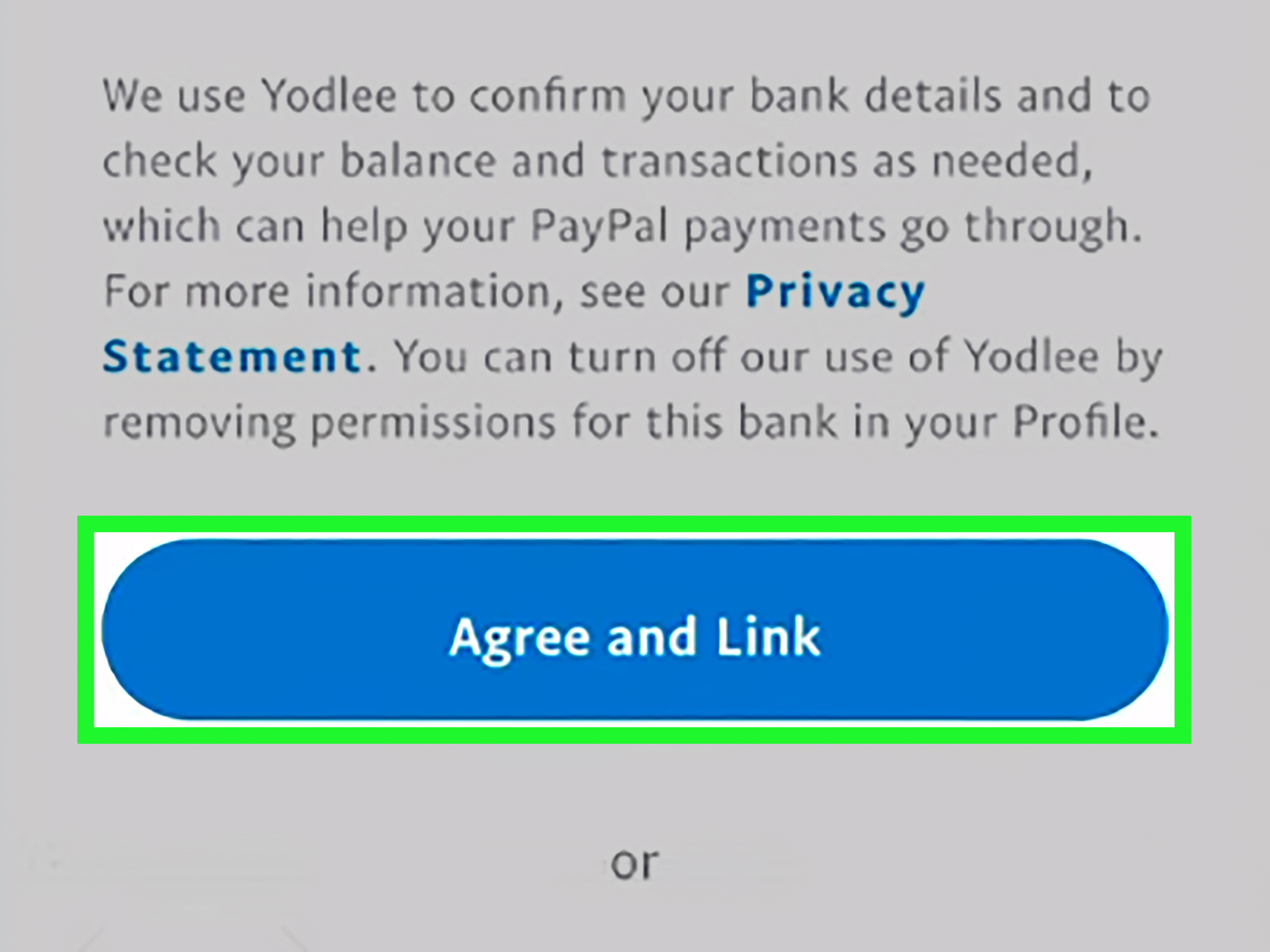
The most common way to verify a PayPal account is to add and confirm a bank account. To do this on the web, go to your Wallet, choose the option to link a bank, and follow the instructions. PayPal may offer instant confirmation with supported banks. If instant confirmation is available, you can usually complete the process quickly by securely signing in through the bank connection flow.
If instant confirmation is not available, PayPal may use the small-deposit method. In that process, PayPal sends two small deposits to your bank account, usually each between $0.01 and $0.99. These deposits normally appear within three business days. After they appear, you return to PayPal, open your Wallet, select the bank account, and enter the exact deposit amounts.
This step proves that you can access the bank account. PayPal may later remove the small deposits with a matching debit, so do not treat those pennies like a surprise investment portfolio.
Step 4: Confirm a Debit or Credit Card
Sometimes PayPal asks users to confirm a debit or credit card. This usually happens when a “Confirm Card” link appears next to the card in your Wallet. Card confirmation helps PayPal verify that the card is valid and belongs to you.
To confirm a card, go to your Wallet, choose the card, and request confirmation if prompted. PayPal may place a small temporary charge on the card. On your card statement, you will see a four-digit PayPal code near the charge description. The code may appear within minutes if your card issuer shows pending transactions, or it may take two to three business days.
After you find the code, return to your PayPal Wallet, select the card, enter the four digits, and click confirm. PayPal says the charge is refunded after confirmation, though your card issuer may take time to post the credit.
Step 5: Complete Identity Verification if PayPal Requests It
PayPal may ask you to confirm your identity for regulatory, security, or account-limit reasons. This can happen when PayPal needs to verify your name, address, date of birth, Social Security number details, business information, or account activity.
If PayPal asks for documents, use the secure upload area inside your PayPal account. Common proof-of-identity documents may include a government-issued ID card, driver’s license, passport, or another accepted photo ID. The document should be clear, current, unobstructed, and match the information on your PayPal account.
For proof of address, PayPal may request documents such as a utility bill, bank statement, card statement, or government document that shows your name and address. Requirements can vary by account type and situation, so follow the exact instructions shown in your PayPal Resolution Center or notification area.
Step 6: Review Business Account Requirements
If you use a PayPal Business account, verification may involve more than confirming a bank. PayPal may ask for business entity documents, taxpayer information, proof of business address, or beneficial owner information. A beneficial owner is generally a person who owns or controls part of the business.
Business verification is important because PayPal must understand who is using the platform and what kind of business is receiving payments. Make sure your legal business name, tax information, website, customer service email, and business address are consistent. Inconsistent business details can cause delays, much like showing up to airport security with three different names and a boarding pass printed on a napkin.
How Long Does PayPal Verification Take?
The timeline depends on the verification method. Email confirmation can be nearly instant. Bank confirmation through instant connection may also be quick. The small-deposit method usually takes up to three business days for deposits to appear. Card confirmation may take minutes to a few business days, depending on how fast your card issuer displays the PayPal code.
Identity document review may take longer. PayPal says it tries to review uploaded documents within two business days, but reviews can sometimes take more time. Delays are more likely if the document is blurry, expired, cropped, mismatched, or missing required information.
Why Your PayPal Verification Might Fail
Your Name Does Not Match
If your PayPal name does not match your bank, card, or ID, verification can fail. This is common after marriage, legal name changes, shortened names, nicknames, or spelling differences. “Mike” on PayPal and “Michael A. Johnson” on your bank account may look obvious to you, but automated systems do not always appreciate your casual naming style.
Your Billing Address Is Different
Card linking can fail when the billing address entered in PayPal does not match the address on your card statement. Check spelling, apartment numbers, ZIP codes, and old addresses. Even small formatting differences can cause problems.
The Bank Deposits Were Entered Incorrectly
If PayPal sends two small deposits, you must enter the exact amounts. Guessing is not recommended. If you enter the wrong amounts too many times, the bank account may be disabled for confirmation. Wait until the deposits actually appear in your bank account, then enter them carefully.
Your Documents Are Not Clear Enough
Document uploads can be rejected if the image is blurry, cropped, expired, blocked, edited, or missing corners. Upload a clear photo or scan. Make sure all four corners are visible and that the name, date of birth, issue date, expiration date, and document number can be read.
Your Account Has a Limitation
An account limitation can restrict sending, receiving, withdrawing, or closing an account until you complete required steps. Limitations may happen because of unusual activity, missing information, disputes, chargebacks, policy concerns, or security reviews. To resolve one, log in directly, go to the Resolution Center, review the requested actions, and upload only the documents PayPal asks for.
How to Keep Your PayPal Account Safe During Verification
Verification involves sensitive information, so security matters. Use a strong password that you do not reuse anywhere else. Turn on two-step verification from your PayPal Security settings. PayPal supports extra login protection through one-time codes, such as authenticator apps or text messages.
Be careful with emails or texts claiming that your PayPal account needs immediate verification. A real PayPal issue should appear when you log in directly to your account. The Federal Trade Commission warns that phishing messages often ask users to click links, update account details, or provide sensitive information. PayPal also warns users to watch for fake messages, suspicious links, and pressure tactics.
Never send identity documents by ordinary email to someone claiming to be PayPal support. Never share your password, one-time security code, card code, or bank login details with a stranger. PayPal will not need your password to “fix” your account. Anyone asking for it is waving a red flag so large it should have its own ZIP code.
What Changes After Your PayPal Account Is Verified?
A verified PayPal account may have fewer sending restrictions and more account flexibility. PayPal states that unverified accounts may have sending limits, while verified accounts can send larger amounts, though transaction limits may still apply depending on currency, risk reviews, account history, and PayPal policies.
Verification can also build trust for sellers, freelancers, and small businesses. Buyers and platforms often prefer dealing with accounts that are properly set up, connected to legitimate payment methods, and less likely to run into avoidable limitations.
However, verification does not make your account invincible. PayPal can still review transactions, hold funds, request more information, or limit accounts when required by law, policy, or risk controls. Think of verification as getting a driver’s license, not receiving permission to drive a monster truck through a grocery store.
Should You Keep Money in PayPal After Verification?
Many people receive payments into PayPal and then leave the funds sitting there. That may be convenient, but it is worth understanding the risks. U.S. consumer finance guidance has warned that money stored in payment apps may not always have the same deposit insurance protections as money held in an FDIC-insured bank or NCUA-insured credit union account.
For everyday use, consider transferring larger balances to an insured bank account and keeping only what you need for PayPal transactions. This is especially smart for freelancers, online sellers, and small businesses that receive regular payments. Verification helps your PayPal account work better, but smart money management still belongs on the checklist.
Common Questions About Verifying a PayPal Account
Can I verify PayPal without a bank account?
In the United States, PayPal’s main verification method is adding and confirming a bank account. PayPal also says approval for a PayPal Credit product can verify an account. A debit or credit card can help with payments and security checks, but card confirmation alone may not always be the same as full account verification.
Can I use someone else’s bank account?
No. Use financial accounts that legally belong to you or your business. Using someone else’s bank account or identity information can cause account limitations and serious financial problems.
What if the two small deposits never arrive?
Check that the bank account number and routing number were entered correctly. Also check whether your bank combined the two deposits into one amount. If needed, return to your PayPal Wallet and request that PayPal resend the deposits, or try instant bank confirmation if available.
What if I cannot find the four-digit card code?
Check your card statement, including pending transactions. The code usually appears near the PayPal charge description. If you still cannot find it after a few business days, you may be able to request a new code from PayPal, but repeated requests may be limited.
Do I need to verify PayPal to receive money?
You may be able to receive payments after signing up, but PayPal can require verification before you send, withdraw, hold, or continue using funds normally. Completing verification early helps reduce interruptions later.
Practical Experience: What Verifying a PayPal Account Feels Like in Real Life
Most PayPal verification experiences are not dramatic. There are no cinematic countdown timers, no secret agent music, and usually no one in a headset saying, “We’re in.” The process is more like assembling flat-pack furniture: simple enough if you follow the instructions, surprisingly annoying if you skip step two, and much easier when you keep all the tiny pieces organized.
A typical user starts by creating a PayPal account, adding basic personal information, and linking a bank account. If the bank supports instant confirmation, the user may finish in minutes. If not, the user waits for the two small deposits. This waiting period is where many people get impatient. They check their bank account twelve times before lunch, as if staring at the screen will summon $0.17 into existence. The better approach is to wait one to three business days, then enter the exact amounts once they appear.
Card confirmation feels slightly different. The user adds a debit or credit card, sees a prompt to confirm it, and then checks the card statement for a PayPal code. Sometimes the code appears quickly in pending transactions. Other times, the card issuer takes a couple of days. The key is not to guess. The four-digit code is not a puzzle game. Entering random numbers because “1234 feels lucky” is how accounts end up with more security friction.
Identity verification can feel more serious because it involves documents. The best experience comes from preparing before uploading. Use a clean, well-lit photo. Place the ID on a flat surface. Make sure all four corners are visible. Do not cover the document number, expiration date, or address if PayPal asks for those details. If the name on the document does not match the PayPal account, resolve the mismatch first or be ready to provide legal name-change documentation.
For freelancers, verification is especially useful before the first big payment arrives. Imagine landing a $1,200 design project and then discovering that your account needs extra review before you can withdraw funds. That is not the kind of plot twist anyone wants. Verifying early, connecting a bank account, enabling two-step verification, and keeping account details accurate can prevent unnecessary delays when money actually matters.
For small business owners, the experience is more document-heavy. PayPal may need to understand the business name, ownership, tax information, website, business category, and customer service details. The smartest move is to keep business records consistent across PayPal, bank accounts, tax documents, invoices, and your website. If your PayPal says “Blue Fox Studio LLC,” your bank says “Blue Fox Studios,” and your website says “BFS Creative Magic Shop,” expect extra questions. Consistency is boring, but boring is beautiful when financial verification is involved.
The biggest lesson from real-world verification is this: do not wait until there is a problem. Verify your PayPal account before you urgently need to receive, send, or withdraw money. Update your address after moving. Replace expired cards. Remove old bank accounts. Turn on two-step verification. Keep screenshots or notes of legitimate PayPal prompts, but never share passwords or one-time codes with anyone.
Finally, treat every “verify your PayPal now” email with suspicion until proven otherwise. Real account tasks can be handled by logging in directly. If a message creates panic, demands secrecy, or asks you to call a random number, pause. Scammers love urgency because urgency makes smart people do weird things. Your best defense is boring: open PayPal yourself, check your account, and follow the instructions inside the official dashboard.
Conclusion
Verifying a PayPal account is not complicated, but it does require accuracy and patience. The main path is to add and confirm a bank account, while some users may verify through approved PayPal Credit. You may also need to confirm a card, upload identity documents, or resolve account limitations depending on your activity and account type.
The safest way to complete the process is to log in directly, follow PayPal’s prompts, use matching personal information, upload clear documents, and avoid phishing links. Verification helps PayPal confirm ownership of your financial details, supports legal compliance, and can reduce payment interruptions. Do it carefully once, and future you will be gratefulprobably not with a parade, but at least with fewer account headaches.