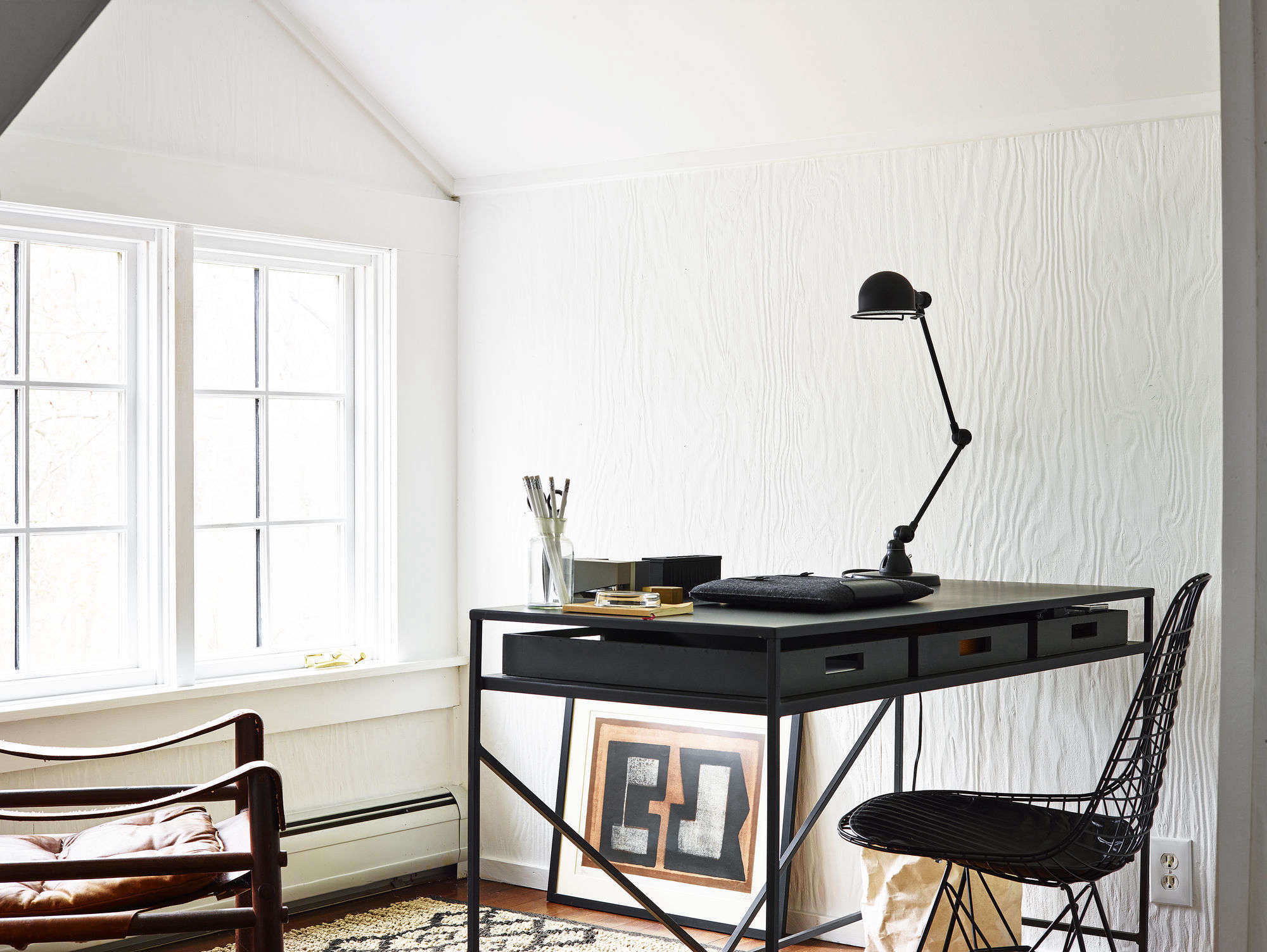
A home office can have the perfect desk, an ergonomic chair, a suspiciously expensive keyboard, and enough shelves to convince visitors you have read every book you own. But if the lighting is wrong, the room can still feel like a basement interrogation chamber by 3:00 p.m.
Good home office lighting is not simply about making the room brighter. A successful lighting remodel balances natural daylight, comfortable ambient illumination, focused task lighting, glare control, accurate color, energy efficiency, and enough flexibility to accommodate everything from spreadsheet marathons to video calls.
That flexibility matters because computer work has different lighting needs from reading printed documents, sketching, crafting, or meeting with clients. OSHA’s workstation guidance specifically recommends arranging offices to minimize glare from windows, overhead fixtures, and desk lamps, while adjustable task lighting can help direct illumination where it is actually needed.
If you are remodeling rather than simply buying another desk lamp, this is your chance to fix the problem at the architectural level. Here is how to build a home office lighting plan that works all day without turning the ceiling into an airport runway.
Start With a Lighting Plan, Not a Fixture Catalog
The easiest mistake in a home office remodel is shopping for fixtures before deciding what the light needs to accomplish. A beautiful pendant may look fantastic in a showroom and become considerably less charming when its exposed bulb reflects directly off your monitor.
Instead, divide the lighting into three basic layers:
- Ambient lighting provides comfortable overall illumination throughout the room.
- Task lighting concentrates brighter light where detailed work happens.
- Accent lighting illuminates walls, shelves, artwork, or architectural details and helps prevent the room from feeling visually flat.
Layering is especially useful in a home office because it lets you change the lighting without changing the room. During a morning planning session you might use daylight and a desk lamp. On a cloudy afternoon you may add overhead lighting. During an evening video conference, a softer combination of wall and task lighting may look far better than blasting yourself with every fixture available.
This Old House similarly recommends combining general illumination with task lighting instead of expecting a single fixture to handle an entire workspace.
Use Ambient Lighting to Eliminate Dark Zones
Think in Terms of Even Illumination
Ambient lighting should make it comfortable to move around the office, find documents, use storage, and look away from the monitor without staring into a cavernous dark background.
Recessed LED downlights are popular during remodeling because they provide broad coverage without consuming visual space. Flush-mount fixtures, semi-flush fixtures, indirect pendants, wall sconces, and ceiling fixtures that bounce light upward can also work beautifully.
The goal is not maximum brightness. It is relatively even illumination without harsh hotspots.
For example, four appropriately positioned recessed fixtures often work better than one extremely bright ceiling fixture in the center of a medium-size office. The room feels more balanced, shadows are reduced, and you can usually dim the fixtures when less light is required.
Do Not Put a Downlight Directly Over Your Head
Fixture placement matters almost as much as fixture brightness. A recessed light directly above your chair may illuminate the top of your head brilliantly while casting shadows over the keyboard and creating distracting reflections on glossy screens.
During a remodel, map the permanent desk location before locating ceiling fixtures. Arrange lights around the workstation rather than automatically using a symmetrical ceiling grid.
Symmetry makes architects happy. Your eyeballs have other priorities.
Add Dedicated Task Lighting at the Desk
A desk lamp is one of the least expensive components in a lighting remodel and often one of the most useful.
Task lighting allows you to illuminate paperwork, notebooks, drawings, electronics, and other detailed work without increasing the brightness of every fixture in the office. OSHA recommends brighter coverage for printed materials while keeping lighting for computer tasks more focused and controllable.
Look for an adjustable lamp with a movable arm, rotating head, or wide-area LED panel. Dimming controls are particularly valuable because a lamp that feels perfect on a rainy morning may seem unnecessarily intense after sunset.
Position the Lamp to Reduce Hand Shadows
If you are right-handed, placing a task lamp toward the left side of the desk generally reduces the shadow produced by your writing hand. Left-handed users can reverse the arrangement.
For computer-heavy work, direct the lamp toward the desk surface rather than the monitor. The screen produces its own light; illuminating it with another bright source usually buys you reflections rather than productivity.
Make Daylight Work for You
Natural light is one of the best features a home office can have, but more sunlight is not automatically better.
Direct sun can create glare, wash out a monitor, produce excessive contrast, and add unwanted heat. The U.S. Department of Energy notes that effective daylighting requires balancing useful daylight against excessive direct sun, glare, and heat gain. North-facing windows can provide relatively consistent daylight with less glare in many U.S. locations, while shades and other controls can help manage stronger exposures.
Place Your Desk Perpendicular to the Window
When the room allows it, placing the desk so that the main window is roughly beside you is often easier on the eyes than putting the monitor directly in front of or directly opposite the window.
A bright window directly behind the monitor can create a dramatic contrast between the screen and background. A window behind your chair can reflect across the screen.
Side lighting makes these problems easier to manage.
Install Adjustable Window Treatments
Blinds, roller shades, cellular shades, curtains, and solar shades allow daylight to become an adjustable light source rather than an unpredictable one.
During remodeling, consider window treatments part of the lighting plan. A great LED installation cannot completely rescue a monitor sitting in an uncontrolled beam of afternoon sunlight.
Choose LED Brightness by Lumens, Not Watts
For modern LED lighting, wattage primarily describes electricity consumption rather than perceived brightness. Lumens tell you how much visible light the lamp produces.
ENERGY STAR explains that LED products can produce light far more efficiently than traditional incandescent technology, making LEDs a practical choice for offices that remain illuminated for many hours a day.
That means an office lighting remodel should focus on the amount and distribution of light instead of trying to recreate the wattage numbers people remember from incandescent bulbs.
Do not simply buy the highest-lumen bulb that fits the socket. A well-designed office distributes moderate amounts of light from multiple sources rather than firing thousands of lumens from one tiny artificial sun.
Understand Color Temperature
Color temperature, measured in Kelvin, describes whether white light appears relatively warm or cool.
- 2700K-3000K: warm, comfortable light similar to traditional residential lighting.
- 3500K: a useful middle ground for many home offices.
- 4000K: cleaner, cooler white often preferred for focused task areas.
- 5000K and above: noticeably cooler daylight-like appearance that some people enjoy for detailed work but others find too clinical at home.
ENERGY STAR notes that lower Kelvin values produce warmer-looking light while higher values appear cooler or bluer. There is no magic number that suits every person or room.
For many residential offices, 3000K to 4000K provides a comfortable compromise between the cozy character of the rest of the house and the visual clarity expected in a workspace.
Consider Tunable White Lighting
If the office serves several purposes, tunable-white LEDs can provide greater flexibility. You can use brighter, cooler-looking illumination during daytime work and warmer, dimmer light when completing less demanding tasks in the evening.
The feature is useful, but automation is optional. Your office does not need seventeen lighting scenes named things like “Deep Focus Alpha Mode.” A good dimmer often delivers most of the practical benefit with considerably less drama.
Pay Attention to Color Rendering
Color Rendering Index, or CRI, describes how naturally colors appear under a particular light source compared with a reference source.
A high-CRI LED can be worthwhile if your work involves photography, printed materials, fabric, paint samples, product design, artwork, cosmetics, or other tasks where distinguishing colors matters.
Consumer Reports notes that higher-quality LEDs with CRI ratings around 90 or above can render colors more accurately than lower-quality products.
Even for ordinary office work, good color rendering can make skin tones, furniture, books, artwork, and video-call backgrounds look less dull.
Design Around the Computer Monitor
One of the central goals of home office lighting is minimizing glare.
OSHA warns that reflected glare from overhead lighting can contribute to eyestrain and may even encourage users to adopt awkward postures as they unconsciously reposition themselves to see the screen.
Before finalizing electrical rough-in, sit where the desk will be and imagine the viewing angles. Check windows, recessed lights, pendants, lamps, and reflective surfaces.
A glossy glass desk combined with six ceiling spotlights, for example, can transform your workspace into a highly accurate scale model of the solar system.
Avoid Extreme Brightness Differences
Your monitor should not float like a glowing rectangle in an otherwise dark room. Conversely, the wall behind it should not be dramatically brighter than the display.
Soft ambient lighting around the workstation reduces extreme contrasts when your eyes move between screen, desk, and surroundings.
Plan Lighting for Video Calls
A remote-work office is also a miniature broadcasting studio whether you intended that career development or not.
A single ceiling light tends to produce shadows under the eyes, nose, and chin. A window directly behind you can cause a webcam to expose for the bright background and leave your face comparatively dark.
For better video lighting, position a broad, diffused light source in front of you and slightly above eye level. Window light can work wonderfully when it is indirect and controllable. A shaded desk lamp, small panel light, or wall-mounted fixture can provide fill light when daylight is inconsistent.
If you frequently conduct professional calls, consider placing decorative shelving, wall lighting, or a floor lamp in the background. Separating foreground and background illumination gives the image more depth without requiring your office to resemble a television studio.
Install Dimmers During the Remodel
One fixed lighting level rarely works equally well at 8:00 a.m., noon, and 9:00 p.m.
Dimmers allow ambient lighting to respond to daylight, screen use, paperwork, cleaning, meetings, and evening work. They are particularly valuable when ceiling fixtures provide more illumination than is necessary during normal computer use.
When using LED fixtures and replacement bulbs, make sure the LEDs are rated as dimmable and that the selected dimmer is compatible with them. Manufacturers such as Lutron and Leviton specifically maintain LED compatibility guidance because mismatched combinations may perform poorly.
Think About Switches and Electrical Zones
A remodeling project provides an opportunity that a plug-in lamp does not: you can decide how the room will be controlled.
Instead of putting every fixture on one switch, consider separate controls for:
- ceiling or ambient lighting,
- accent or wall lighting,
- built-in desk or shelf lighting,
- decorative fixtures,
- and possibly smart or occupancy-based controls.
This lets you illuminate only the layers you need.
Also plan outlets around the actual furniture arrangement. Convenient receptacles near the desk can prevent power strips, lamp cords, laptop chargers, monitor cables, and webcam wires from forming the traditional home-office floor sculpture known as “The Trip Hazard.”
Use Reflective Surfaces Carefully
Walls and ceilings are part of the lighting system.
Light-colored matte surfaces tend to distribute light softly around a room. Very dark paint absorbs more light, which may require additional illumination. Glossy finishes can create unwanted reflections near workstations.
This does not mean every office must be painted white. A dark green or charcoal accent wall can look fantastic. Just recognize that a dramatic color scheme may require additional ambient or vertical lighting to keep the workspace comfortable.
Common Home Office Lighting Mistakes
Using Only One Ceiling Fixture
One central fixture creates light, but rarely creates a complete lighting design. Add task and secondary ambient sources.
Ignoring Glare Until the Furniture Arrives
Test desk and monitor locations during the planning stage, especially when adding recessed lighting.
Buying Bulbs Only by Wattage
Compare lumens, color temperature, CRI, beam distribution, and dimming compatibility instead.
Making Everything Extremely Cool White
Very cool lighting may be useful for specific tasks, but an entire residential office can quickly begin to resemble the waiting room of an unusually efficient dentist.
Installing Non-Dimmable Lighting Everywhere
Office lighting requirements change through the day. Adjustable systems are usually more useful than a single permanently bright setting.
Forgetting the Camera
If video calls matter, test how the lighting appears from the webcam position, not merely from your chair.
Where to Spend Your Remodeling Budget
You do not need designer fixtures in every socket to create excellent home office lighting.
Prioritize money where changes are difficult to make later: electrical wiring, fixture locations, additional circuits or switch legs where appropriate, high-quality recessed or architectural fixtures, dimmers, and window treatments.
Portable desk and floor lamps are much easier to replace.
A modest office with thoughtfully positioned lighting often performs better than an expensive room filled with decorative fixtures chosen independently of the workstation.
Practical Experience: What Home Office Lighting Remodels Teach You
One lesson that repeatedly appears when people upgrade real home offices is that lighting problems are often discovered only after someone starts working in the room for several hours at a time.
A room that looks beautifully illuminated during a five-minute walkthrough may behave completely differently during an eight-hour workday.
For example, imagine a converted spare bedroom with one ceiling fixture, a south-facing window, and a desk pushed against the wall. At first, the room seems perfectly usable. Around 10:00 a.m., however, direct sunlight reaches the monitor. The blinds come down. By noon, the room is suddenly dark enough that the ceiling fixture goes on. Now the overhead light reflects slightly in the display. By late afternoon, the user has unconsciously tilted the monitor and shifted the chair several inches to avoid reflections.
The problem is not that the room lacks light. The problem is that the light cannot be controlled.
A practical remodel might move the desk ninety degrees so the window is beside the workstation, install a light-filtering shade, replace the single ceiling fixture with several dimmable sources, and add an adjustable desk lamp. No individual change is revolutionary. Together they completely change how the office behaves.
Another common discovery is that extremely bright lighting feels impressive during installation but becomes tiring during normal computer work. Contractors may switch everything on at full brightness to demonstrate the finished project. The homeowner sees a brilliantly illuminated office and thinks, “Excellent. NASA could perform surgery in here.”
Then Monday arrives.
By lunchtime, every fixture has been dimmed.
This is why lighting controls are often more valuable than simply adding more output. A good remodel creates maximum capability without forcing maximum brightness.
Video conferencing also reveals problems people rarely notice in ordinary room lighting. A ceiling fixture that looks acceptable to the eye can produce unflattering facial shadows on camera. Meanwhile, the gorgeous window behind the desk becomes a glowing white rectangle during afternoon meetings.
Testing the office through the actual webcam before finalizing furniture placement can prevent both problems. Sometimes moving the desk a few feet costs nothing and improves the image more than purchasing a collection of streaming lights.
Another practical lesson involves color temperature. People sometimes assume cooler light automatically means better productivity. In reality, preferences vary considerably. A 5000K lamp that feels crisp and energetic to one person can feel sterile to another. During a remodel, installing compatible dimmable or tunable lighting gives the homeowner room to experiment rather than permanently committing to one appearance.
Finally, lighting renovations tend to demonstrate the importance of lighting the room rather than merely lighting the desk. A bright task lamp surrounded by dark walls can create uncomfortable visual contrast. Adding gentle wall illumination, a floor lamp, or indirect ceiling light often makes the entire workspace feel more comfortable even when the desk itself does not become brighter.
The most successful home office lighting remodels therefore have one characteristic in common: flexibility. Daylight can be filtered. Ambient light can be dimmed. Task lighting can be repositioned. Different fixtures can be controlled separately. Furniture can coexist with the lighting rather than fighting it.
That flexibility is far more valuable than chasing one theoretically perfect bulb or one magical brightness number.
Conclusion: Build a Lighting System, Not Just a Bright Room
Learning how to light your home office starts with abandoning the idea that one fixture should do everything.
Combine comfortable ambient light with adjustable task lighting. Use natural daylight, but control glare with thoughtful desk placement and window treatments. Choose efficient LEDs by lumens, color temperature, color quality, and compatibility rather than wattage alone. Add dimmers wherever they make sense, and plan switching zones while the walls are already open.
Most importantly, design around the way you actually work. A graphic designer, accountant, writer, architect, online teacher, and occasional work-from-home laptop user may all need different lighting arrangements.
Your home office does not need to look like a corporate cubicle, photography studio, or spaceship cockpit. It simply needs enough adjustable, well-positioned light to let you work comfortably without spending the afternoon fighting reflections on your monitor.