When the Wi-Fi goes down, many people react as if civilization has ended and the fridge has stopped humming. But here is the good news: your computer is still a playground, a studio, a notebook, an arcade, and occasionally a glorious mess of half-finished ideas. You do not need the internet to have a good time on a computer. You just need the right mindset, a few built-in tools, and the courage to click around like a curious raccoon with a keyboard.
If you are looking for offline computer activities that are actually fun, you have options far beyond staring dramatically at your desktop wallpaper. From games and digital art to writing, music, coding, and creative organization, there are plenty of things to do on a computer without internet access. Some are relaxing, some are productive, and some are suspiciously good at making three hours disappear.
This guide covers 12 smart, creative, and entertaining ways to have fun on a computer offline. Whether you use a laptop for hobbies, need screen-time ideas during a connection outage, or simply want to enjoy your device without opening 47 tabs you did not need, these ideas can help.
1. Play Offline Games Like a Normal Time Traveler
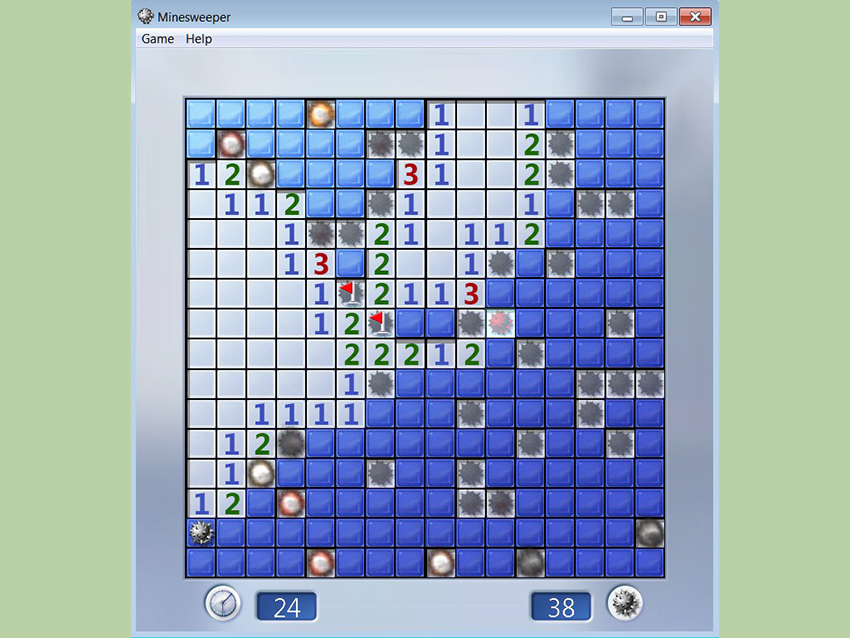
Let us begin with the obvious champion: offline games. Single-player PC games, built-in classics, downloadable indie titles, retro emulators you already legally own content for, and puzzle games can keep you busy without needing a live connection. The beauty of offline gaming is that nobody is yelling through a headset, no pop-up asks you to “claim your daily reward,” and the only person losing badly is still you.
Story-driven games, strategy games, simulation titles, racing games, and logic games all work well when the internet is out. Educational games are also a solid choice if you want something lighter but still stimulating. If your computer already has games installed, now is their moment to shine. If not, it is smart to keep a small folder of offline favorites ready for future no-Wi-Fi emergencies.
Why it works
Offline games offer instant entertainment, clear goals, and that deeply satisfying “just one more level” energy. They are also one of the easiest answers to the question, “What can I do on my computer without internet?”
2. Make Digital Art, Even If You Draw Like a Confused Potato
You do not need a fancy online platform to make art. Built-in tools like Paint, offline-capable creative apps, and drawing software let you sketch, color, doodle, experiment with layers, or build something weird and wonderful from scratch. Maybe it becomes a landscape. Maybe it becomes a dragon wearing sunglasses. Both are valid.
Digital drawing is great because it invites low-stakes play. You can test brush sizes, try color palettes, erase bad decisions, and learn by doing. If you have a stylus, wonderful. If you do not, your mouse can still produce some unexpectedly charming chaos. Abstract art also exists for a reason, and that reason is partly “my hand slipped.”
Try drawing your dream bedroom, redesigning your favorite game character, creating pixel art, or making a fake album cover. These projects are fun, offline-friendly, and surprisingly calming.
3. Edit Old Photos and Turn Them Into Tiny Masterpieces
Your photo folder is probably full of forgotten gems: vacation shots, pet pictures, blurry sunsets, accidental ceiling photos, and at least one image of your shoe. Offline photo editing gives those files a second life. You can crop, adjust lighting, fix color, organize albums, flag favorites, and create before-and-after versions that make you feel wildly competent.
Photo editing is one of the best creative things to do on a laptop without internet because it combines play with results you can actually keep. You do not need to be a professional photographer. Start with simple changes like straightening, contrast, brightness, and color tone. Then move into collages, desktop wallpapers, or themed folders such as “Pets Being Unhelpful” and “Sunsets Trying Their Best.”
Easy offline photo ideas
- Create a black-and-white photo series
- Make a seasonal album from old pictures
- Design a wallpaper using your best travel photo
- Compare original and edited versions to learn what looks better
4. Have a Ridiculous Photo Booth Session
If your computer has a camera, you have access to one of the most underrated offline hobbies on a computer: making yourself laugh with goofy photos and short videos. Use built-in camera tools or photo booth apps to experiment with effects, angles, lighting, costumes, props, and facial expressions that should probably remain private forever.
This is especially fun with siblings or friends in the same room, but it also works solo if you are willing to fully commit to the bit. Pretend you are taking passport photos for a nation of goblins. Recreate dramatic movie posters. Make a set of reaction images for your own personal use. The internet may be down, but your talent for nonsense remains online in spirit.
Bonus points if you organize the final images into a mini “photo series” instead of random snapshots. Suddenly you are not goofing off. You are doing a visual comedy project. Very professional.
5. Edit a Short Movie From Local Clips
If you already have videos saved on your computer or phone, offline movie-making can eat up an afternoon in the best way. Use video editing software to combine clips, trim awkward pauses, add titles, arrange scenes, drop in music you already own, and create something watchable. Or delightfully unwatchable. Art is flexible like that.
You could make a short travel montage, a birthday recap, a pet documentary, a fake movie trailer, or a “day in my life” video using old footage. Even simple edits can feel satisfying because you are shaping random moments into a story. That transformation is part of the fun.
Video editing also builds real skills: pacing, sequencing, audio awareness, and visual storytelling. So yes, you are having fun on your computer without internet, but you are also accidentally becoming more creative. Sneaky.
6. Produce Music Without Knowing a Single Chord
Music software makes offline fun feel a little magical. Tools like loop libraries, virtual instruments, drum kits, and voice recording features let beginners create songs without needing years of training or a garage full of equipment. You can build beats, layer sounds, record spoken-word audio, make background music, or compose something that sounds like a robot discovered jazz.
This is one of the best things to do on a computer without internet because it feels instantly interactive. Press a key, hear a sound, change a rhythm, stack another layer, and suddenly you are not “bored offline.” You are producing. Maybe not brilliantly. But definitely enthusiastically.
Offline music project ideas
- Create a 30-second intro song for your name
- Make background music for a home video
- Record nature sounds and turn them into a track
- Build a beat using only loops and percussion
7. Write a Story, Journal Entry, or Wildly Unnecessary Memoir
Writing offline is oddly refreshing because there are fewer distractions and no temptation to “quickly check one thing,” which usually turns into thirty tabs and a deep emotional relationship with your search history. Open a blank document and write something: a short story, a poem, a fake news article, a journal entry, a comic script, a mystery opening, or a scene where your dog becomes mayor.
Creative writing is an excellent offline computer activity because it costs nothing, improves quickly with practice, and can go in any direction. You can challenge yourself with a word count, a theme, or a time limit. Some people like to write a page a day. Others prefer short bursts. Both approaches work.
Try prompts like these:
- Write about a world where the internet disappears for one year
- Create a dialogue between your laptop and your coffee mug
- Describe a mystery using only sounds and smells
- Write a character who is terrible at lying but keeps trying anyway
8. Learn Coding by Making a Tiny Game or Animation
Coding offline can be surprisingly fun when you stop thinking of it as “serious programming” and start treating it like a toy box. With beginner-friendly tools, local interpreters, or downloaded environments, you can make simple games, animations, text adventures, calculators, interactive stories, or little experiments that beep, move, or explode politely on-screen.
The best part is that coding gives instant feedback. Change one line and something happens. Sometimes the result is exactly what you wanted. Other times the screen does something so weird it deserves applause. Either way, you learn. That makes it one of the most rewarding offline computer hobbies for curious minds.
Start small. Make a character move. Create a number guessing game. Animate a bouncing shape. Build a “choose your own adventure” story. You do not need the internet to enjoy logic, problem-solving, and creative experimentation.
9. Design Wallpapers, Posters, and Collages From Local Files
Your computer can double as a mini design studio. Gather saved photos, screenshots, icons, textures, quotes, or downloaded public-domain images you already have, then turn them into custom wallpapers, posters, mood boards, scrapbook pages, or digital collages. It is fun, visually satisfying, and less expensive than redecorating your whole room out of boredom.
This activity works especially well when you give yourself a theme. Maybe you create a “favorite movies” poster, a seasonal desktop set, a dream travel collage, or a retro-style wallpaper using vintage pictures. If you have older downloaded image collections, this is a perfect chance to use them creatively instead of letting them sit in a folder called “misc final final real final.”
Designing your own visuals is also a good way to make your computer feel more personal. A custom wallpaper or poster has a weirdly powerful effect on motivation. Suddenly your laptop is not just a machine. It is your machine.
10. Start a Personal Archive and Organize Your Digital Chaos
This may sound dangerously close to responsibility, but hear me out: organizing your digital life can be weirdly satisfying. Personal archiving means sorting your photos, documents, scanned notes, voice memos, and memorable files into folders that make sense. It is half cleanup, half treasure hunt.
As you organize, you rediscover forgotten school projects, family photos, old writing, screenshots from games, playlists, and files you thought were lost. That alone can make the process genuinely enjoyable. Add smart folder names, dates, tags, and favorites, and you are building something useful for future you.
Make it fun by turning it into a mission. Create folders for each year. Build a “best moments” archive. Scan and save old handwritten notes if you have them. Make a digital time capsule. Instead of treating file organization like a chore, treat it like curating your personal museum.
11. Build a Family History or Local History Scrapbook
If you have family photos, scanned documents, saved images, or downloaded history resources already on your computer, you can use them offline to make a digital scrapbook or mini research project. Combine photos, captions, dates, maps, and memories into a slideshow, poster, or document that tells a story.
This is one of the most meaningful things to do on a computer without internet because it connects creativity with memory. You can make a timeline of your family, a tribute to a grandparent, a visual story of your neighborhood, or a “then and now” collection using old and recent images. It is thoughtful, fun, and a nice break from pure entertainment.
Even if you are not a history person, this kind of project can sneak up on you. You start by labeling one old photo and suddenly you are three hours deep wondering why everyone in 1998 looked like they were attending a denim convention.
12. Turn Built-In Tutorials and Practice Files Into a Creative Challenge
Many apps include sample files, built-in lessons, templates, or tutorials you can use offline once they are installed. This is a smart way to have fun on a computer offline because it gives you structure without feeling like homework. Instead of doom-scrolling, you are challenge-scrolling inside your own software.
Open a tutorial for photo editing, drawing, music, or video and give yourself one mission: finish one tiny project. Not ten. One. Make one poster, one beat, one edited image, one short animation, one trailer, or one cleaned-up photo. Small wins keep the experience enjoyable.
This approach is perfect when you want fun with a side of progress. You are still playing, still experimenting, and still avoiding boredom, but you also end the session with something real. That is a lovely trade.
Why Offline Computer Fun Still Matters
There is something refreshing about using a computer without the internet pulling on your sleeve every five seconds. Offline time can feel quieter, more focused, and oddly more creative. You are not reacting to notifications or chasing updates. You are making, exploring, editing, building, organizing, and playing on your own terms.
That is why offline computer activities are worth revisiting, even when your connection works perfectly. They remind you that a laptop is not just a portal to the web. It is also a workshop for ideas.
Extra : What the Offline Computer Experience Actually Feels Like
People often assume that using a computer without internet access will feel restrictive, but the real experience is usually the opposite. At first, yes, there is a tiny dramatic moment. You click the browser. Nothing loads. Your soul sighs. Then something interesting happens: the pressure to constantly check, refresh, compare, and respond begins to fade. The screen starts feeling less like a crowded highway and more like a quiet room.
One of the most enjoyable parts of offline computer fun is how quickly your attention changes. When you are editing a photo, writing a story, or building a beat, you often settle in faster because there are fewer escape hatches. You cannot instantly wander off into messages, videos, headlines, and random searches about whether penguins have knees. You stay with the task longer, and because you stay with it longer, it becomes more fun.
There is also a special satisfaction in making something from what you already have. A folder of old pictures becomes a polished album. A bunch of random clips turns into a short movie. An empty document becomes a personal essay, a scene, or a completely unnecessary yet delightful fake movie review of the sandwich you had for lunch. Offline creativity feels scrappier in a good way. It encourages invention.
Gaming offline has its own mood too. It feels more relaxed, less noisy, and more immersive. You can move at your own pace. You are not chasing updates or dealing with strangers. It is just you and the challenge in front of you. That same feeling shows up in coding, drawing, and music-making. Without the internet, the computer becomes less performative. You are not making things for an audience first. You are making them because the process itself is entertaining.
Another overlooked part of the offline experience is nostalgia. Sorting files, opening old projects, and revisiting saved photos can unlock memories you forgot you had. Even organizing folders can become surprisingly emotional in the best possible way. You find school assignments, old screenshots, voice recordings, unfinished ideas, and little pieces of your life hiding in plain sight. The computer becomes an archive as much as a tool.
Most of all, offline computer fun feels intentional. Instead of getting pulled into whatever the internet wants to show you, you choose the activity. You choose the pace. You choose whether this hour becomes a game session, a writing sprint, a digital art experiment, or a cleanup mission that turns into a walk down memory lane. That kind of control is refreshing. It reminds you that boredom is not always a lack of options. Sometimes it is just a lack of direction. And once you have a direction, even a very silly one, an offline computer can be a surprisingly great place to spend your time.
Conclusion
If you have ever wondered how to have fun on a computer without using the internet, the answer is simple: treat your device like a creative tool, not just a connection tool. Play a game, make music, edit photos, write fiction, build a mini movie, learn a little coding, organize your digital history, or design something that makes your desktop feel new again. Offline does not have to mean boring. In many cases, it means fewer distractions and more actual fun.
The next time the internet disappears, do not panic. Your computer still has plenty of life in it. And honestly, your router might appreciate a short break from the drama.