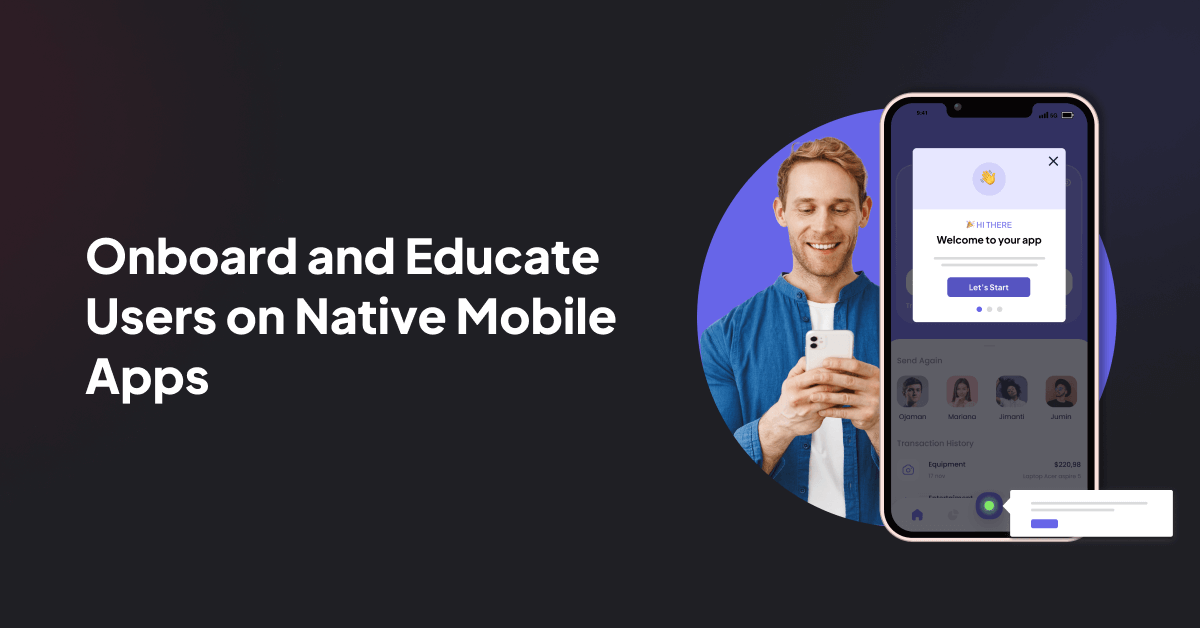
Mobile apps live in the most impatient neighborhood of the internet: the home screen. One confusing first session, one permission request that arrives too early, one push notification that sounds like it was written by a caffeinated toaster, and users quietly disappear. That is where Mobile – Userpilot becomes interesting. It is not just about adding tooltips to a smaller screen. It is about helping product teams onboard, engage, survey, and retain mobile users without turning every improvement into a six-week engineering quest.
Userpilot is known as a product growth platform for creating in-app experiences, collecting feedback, analyzing behavior, and improving adoption. With its mobile capabilities, the same philosophy moves into native mobile apps: guide users at the right moment, learn from what they do, and keep improving the journey. In plain English, Userpilot helps teams stop guessing why users leave and start designing better reasons for them to stay.
What Is Mobile – Userpilot?
Mobile – Userpilot refers to Userpilot’s mobile product experience capabilities for native apps. The platform supports personalized in-app messages, push notifications, mobile surveys, and mobile analytics. It also provides mobile SDK options so development teams can connect apps built for iOS, Android, Flutter, React Native, Capacitor, Expo, Cordova, and MAUI.
The bigger idea is simple: mobile users need guidance, but they hate being slowed down. A good mobile experience does not trap people in a museum tour of your interface. It gives them just enough help to reach value quickly. Userpilot’s mobile tools are built around that practical mission: shorten time to value, reduce drop-offs, and turn product behavior into useful decisions.
Why Mobile Onboarding Matters More Than Ever
Mobile onboarding is the first handshake between your app and a new user. Unfortunately, many apps treat that handshake like a 47-slide corporate training deck. Users do not install an app because they dream of reading feature explanations. They install it because they want to solve a problem, complete a task, track something, buy something, learn something, or be entertained before their coffee gets cold.
Effective mobile onboarding helps users complete a meaningful first action quickly. That might be creating a project, setting a goal, saving a favorite item, completing a profile, connecting an account, sending a message, or making a first purchase. The best onboarding flows are short, contextual, and tied to the user’s intent. They do not explain everything. They reveal the next useful thing.
The Real Goal: Activation, Not Decoration
Pretty welcome screens can help set expectations, but activation is the real prize. A mobile onboarding flow should answer one question: “What must the user do to experience value?” For a budgeting app, it might be linking a bank account or setting a spending goal. For a productivity app, it might be creating the first task. For a fitness app, it might be choosing a goal and starting a plan. For a B2B SaaS companion app, it might be enabling notifications for important workflow updates.
Userpilot Mobile supports this activation mindset by combining onboarding experiences with analytics and segmentation. Instead of showing every user the same generic walkthrough, teams can personalize guidance based on user type, behavior, journey stage, or feedback.
Core Features of Userpilot Mobile
1. Mobile In-App Messages
Mobile in-app messages help teams communicate inside the app while the user is already active. These messages can welcome new users, introduce features, explain updates, promote next steps, or nudge users back toward an unfinished task.
The advantage of in-app messaging is timing. A message about a feature is far more useful when the user is near that feature than when they are staring at a login screen wondering why life has so many passwords. With Userpilot, product teams can create targeted messages that feel like part of the experience rather than a pop-up ambush.
2. Push Notifications
Push notifications can bring users back into the app, but they must be handled with respect. Mobile users have a low tolerance for noisy notifications, and operating systems make it easy to silence apps that overdo it. The lesson is obvious: push should be helpful, timely, and relevant.
Userpilot Mobile includes push notification support so teams can send targeted messages that reconnect users with meaningful actions. Good push campaigns might remind a user to finish setup, alert them about a workflow update, share a personalized recommendation, or encourage them to return at a moment when the app can provide real value. Bad push campaigns say things like “We miss you!” three times a week until the user starts missing peace and quiet.
3. Mobile Surveys
Mobile surveys let teams collect feedback directly from users while the experience is fresh. Userpilot supports common survey types such as NPS, CSAT, and CES, which can help teams understand satisfaction, loyalty, and effort.
Surveys work best when they are short and well-timed. A one-question survey after a completed action can reveal more than a long email questionnaire sent two weeks later. For example, after a user finishes onboarding, a quick CSAT question can help the team identify whether the flow feels smooth. After a user struggles or abandons a step, a short feedback prompt can reveal friction the analytics alone cannot explain.
4. Mobile Analytics
Analytics is where mobile growth stops being a guessing contest. Userpilot Mobile allows teams to monitor important metrics such as active users, activation rate, drop-offs, top screens, and behavior patterns. This matters because mobile retention is famously unforgiving. The first session and first week often determine whether a user develops a habit or vanishes into the app-store mist.
With mobile analytics, teams can identify where users abandon onboarding, which screens drive engagement, which actions correlate with retention, and which segments need extra guidance. Instead of asking, “Do users like the app?” teams can ask sharper questions: “Which users activate fastest?” “Where do new users stall?” “Which feature is discovered too late?” “What behavior predicts long-term use?”
How Userpilot Mobile Fits Into a Product Growth Strategy
Mobile growth is not one campaign. It is a loop: observe behavior, guide users, collect feedback, test improvements, and repeat. Userpilot Mobile fits into that loop by connecting user engagement tools with product analytics.
Segment Users by Intent and Behavior
Not all mobile users arrive with the same goal. A first-time user needs clarity. A returning user may need a nudge toward an advanced feature. A power user may want shortcuts, not tutorials. A user who skipped setup might need a reminder. A user who completed onboarding but never returned might need a reactivation message.
Segmentation makes mobile experiences feel more intelligent. Instead of blasting everyone with the same message, teams can tailor guidance based on what users have done, what they have not done, and where they are in the journey.
Use Contextual Guidance Instead of Long Tutorials
Mobile screens are small. Attention spans are smaller. Long tutorials often ask users to remember information before they have any reason to care. Contextual guidance is better because it appears when the user needs it.
For example, rather than explaining every reporting feature during signup, a finance app could wait until the user views their first spending report and then show a short in-app tip. A project management app could introduce collaboration prompts only after the user creates a project. A health app could explain reminders after the user chooses a goal. This is the difference between teaching and narrating the furniture.
Connect Push, In-App Messages, and Surveys
The strongest mobile engagement strategies use each channel for a clear purpose. Push notifications bring users back. In-app messages guide them while they are active. Surveys capture sentiment and friction. Analytics shows whether any of it actually worked.
Userpilot Mobile helps teams combine these pieces into a coordinated system. A team might use analytics to find that new users drop off before completing setup. Then it can trigger an in-app message during setup, send a push reminder if the user leaves, and ask a short survey question if the user still fails to complete the step. That is much better than holding a meeting where everyone guesses and the loudest person wins.
Examples of Mobile Experiences You Can Build With Userpilot
Example 1: New User Activation Flow
A language learning app wants new users to complete their first lesson within five minutes. With Userpilot Mobile, the team can create a short welcome flow, ask one personalization question about learning goals, guide the user to the first lesson, and show a success message after completion. Analytics can then track how many users reach that first lesson and where the rest drop off.
Example 2: Feature Discovery Campaign
A fintech app launches a new savings automation feature. Instead of announcing it to everyone at login, the team targets users who have created a budget but have not set savings rules. An in-app message introduces the feature when they visit the budgeting area. A follow-up survey asks whether the feature is easy to understand. The team uses analytics to compare adoption across segments.
Example 3: Reactivation With Push Notifications
A productivity app notices that users who create three tasks in the first week are more likely to stick around. For users who created one task and then went quiet, the team sends a helpful push notification: “Your plan is started. Add two more tasks to finish your setup.” That message is specific, action-oriented, and tied to value. It beats “Come back!” which has the emotional depth of a refrigerator magnet.
Best Practices for Mobile – Userpilot Success
Keep the First Experience Short
Mobile onboarding should be quick enough that users reach the product before they forget why they installed it. Three focused screens are usually better than seven decorative ones. Every screen should earn its place by helping the user understand value or complete a meaningful action.
Ask for Permissions at the Right Moment
Location, camera, contacts, tracking, and notification permissions should not be requested before users understand why they matter. A better approach is to explain the benefit first. For example, a travel app can ask for location after showing nearby recommendations, not before the user has seen anything useful. Permission prompts are not paperwork; they are trust moments.
Personalize Without Being Creepy
Personalization should feel helpful, not like the app is hiding in the curtains with binoculars. Use declared data, behavior, and journey stage to improve relevance. If a user says they want beginner workouts, show beginner guidance. If they skip a feature, do not keep shouting about it. Smart targeting should feel like good service.
Measure Activation, Not Just Installs
Installs are nice, but they do not pay the bills if users disappear immediately. Product teams should track activation events that represent real value. Depending on the app, those events might include account setup, first transaction, first saved item, first completed lesson, first shared file, or first created project.
Close the Feedback Loop
Surveys are useful only when teams act on them. If users complain that onboarding is confusing, review session behavior and drop-off points. If users rate a feature poorly, examine whether the issue is usefulness, discoverability, speed, or unclear copy. Feedback should flow into product decisions, not live forever in a dashboard like a museum exhibit.
Implementation Considerations
To use Userpilot Mobile, teams need to integrate the mobile SDK into their application. This is a one-time technical setup that enables in-app experiences, analytics, and mobile engagement features. After implementation, product, growth, customer success, and UX teams can manage many experiences without constantly relying on engineering support.
That division of labor is important. Engineers should not have to hard-code every onboarding experiment, survey, and message. Product teams need the ability to test, learn, and iterate quickly. At the same time, engineering still plays a crucial role in SDK setup, event quality, data structure, performance, and release governance.
Who Benefits Most From Userpilot Mobile?
Userpilot Mobile is especially useful for product-led teams that want to improve activation, feature adoption, user feedback, and retention inside mobile apps. It can help SaaS companies with companion mobile apps, fintech products, productivity tools, education apps, wellness platforms, marketplaces, and subscription-based mobile businesses.
The platform is most valuable when a team already knows that mobile behavior matters but needs better tools to influence it. If users are dropping off during setup, ignoring important features, failing to understand value, or leaving before habit formation, Userpilot Mobile gives teams a structured way to diagnose and improve the journey.
Common Mistakes to Avoid
Overloading the First Session
Do not try to teach the entire product on day one. Users need a path, not a product encyclopedia. Start with the minimum steps required to reach value, then introduce deeper features later.
Sending Generic Push Notifications
A generic push notification is basically a tiny billboard on someone’s lock screen. Make push messages specific, useful, and tied to behavior. If the message would not help the user, do not send it.
Ignoring Negative Feedback
Low survey scores are not insults; they are smoke alarms. Treat them as signals. Review the journey, identify the friction, and test improvements.
Tracking Too Many Vanity Metrics
Downloads, impressions, and opens can be useful, but they should not distract from activation, retention, and meaningful product actions. The best mobile analytics strategy focuses on behavior that predicts long-term value.
Experience Notes: What Working With Mobile Product Adoption Teaches You
Anyone who has worked on mobile onboarding learns one humbling truth very quickly: users do not behave like roadmap slides. They tap the wrong thing, skip the beautiful explainer, deny permissions, forget why they came, and sometimes uninstall because the first screen asked them to create a password with one uppercase letter, one number, one symbol, and possibly a notarized letter from a wizard.
The experience of improving mobile adoption is really the experience of removing tiny moments of confusion. A product team may begin by thinking the problem is “users do not understand the feature.” After studying behavior, they may discover the real issue is that users never reach the feature. Or they reach it but do not recognize what it does. Or they understand it but do not trust it enough to continue. Mobile analytics and in-app feedback make these invisible problems visible.
Userpilot Mobile is useful in this environment because it helps teams test improvements without treating every change like a construction project. A product manager can design a clearer onboarding prompt. A UX designer can test a better empty state message. A growth marketer can segment reactivation pushes. A customer success team can collect feedback after a confusing action. The team still needs strategy, but the platform gives them faster ways to execute that strategy.
In real mobile projects, the most successful improvements are often small. Changing one onboarding message from “Complete your profile” to “Add your goal so we can personalize your plan” can make the action feel more worthwhile. Moving a permission request from first launch to the moment of need can improve trust. Replacing a long carousel with a short interactive first task can help users reach value faster. Adding a quick survey after a failed action can reveal whether the problem is copy, layout, performance, or expectations.
Another practical lesson is that mobile onboarding never really ends. New users need first-session guidance, but existing users need education too. When a new feature launches, when a user upgrades, when someone returns after weeks away, or when behavior suggests confusion, the app has another onboarding moment. The smartest teams treat onboarding as a continuous product layer, not a one-time welcome mat.
There is also a human side to mobile engagement. A push notification may look like a tiny message, but it interrupts a real person’s day. An in-app modal may seem harmless, but it can block someone who is trying to finish a task. A survey may provide valuable feedback, but only if it respects the user’s time. Good mobile product adoption is not about squeezing users through funnels like toothpaste. It is about making the next useful action easier, clearer, and more rewarding.
For teams evaluating Mobile – Userpilot, the best mindset is practical: start with one important user journey. Define the activation event. Identify where users drop off. Add contextual guidance. Use push notifications carefully. Ask for feedback at key moments. Measure the result. Then improve the next journey. That disciplined approach turns mobile growth from a guessing game into a repeatable habit. And in mobile products, habit is everything.
Conclusion
Mobile – Userpilot is about more than mobile messages. It is about building a smarter product experience layer for native apps. With mobile SDK support, in-app messages, push notifications, surveys, and analytics, Userpilot helps teams guide users toward value, understand behavior, collect feedback, and improve retention.
The best mobile apps do not win because they explain the most. They win because they help users succeed quickly and keep giving them reasons to return. Userpilot Mobile gives product teams the tools to do that with more speed, more context, and fewer engineering bottlenecks. In a world where users can uninstall an app faster than you can say “interactive walkthrough,” that matters.